
The Backbone of Your Business: Why Server Support Services Matter

Your business runs on data. Every transaction, every customer interaction, every operational process flows through your servers. When those servers experience issues, your entire business grinds to a halt. This is why server support services aren’t just another IT expense—they’re the foundation that keeps your business operational, secure, and competitive.
Understanding Server Support Services
Server support services encompass the ongoing management, monitoring, maintenance, and troubleshooting of your organization’s server infrastructure. These services ensure that your critical systems remain available, perform optimally, and stay protected against emerging threats.
Whether you’re running physical servers on-premises, virtual servers in a data center, or cloud-based infrastructure, professional server support provides the expertise and proactive management necessary to keep your business running smoothly.
The Critical Role of Servers in Modern Business
Before diving into why server support matters, it’s important to understand just how central servers are to business operations. Your servers host essential applications, store critical data, manage email communications, facilitate file sharing, and support collaborative tools that teams rely on daily.
When server performance degrades or systems fail, the impact ripples throughout your organization. Employees can’t access the tools they need. Customers can’t complete transactions. Revenue stops flowing. According to industry research, the average cost of server downtime ranges from $5,600 to over $9,000 per minute, depending on your business size and industry.
Why Professional Server Support Services Matter
Minimizing Downtime and Business Disruption
The most immediate benefit of professional server support is dramatically reduced downtime. Managed server support providers monitor your systems around the clock, identifying potential issues before they escalate into full-blown outages.
This proactive approach means problems get resolved during off-hours or before users even notice. Instead of waiting until your server crashes and then scrambling to fix it, professional support teams detect warning signs—unusual CPU usage, memory leaks, disk space issues—and address them preemptively.
Enhancing Security and Compliance
Cybersecurity threats evolve constantly, and servers represent prime targets for attackers. A compromised server can expose customer data, intellectual property, and financial information, leading to regulatory penalties, lawsuits, and irreparable brand damage.
Professional server support services implement multi-layered security measures including regular patch management, vulnerability assessments, intrusion detection systems, and security monitoring. These specialists stay current with emerging threats and security best practices, ensuring your servers maintain robust defenses against ransomware, malware, and unauthorized access attempts.
For businesses in regulated industries, server support services also ensure compliance with standards like HIPAA, PCI-DSS, and GDPR by implementing appropriate security controls, maintaining audit trails, and documenting server configurations.
Optimizing Performance and Scalability
As your business grows, your server requirements change. Applications demand more resources, user counts increase, and data volumes expand. Without proper management, server performance degrades gradually—pages load slower, applications lag, and productivity suffers.
Server support services continuously optimize system performance through resource monitoring, capacity planning, and infrastructure tuning. These professionals identify bottlenecks, recommend hardware upgrades when necessary, and ensure your infrastructure scales efficiently to meet growing demands without over-provisioning and wasting budget.
Key Components of Comprehensive Server Support
Proactive Monitoring and Maintenance
Effective server support begins with comprehensive monitoring. Modern monitoring tools track dozens of metrics including CPU utilization, memory consumption, disk I/O, network bandwidth, application responsiveness, and system temperatures.
This monitoring enables support teams to establish performance baselines, identify anomalies, and respond to issues before they impact users. Regular maintenance tasks—updating software, clearing temporary files, optimizing databases, checking hardware health—keep servers running efficiently.
Backup and Disaster Recovery
Data loss represents an existential threat to most businesses. Hardware failures, ransomware attacks, human errors, and natural disasters can all destroy critical information. Professional server support includes robust backup strategies with multiple redundancy layers.
Comprehensive backup solutions capture full system images, application data, configurations, and databases on regular schedules. Equally important, server support teams regularly test recovery procedures to ensure backups actually work when needed. They also develop disaster recovery plans that minimize recovery time and data loss if catastrophe strikes.
Patch Management and Updates
Software vulnerabilities create entry points for attackers. Operating systems, applications, firmware, and drivers all require regular updates to address security flaws and improve functionality.
However, updates can sometimes introduce compatibility issues or system instability. Professional server support services manage the entire patch lifecycle—testing updates in controlled environments, scheduling deployments during maintenance windows, and rolling back problematic patches when necessary.
Technical Expertise On-Demand
Server issues don’t respect business hours. A critical server failure at 2 AM can’t wait until Monday morning. Professional server support provides access to experienced technicians who can diagnose and resolve complex issues quickly.
This expertise extends beyond emergency response. Support teams offer guidance on server architecture decisions, application deployments, performance optimization, and technology roadmap planning.
The Cost of Inadequate Server Support
Many businesses underestimate the true cost of managing servers without professional support. The visible costs—downtime, data loss, security breaches—are significant enough. But hidden costs often prove equally damaging.
DIY server management diverts your internal IT staff from strategic projects. Instead of implementing new systems that drive business value, they’re constantly firefighting server issues. This reactive approach prevents innovation and limits your technology’s business impact.
Security vulnerabilities that go unpatched expose your organization to ransomware attacks that can cost hundreds of thousands in ransom payments, recovery efforts, legal fees, and regulatory fines. Poor performance frustrates employees and customers, gradually eroding productivity and satisfaction.
Choosing the Right Server Support Services
Not all server support services deliver equal value. When evaluating providers, consider their response times, expertise depth, monitoring capabilities, and service level agreements.
Look for providers offering 24/7/365 monitoring and support, not just business-hour coverage. Verify they have experience with your specific server platforms—whether Windows Server, Linux, virtualization platforms like VMware or Hyper-V, or cloud infrastructure.
Ask about their proactive approach. The best server support doesn’t just react to problems—it prevents them through continuous monitoring, regular maintenance, capacity planning, and security hardening.
Making Server Support a Strategic Priority
Server support services represent far more than a technical necessity—they’re a strategic investment in business continuity, security, and operational efficiency. By ensuring your critical infrastructure remains available, secure, and optimized, professional server support enables your business to focus on growth rather than firefighting technical crises.
In today’s digital-first business environment, your servers truly are the backbone supporting every operation. Protecting and optimizing that backbone through professional server support services isn’t optional—it’s essential for sustainable success.
Frequently Asked Questions
What are server support services?
Server support services provide ongoing management, monitoring, maintenance, and troubleshooting of business server infrastructure to ensure optimal performance, security, and availability.
How much does server downtime cost businesses?
Server downtime typically costs businesses between $5,600 to over $9,000 per minute, depending on company size and industry, not including long-term reputation damage.
What’s included in professional server support?
Professional server support includes 24/7 monitoring, proactive maintenance, security patch management, backup and disaster recovery, performance optimization, and technical troubleshooting.
How does server support improve security?
Server support enhances security through regular patching, vulnerability assessments, intrusion detection, security monitoring, and implementation of industry best practices and compliance requirements.
Can small businesses benefit from server support services?
Yes, small businesses often benefit most from server support services since they typically lack dedicated IT staff with server expertise and can’t afford extended downtime.
What’s the difference between reactive and proactive server support?
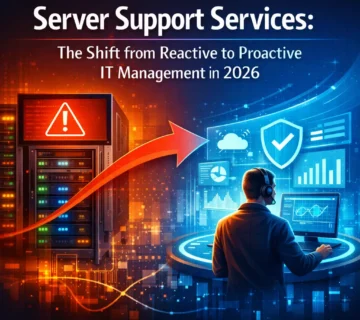
Reactive support responds to problems after they occur, while proactive support monitors systems continuously to identify and resolve potential issues before they cause downtime.
How often should servers receive maintenance?
Servers require daily monitoring, weekly maintenance tasks, monthly security updates, and quarterly comprehensive reviews to maintain optimal performance and security.
Do cloud servers need support services?
Yes, cloud servers still require monitoring, security management, optimization, backup verification, and troubleshooting even though the underlying hardware is managed by cloud providers.






No comment