
Server Support: The Backbone of Modern Business Operations

In today’s digital landscape, servers form the foundation upon which businesses build their online presence and operational infrastructure. Whether you’re running a small e-commerce store or managing enterprise-level applications, the reliability and performance of your servers directly impact your bottom line. This is where professional server support becomes not just beneficial, but essential for sustained success.
Understanding the Critical Role of Server Support
Server support encompasses the comprehensive management, maintenance, and troubleshooting of server infrastructure that keeps your digital operations running smoothly. Think of it as the healthcare system for your digital infrastructure—preventive care, emergency response, and ongoing wellness checks all rolled into one essential service.
Many businesses underestimate the complexity involved in maintaining optimal server performance until they experience their first major outage. The reality is that modern servers are intricate systems requiring constant attention, updates, and monitoring. Without proper support, even minor issues can snowball into catastrophic failures that result in lost revenue, damaged reputation, and frustrated customers.
The Multifaceted Nature of Server Support Services
Professional server support goes far beyond simply keeping machines running. It involves a comprehensive approach to infrastructure management that addresses multiple critical areas simultaneously.
Performance monitoring represents one of the most crucial aspects of server support. Support teams continuously track server metrics including CPU usage, memory consumption, disk space, and network traffic. This proactive monitoring allows technicians to identify potential bottlenecks before they impact users. When a server begins consuming excessive resources, support teams can investigate the root cause—whether it’s a runaway process, a database query gone wrong, or a sudden traffic spike—and implement solutions before users notice any degradation in service.
Security management has become increasingly vital in an era where cyber threats evolve daily. Server support teams implement and maintain security protocols, apply critical patches, configure firewalls, and monitor for suspicious activity. They conduct regular security audits to identify vulnerabilities and ensure compliance with industry standards. When security incidents occur, having experienced support professionals who can respond immediately makes the difference between a minor breach and a catastrophic data compromise.
Backup and disaster recovery planning ensures business continuity when the unexpected happens. Support teams establish automated backup schedules, verify backup integrity, and create detailed recovery procedures. They don’t just create backups—they regularly test restoration processes to ensure that when disaster strikes, recovery happens smoothly and quickly. This preparation transforms potentially business-ending events into manageable incidents.
The Financial Impact of Quality Server Support
While some organizations view server support as a cost center, forward-thinking businesses recognize it as a strategic investment. Consider the true cost of server downtime: lost sales, diminished productivity, emergency repair expenses, and reputational damage that can persist long after systems are restored.
Studies consistently show that unplanned downtime costs businesses thousands of dollars per minute, with costs escalating dramatically for larger enterprises. A well-supported server infrastructure minimizes these risks through proactive maintenance and rapid response capabilities. The investment in quality support pays for itself many times over by preventing expensive emergencies and ensuring consistent availability.
Moreover, efficient server support improves resource utilization. Support teams optimize server configurations, eliminate waste, and ensure you’re getting maximum value from your hardware investments. They can identify when you’re over-provisioned and wasting money on unused capacity, or when you’re under-provisioned and risking performance issues. This optimization translates directly to cost savings and improved return on investment.
Choosing Between In-House and Managed Server Support
Organizations face an important decision when establishing their server support strategy: building an in-house team or partnering with a managed service provider. Each approach offers distinct advantages depending on your specific circumstances.
In-house server support provides direct control and immediate availability. Your team intimately understands your infrastructure, business processes, and unique requirements. However, this approach requires significant investment in hiring, training, and retaining qualified professionals. The challenge intensifies when you consider the need for round-the-clock coverage and expertise across diverse technologies. Small to medium-sized businesses often struggle to justify the expense of maintaining a full-time team with the breadth of skills required for comprehensive server support.
Managed server support offers access to teams of specialists without the overhead of full-time employment. These providers maintain staff with diverse expertise, from operating system specialists to database administrators to security experts. They offer scalable support that adjusts to your needs, providing coverage during growth periods without the lag time of recruitment. Managed providers also invest heavily in monitoring tools, automation platforms, and incident response systems that might be prohibitively expensive for individual organizations to implement.
The optimal solution for many businesses involves a hybrid approach—maintaining core IT staff for daily operations while leveraging managed services for specialized expertise, after-hours coverage, or handling capacity peaks.
Essential Components of Effective Server Support
Regardless of whether you choose in-house or managed support, certain elements prove essential for effective server management.
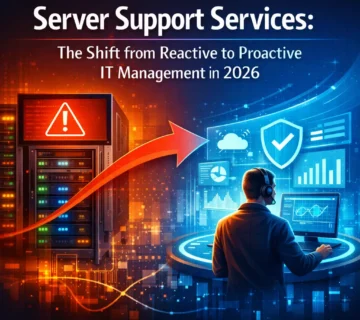
Proactive monitoring must operate continuously, tracking dozens of metrics across your infrastructure. Modern monitoring solutions employ artificial intelligence to establish baseline behavior patterns and alert teams to anomalies before they become problems. This shift from reactive to proactive support fundamentally changes the support dynamic, preventing issues rather than simply responding to them.
Clear communication channels ensure that when issues arise, the right people receive notifications immediately through their preferred methods—whether email, SMS, or integrated alerting systems. Support teams must also communicate effectively with stakeholders, providing regular updates during incidents and clear explanations of technical issues in business terms.
Documentation practices separate exceptional support from mediocre service. Comprehensive documentation of your infrastructure, configurations, procedures, and past incidents creates institutional knowledge that persists regardless of staff changes. It accelerates troubleshooting, facilitates onboarding, and ensures consistency in support delivery.
Regular maintenance windows allow support teams to perform updates, apply patches, and make configuration changes during planned periods rather than emergency scenarios. While businesses often resist scheduling downtime, regular maintenance prevents the accumulation of technical debt that eventually forces longer, unplanned outages.
The Evolution of Server Support in Cloud Environments
Cloud computing has transformed server support while simultaneously creating new challenges. Cloud platforms abstract away much of the physical infrastructure management, but they introduce new complexities around configuration, security, cost optimization, and multi-cloud integration.
Modern server support increasingly involves managing hybrid environments where on-premises servers coexist with cloud resources. Support teams must understand traditional infrastructure while also mastering cloud-native technologies, containerization, and orchestration platforms. They navigate the shared responsibility model where cloud providers handle physical security and availability while customers remain responsible for application security, access controls, and data protection.
Cloud environments also enable more sophisticated automation. Support teams can implement infrastructure as code, automatically scaling resources based on demand, and self-healing systems that detect and remediate common issues without human intervention. However, these capabilities require expertise to implement correctly and monitoring to ensure they function as intended.
Building a Server Support Strategy for Your Organization
Developing an effective server support strategy begins with honest assessment of your current capabilities, requirements, and vulnerabilities. Conduct a thorough audit of your existing infrastructure, identifying critical systems, single points of failure, and areas where support coverage proves inadequate.
Define clear service level objectives that specify acceptable uptime percentages, maximum response times, and recovery time objectives. These metrics provide concrete targets against which you can measure support effectiveness and make informed decisions about resource allocation.
Consider your growth trajectory and how support needs will evolve. A support strategy suitable for your current scale may prove inadequate six months from now. Build flexibility into your approach, whether through scalable managed services or hiring strategies that anticipate future needs.
Finally, recognize that server support represents an ongoing commitment rather than a one-time project. Technologies evolve, threats emerge, and business requirements change. Your support strategy must adapt accordingly, with regular reviews to ensure continued alignment with organizational objectives.
Frequently Asked Questions
What is server support and why do I need it?
Server support involves the ongoing management, monitoring, and maintenance of your server infrastructure. You need it because servers require constant attention to remain secure, performant, and available. Without proper support, you risk downtime, security breaches, data loss, and poor performance that directly impact your business operations and customer experience.
How much does professional server support typically cost?
Server support costs vary widely based on factors including the number of servers, complexity of your infrastructure, required response times, and whether you choose in-house or managed services. Basic managed support might start around a few hundred dollars monthly for small environments, while enterprise-level support for complex infrastructures can cost thousands monthly. However, this investment is typically far less expensive than the cost of downtime or security incidents.
What’s the difference between 24/7 support and business hours support?
Business hours support provides assistance during standard working hours, typically Monday through Friday, 8 AM to 5 PM. This works for some organizations but leaves you vulnerable during nights, weekends, and holidays. Round-the-clock support ensures that regardless of when issues occur, qualified technicians are available to respond immediately. For businesses serving customers across time zones or running critical operations, continuous support is essential.
Can I handle server support myself without professional help?
While basic server management is possible for technically capable individuals, comprehensive support requires diverse expertise, time commitment, and constant vigilance. Professional support teams bring specialized knowledge, advanced monitoring tools, and the ability to respond immediately to issues. Most businesses find that the time and expertise required for proper server support exceeds the capacity of general IT staff, making professional support a practical necessity.
How quickly should server support respond to issues?
Response times depend on issue severity and your service level agreement. Critical issues affecting availability or security typically warrant immediate response within 15-30 minutes. Less urgent issues might have response times of several hours. The key is establishing clear priorities and expectations upfront, ensuring critical issues receive immediate attention while routine matters are handled efficiently without unnecessary urgency.
What should I look for when choosing a server support provider?
Evaluate providers based on their technical expertise across your specific technologies, response time guarantees, monitoring capabilities, communication practices, and track record with similar organizations. Request references and case studies demonstrating their ability to handle situations relevant to your needs. Ensure they offer transparent reporting and clear escalation procedures. Most importantly, verify that their support philosophy aligns with your business requirements and risk tolerance.
Conclusion
Server support stands as a critical component of modern business infrastructure, directly impacting operational continuity, security, and performance. Whether you build in-house capabilities, partner with managed service providers, or implement a hybrid approach, investing in quality server support protects your business from costly disruptions while enabling you to focus on core competencies.
The digital age offers tremendous opportunities, but it also creates dependencies on technical infrastructure that must be managed expertly. By prioritizing comprehensive server support, you ensure that your technology foundation remains solid, secure, and ready to support your business objectives both today and as you grow into the future.





No comment