
Server Support Services: The Shift from Reactive to Proactive IT Management in 2026
The server room has gone quiet, but not in a good way. Systems that should be humming are silent. Email has stopped flowing. Customer orders are stuck. Employees are standing around wondering what happened. And somewhere, a phone is ringing with the first of many frustrated customer calls.
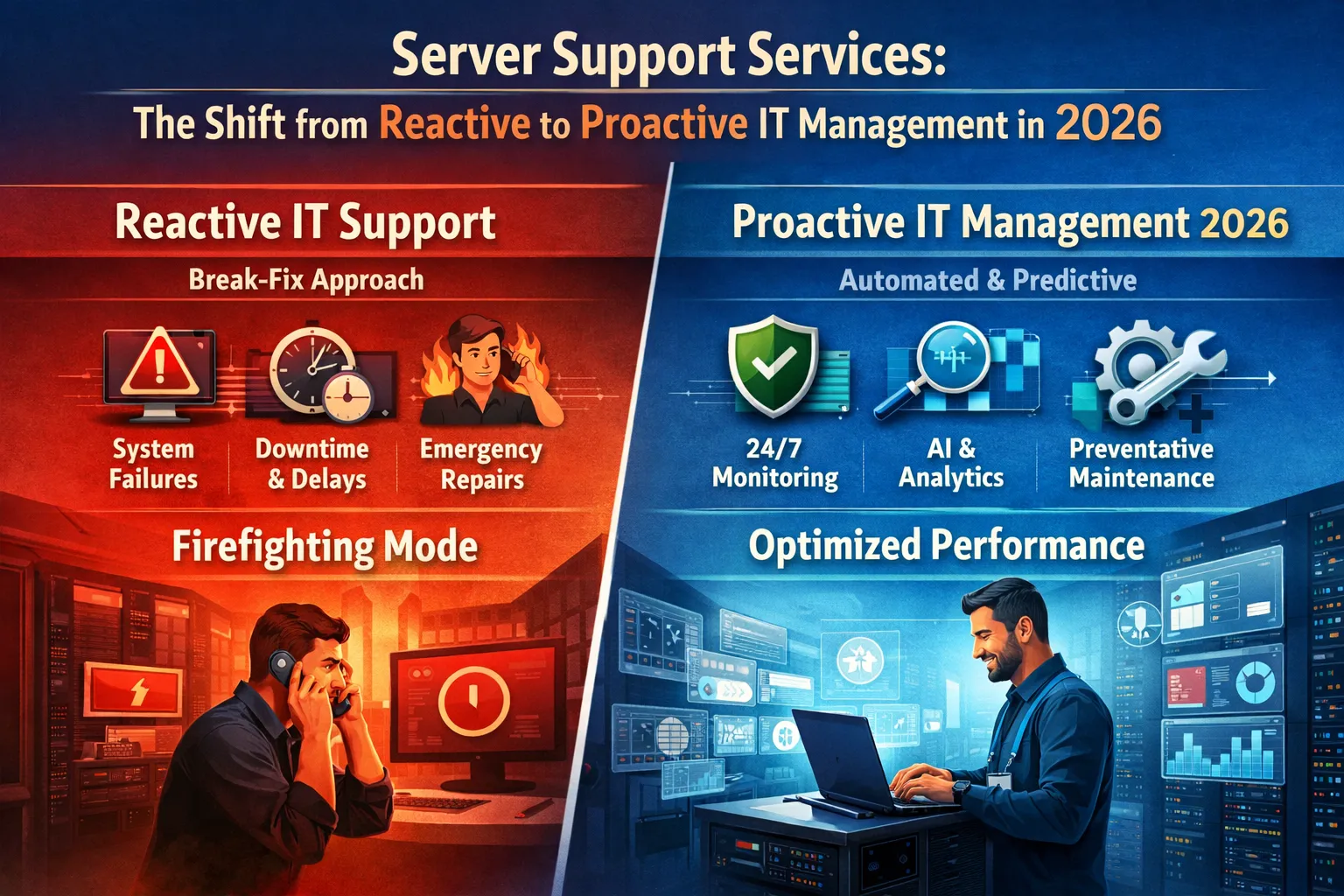
This scenario plays out in businesses every day when servers fail without warning. The reactive approach that governed IT support for decades waits for exactly these moments, then scrambles to respond. Modern server support services take a fundamentally different approach, identifying problems before they cause outages and maintaining systems to prevent failures rather than merely fixing them.
The difference between proactive and reactive server support translates directly into business outcomes. Organizations that invest in proactive server support see up to 70% reduction in unplanned downtime within the first 90 days. Meanwhile, those relying on break-fix models continue experiencing the average downtime costs that research consistently places between $5,600 and $9,000 per minute for enterprises, with small businesses facing costs of $137 to $427 per minute even for less critical systems.
This guide explores why proactive server support services have become essential in 2026, what distinguishes modern support from traditional break-fix models, and how to evaluate whether your current approach adequately protects your business operations.
The Problem with Reactive Server Support
Understanding why reactive support fails reveals the value that proactive approaches provide. The break-fix model that dominated IT support for decades contains fundamental flaws that modern businesses cannot afford.
The Break-Fix Cycle
Reactive server support operates on a simple premise: when something breaks, fix it. This model made sense when servers were simpler, businesses less dependent on technology, and downtime less costly. None of those conditions hold in 2026.
The break-fix cycle follows a predictable pattern. Systems operate normally until failure occurs. Failure triggers investigation to identify the problem. Once identified, technicians work to resolve the issue. Resolution restores normal operations until the next failure. This cycle repeats indefinitely, with each iteration costing the business time, money, and customer goodwill.
The fundamental problem is that break-fix support creates no improvement over time. Each failure is treated as an isolated incident rather than a symptom of underlying issues. The same problems recur because nothing addresses root causes. Hardware approaching failure remains in service until it fails. Software vulnerabilities persist until exploited. Configuration weaknesses continue until they cause outages.
Hidden Costs of Waiting for Problems
The obvious cost of reactive support is the downtime itself. Research consistently shows that server downtime costs businesses thousands per minute, with 91% of enterprises reporting hourly downtime costs exceeding $300,000. These direct costs capture lost revenue, idle employee time, and recovery expenses.
Less obvious costs accumulate alongside the headline figures. Emergency support typically costs more than planned maintenance. Urgent parts procurement adds premium pricing. After-hours response means paying overtime rates. These incremental costs add significantly to the total expense of each incident.
Opportunity costs compound the financial impact. When technical staff spend time fighting fires, they cannot pursue strategic initiatives. Projects stall while teams address emergencies. Innovation waits while everyone focuses on keeping existing systems running. The organization falls behind competitors who invest in prevention rather than reaction.
Reputation damage may exceed all other costs. Customers experiencing outages may never return. One in four Americans stop doing business with companies after experiencing service disruptions from system failures. The revenue lost to departed customers extends indefinitely into the future.
Why Reactive Models Persist
Despite clear disadvantages, many businesses continue with reactive server support. Understanding why reveals the barriers to improvement.
Upfront costs deter some organizations. Proactive support requires investment before problems occur. The monitoring tools, management platforms, and skilled staff that enable proactive support all cost money. Reactive support appears cheaper because costs only appear when problems do.
This appearance deceives because it ignores total cost. Studies show businesses relying on reactive support spend 60 to 80 percent more over time than those investing in proactive management. The concentrated costs of emergencies exceed the distributed costs of prevention.
Familiarity also perpetuates reactive approaches. Organizations have operated this way for years. The pattern feels normal even when it causes predictable problems. Changing approaches requires acknowledging that current practices are inadequate, which can be uncomfortable.
Some businesses simply do not know alternatives exist. Server support has evolved dramatically in recent years. Organizations focused on their core business may not track developments in IT management. They continue with outdated approaches because they are unaware of better options.
What Proactive Server Support Actually Means
Proactive server support differs fundamentally from reactive models in philosophy, methods, and outcomes. Understanding these differences clarifies why proactive approaches produce better results.
Continuous Monitoring and Alerting
The foundation of proactive support is visibility. You cannot prevent problems you cannot see developing. Modern server support services implement continuous monitoring that tracks every relevant aspect of server health around the clock.
Monitoring extends far beyond simple up-or-down status checks. Comprehensive monitoring tracks CPU utilization trends, memory consumption patterns, disk space availability, network traffic characteristics, application response times, and dozens of other metrics. Each measurement provides insight into server health and potential problems.
Alerting transforms monitoring data into actionable intelligence. When metrics deviate from normal parameters, automated alerts notify support teams immediately. These alerts arrive while problems are developing, not after failures occur. Early warning enables intervention before business impact.
Sophisticated monitoring platforms use artificial intelligence to improve detection. Machine learning algorithms learn normal behavior patterns for each system, then identify anomalies that might escape rule-based detection. This intelligence catches subtle degradation that precedes major failures.
Predictive Maintenance and Issue Prevention
Proactive support acts on monitoring insights to prevent failures. This predictive approach represents the most significant departure from reactive models.
Hardware failures rarely happen without warning. Drives show increasing error rates before failure. Memory modules experience intermittent errors before dying completely. Power supplies exhibit voltage fluctuations before giving out. Monitoring detects these indicators, enabling component replacement before failure occurs.
Software issues similarly offer advance warning. Memory leaks cause gradual performance degradation. Log files fill slowly before exhausting disk space. Certificate expirations approach on known schedules. Proactive support addresses these issues during planned maintenance windows rather than during emergency responses.
The practical impact is significant. Instead of experiencing unexpected server crashes during business hours, organizations receive proactive alerts about components requiring replacement. Support teams schedule maintenance during planned windows, order replacement parts in advance, and ensure zero-impact transitions.
Regular Maintenance and Optimization
Prevention requires ongoing attention, not just monitoring. Proactive server support includes scheduled maintenance activities that keep systems healthy and optimized.
Patch management ensures that servers run current, secure software. Operating system updates, application patches, and security fixes deploy on regular schedules. This maintenance closes vulnerabilities before attackers exploit them while ensuring systems benefit from improvements and fixes.
Performance optimization maintains efficiency over time. Database maintenance improves query performance. Log rotation prevents disk exhaustion. Service restarts clear accumulated memory issues. These routine tasks prevent gradual degradation that would eventually cause problems.
Capacity planning anticipates future needs. Monitoring data reveals growth trends that indicate when additional resources will be required. Planning acquisitions and upgrades based on projected needs prevents situations where sudden growth overwhelms existing infrastructure.
Security Integration
Modern server support cannot separate operational management from security management. Threats target server infrastructure continuously, and unpatched or misconfigured servers represent prime attack targets.
Proactive support integrates security throughout server management. Vulnerability scanning identifies weaknesses before attackers find them. Patch deployment closes security gaps promptly. Configuration reviews ensure settings follow security best practices. Log monitoring detects suspicious activity that might indicate compromise attempts.
This integration reflects the reality that cybersecurity has become the fastest-growing segment of managed services, expanding at 18% annually. Organizations recognize that server support providers must serve as security partners rather than treating security as someone else’s responsibility.
Server Support for Modern Infrastructure Complexity
The server environments of 2026 bear little resemblance to the simple on-premises setups of previous decades. Modern infrastructure combines physical servers, private clouds, public cloud workloads, and edge computing nodes. This complexity demands support capabilities that match.
Managing Hybrid Environments
Most organizations now operate hybrid environments blending multiple infrastructure types. Research indicates that hybrid cloud has become the standard model for resilient operations rather than a transitional state. The smart strategy is intelligent placement of workloads where they perform best rather than commitment to any single infrastructure type.
Effective server support must span all environment components. Support teams need expertise across physical server administration, private cloud platforms, major public cloud providers, and the networking that connects everything. Few internal teams maintain deep expertise across all these domains.
Integration challenges multiply in hybrid environments. Data synchronization between platforms requires careful management. Security policies must apply consistently regardless of where workloads run. Monitoring must provide unified visibility across infrastructure types. These requirements demand specialized knowledge that general IT staff rarely possess.
Professional server support providers maintain teams covering all required domains. Their specialists stay current on evolving technologies across infrastructure types. This concentrated expertise proves particularly valuable when implementing new systems, addressing complex challenges, or responding to security incidents.
Cloud Workload Management
Cloud-based servers require different management approaches than traditional physical infrastructure. Support services must understand cloud-specific considerations to manage these workloads effectively.
Cost management becomes critical in cloud environments. Cloud resources incur charges continuously, whether utilized efficiently or not. Monitoring must track not just performance but also spending. Right-sizing ensures that provisioned resources match actual requirements. Automated scaling adjusts capacity based on demand rather than maintaining constant over-provisioning.
Cloud security operates under shared responsibility models where customers bear obligations that cloud providers do not assume. Server support must understand these boundaries and ensure that customer-side security responsibilities receive appropriate attention. Configuration management, access control, and data protection remain customer obligations regardless of infrastructure location.
Multi-cloud scenarios add further complexity. Many organizations use services from multiple cloud providers, either by design or through accumulated choices over time. Managing servers consistently across different cloud platforms requires familiarity with each environment’s specific tools and approaches.
Physical Server Considerations
Physical servers remain relevant despite cloud growth. Many workloads perform better on dedicated hardware. Compliance requirements may mandate physical infrastructure. Cost analysis often favors ownership for stable, predictable workloads. Organizations need server support that addresses physical infrastructure alongside cloud resources.
Physical server support includes hardware lifecycle management. Tracking warranty status, planning replacements, and managing vendor relationships ensures that hardware remains supported and functional throughout its service life. Predictive monitoring identifies failing components before they cause outages.
Environmental factors affect physical servers in ways that cloud workloads avoid. Power reliability, cooling adequacy, and physical security all require attention. Server support should address these environmental considerations as part of comprehensive infrastructure management.
Evaluating Your Current Server Support
Assessing whether current server support meets business needs requires honest evaluation across several dimensions.
Warning Signs of Inadequate Support
Certain patterns indicate that server support is failing to protect business operations effectively.
Recurring problems suggest that support addresses symptoms rather than causes. If the same issues keep appearing, nobody is performing root cause analysis and implementing lasting fixes. Effective support should reduce incident frequency over time as underlying problems are identified and resolved.
Surprise outages indicate insufficient monitoring and prediction. Servers rarely fail without advance warning. If failures come as surprises, monitoring is either absent or inadequate. Proactive support would detect developing problems before they caused business impact.
Slow response times suggest resource or process inadequacies. When servers fail, every minute matters. If response consistently takes longer than business requirements demand, support capacity or processes need improvement.
Escalating costs often accompany reactive models. Emergency service rates, rush parts procurement, and repeated repairs for the same problems all increase expenses. Tracking support costs over time reveals whether the current approach is economically sustainable.
Staff frustration with IT reliability indicates that server problems are affecting operations. Employees develop workarounds when systems are unreliable. These workarounds waste time and often create additional problems. Persistent frustration signals that underlying infrastructure issues need attention.
Questions to Ask About Current Support
Direct questions clarify whether current support meets needs.
What is the typical time from problem occurrence to detection? Proactive support detects issues within minutes through continuous monitoring. Reactive support only learns about problems when users report them or systems fail completely.
How often do you experience unplanned server downtime? Any significant frequency suggests gaps in preventive maintenance or monitoring. Organizations with effective proactive support experience dramatically reduced unplanned outages.
When was the last time you were surprised by a server issue? Effective monitoring and predictive analysis should eliminate most surprises. Problems that develop unexpectedly indicate monitoring gaps.
Can you access real-time visibility into server health? Modern support provides dashboards showing current status across all managed systems. Lack of visibility suggests missing monitoring infrastructure.
What is your current server support model’s total cost including emergency incidents? Calculating true costs often reveals that apparently cheaper reactive approaches actually cost more when emergency expenses are included.
The Transition to Proactive Support
Moving from reactive to proactive server support requires deliberate effort but delivers substantial returns. The transition typically begins with assessment of current infrastructure, identification of monitoring and management gaps, and implementation of missing capabilities.
Modern server support providers often deliver rapid improvements. Organizations commonly see 70 to 80 percent reduction in IT issues within 90 days of implementing comprehensive proactive support. This improvement reflects both the immediate value of monitoring and the accumulated benefit of addressing deferred maintenance.
The transition period requires attention to both technical implementation and process changes. Support teams need access to systems. Monitoring tools require deployment and configuration. Alerting thresholds need tuning to balance sensitivity against false positives. These technical foundations enable the proactive approach.
Process changes ensure that monitoring capabilities translate into preventive action. Establishing maintenance windows, defining escalation procedures, and documenting systems all contribute to sustainable proactive management. Organizations that invest in these foundations see lasting improvements rather than temporary gains.
The Business Case for Professional Server Support
Investing in professional server support delivers returns that justify the cost for most organizations.
Direct Cost Savings
The most obvious returns come from avoided downtime costs. Even modest reductions in downtime generate significant savings given per-minute costs ranging from hundreds to thousands of dollars. Organizations experiencing multiple annual outages often find that preventing a single incident pays for a year of proactive support.
Emergency support cost avoidance adds further savings. Planned maintenance costs less than emergency response. Scheduled parts procurement avoids rush premiums. Proactive support shifts expenses from unpredictable emergencies to predictable monthly costs, improving both total expense and budget predictability.
Reduced internal burden frees staff for higher-value activities. When server management shifts to professional support, internal resources can focus on strategic initiatives rather than operational firefighting. The opportunity cost of diverting skilled staff to routine maintenance is substantial in many organizations.
Operational Improvements
Beyond cost savings, professional support improves operational performance in ways that benefit the business.
Reliability improvements enable business commitments that unreliable infrastructure cannot support. Service level agreements with customers require underlying infrastructure that delivers consistent performance. Marketing claims about availability ring hollow when servers fail regularly.
Security improvements reduce risk exposure. Professional support maintains current patches, implements security best practices, and monitors for threats. This security posture protects against breaches that can cost millions in remediation, fines, and reputational damage.
Scalability improves when infrastructure receives proper management. Proactive capacity planning ensures that growth does not outrun infrastructure capability. Systems optimized for current workloads also perform better when requirements increase.
Strategic Advantages
Professional server support provides advantages that extend beyond immediate operational benefits.
Access to expertise exceeds what most organizations can afford internally. Professional support providers maintain teams with diverse specializations developed through experience across many client environments. This expertise proves valuable for complex challenges, new technology implementation, and unusual situations.
Technology currency ensures that server management keeps pace with evolving capabilities. Support providers invest in staying current with new technologies, tools, and best practices. Their clients benefit from this investment without bearing the full cost individually.
Focus on core business results when technology management shifts to specialists. Leadership attention can address strategic priorities rather than infrastructure problems. This focus enables competitive advantages in areas where the organization adds unique value.
FAQs About Server Support Services
What is the difference between proactive and reactive server support?
Reactive support waits for problems to occur, then responds to fix them. Proactive support monitors systems continuously, identifies developing issues before they cause failures, and maintains systems to prevent problems. Proactive approaches reduce downtime significantly while typically costing less over time than emergency-driven reactive support.
How much does server downtime actually cost?
Costs vary significantly by organization size and industry. Research consistently shows enterprise downtime costs exceeding $100,000 per hour for most large organizations, with 44% reporting costs above $1 million per hour. Small businesses face lower absolute costs but still experience significant impact, with estimates ranging from $137 to $427 per minute for typical operations.
Can proactive support really prevent most server problems?
Yes. Organizations implementing comprehensive proactive support commonly see 70 to 80 percent reduction in unplanned downtime. Most server failures give advance warning through performance degradation, error patterns, or hardware indicators. Monitoring detects these warnings, enabling intervention before failure occurs.
What does modern server support include beyond monitoring?
Comprehensive server support includes continuous monitoring, predictive maintenance, patch management, security monitoring, backup verification, performance optimization, capacity planning, and incident response. The best providers also offer strategic guidance on infrastructure decisions and technology planning.
How do I know if my current server support is adequate?
Key indicators include frequency of unplanned downtime, whether problems recur repeatedly, response time when issues occur, visibility into server health, and total support costs including emergencies. Organizations surprised by server problems or experiencing frequent outages likely have inadequate support regardless of what they currently pay.
Should small businesses invest in professional server support?
Yes, often more so than larger organizations. Small businesses typically lack internal expertise for effective server management, making professional support essential. The cost impact of downtime relative to revenue can be devastating for smaller operations. Professional support costs often compare favorably to the true cost of managing servers internally or dealing with frequent problems.
Conclusion
Server support has evolved from simple break-fix service into strategic infrastructure management. The reactive approaches that sufficed decades ago cannot meet the demands of modern businesses that depend on server reliability for every aspect of operations.
The shift to proactive server support reflects this reality. Organizations that invest in continuous monitoring, predictive maintenance, and comprehensive management experience dramatically less downtime than those waiting for problems to occur. The cost savings from avoided outages typically exceed the investment in proactive support while providing additional benefits in security, scalability, and operational performance.
Modern server environments add complexity that reinforces the value of professional support. Hybrid infrastructures combining physical servers, private clouds, and public cloud workloads require expertise across multiple domains. Few organizations can maintain this breadth of knowledge internally, making professional support essential for effective management.
Evaluating current server support honestly reveals whether existing approaches adequately protect business operations. Warning signs like recurring problems, surprise outages, and escalating costs indicate gaps that proactive support would address. The questions are whether current reliability meets business needs and whether current costs are sustainable.
The business case for professional server support rests on straightforward mathematics. Downtime costs are high and well documented. Proactive support reduces downtime dramatically and typically costs less than reactive emergency response. The operational and strategic benefits add further value beyond direct cost savings.
Servers will continue becoming more critical to business operations as digital transformation advances. The organizations that thrive will be those with infrastructure reliability that supports rather than constrains their ambitions. Professional server support services provide the foundation for that reliability.
Your servers should support your business ambitions rather than limit them. The choice between reactive and proactive support determines which outcome you experience.







No comment