
How Desktop Support Services Reduce IT Downtime and Costs in 2026
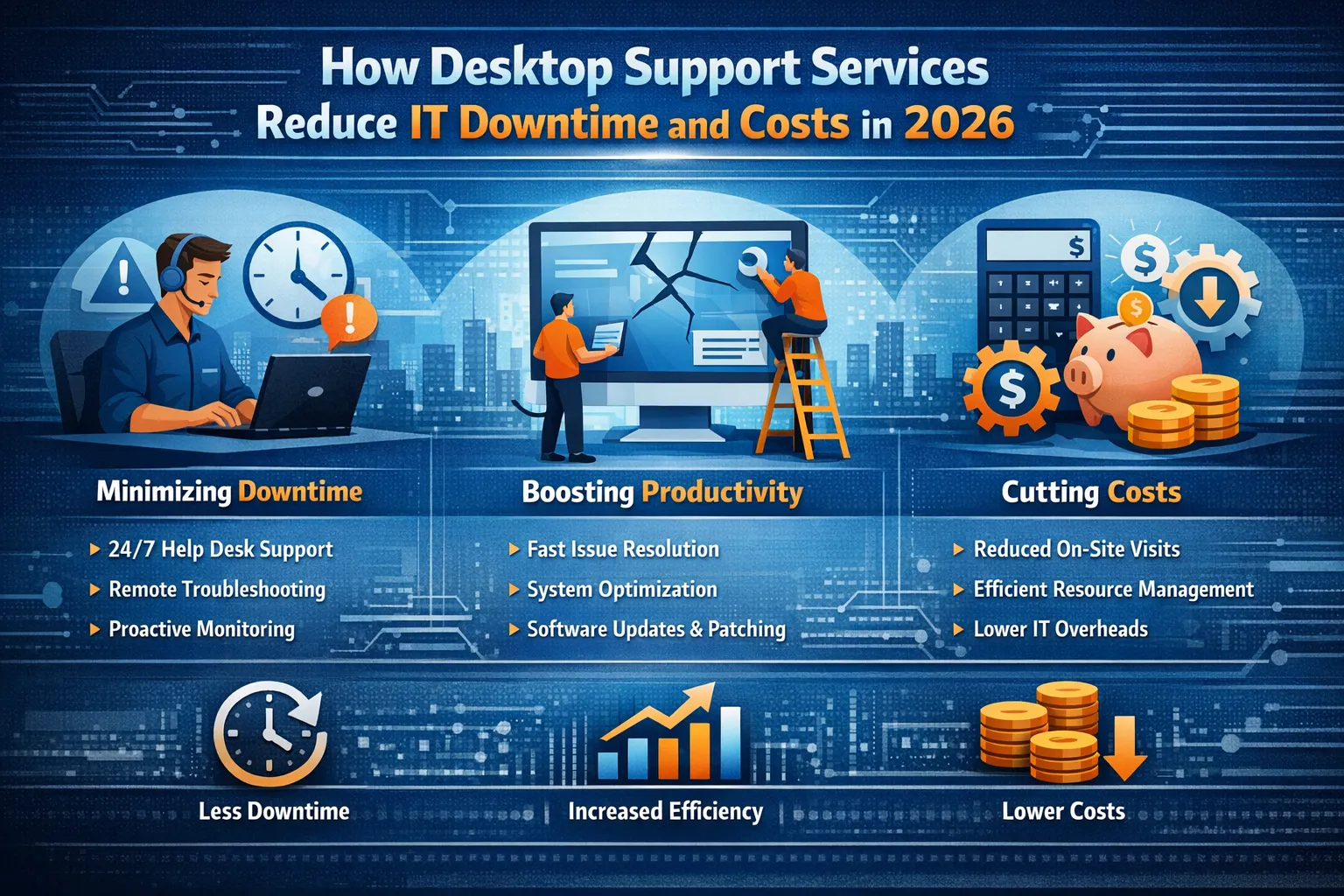
Introduction: The Hidden Cost of IT Downtime
Every minute your employees spend waiting for IT support represents lost productivity and revenue. In 2026, businesses face an increasingly complex technology landscape where a single desktop issue can cascade into company-wide disruptions. Whether it’s a software glitch preventing access to critical applications, hardware failures affecting multiple workstations, or security concerns requiring immediate attention, desktop-related problems continue to be among the most common IT challenges organizations face.
The financial impact of IT downtime extends far beyond the immediate productivity loss. Research indicates that unplanned downtime can cost businesses anywhere from $5,600 to over $9,000 per minute, depending on the organization’s size and industry. For small to medium-sized businesses, even a few hours of system unavailability can mean missed sales opportunities, delayed deliveries, and frustrated customers seeking alternatives.
Desktop support services have evolved significantly to address these challenges. Modern support solutions combine proactive monitoring, rapid response capabilities, and preventive maintenance strategies to minimize disruptions before they impact business operations. This comprehensive approach transforms IT support from a reactive expense into a strategic investment that protects revenue and enhances operational efficiency.
Understanding Modern Desktop Support Services
Desktop support encompasses the full spectrum of technical assistance required to keep employee workstations functioning optimally. This includes troubleshooting software issues, resolving hardware problems, managing operating system updates, configuring applications, and ensuring security compliance across all endpoints.
In 2026, desktop support has expanded beyond traditional break-fix services. Today’s support models integrate automated monitoring tools, artificial intelligence-powered diagnostics, and remote access capabilities that enable technicians to resolve issues without being physically present. This evolution reflects the changing nature of work itself, where hybrid and remote environments require support teams to assist employees regardless of their location.
The scope of modern desktop support includes endpoint security management, where support teams actively monitor for vulnerabilities and apply security patches before threats can exploit them. It also encompasses user training and guidance, helping employees navigate new software deployments and technology changes that might otherwise generate confusion and support tickets.
The True Cost of Inadequate Desktop Support
Organizations that rely solely on reactive support models face substantial hidden costs that accumulate over time. When employees encounter technical issues without immediate support access, they often attempt their own troubleshooting, leading to productivity losses that multiply across the workforce. A problem affecting one user might consume 30 minutes of their time, but when ten employees face similar issues, the organization loses five collective hours of work.
Shadow IT represents another significant risk in environments with insufficient desktop support. Frustrated employees who cannot get timely assistance may install unauthorized applications or use personal devices to complete work tasks. These workarounds create security vulnerabilities and compliance risks that can result in data breaches, regulatory penalties, and reputation damage far exceeding the cost of proper support infrastructure.
Equipment lifespan suffers when desktop environments lack professional maintenance. Computers that receive regular updates, disk cleanups, and performance optimization can remain productive for years longer than neglected systems. Without preventive maintenance, organizations face premature hardware replacements and accelerated refresh cycles that strain IT budgets unnecessarily.
How Proactive Desktop Support Prevents Downtime
The most effective desktop support strategies focus on preventing problems rather than simply responding to them. Proactive monitoring tools continuously assess system health indicators, tracking metrics like disk space utilization, memory usage, application performance, and hardware temperatures. When these metrics approach concerning thresholds, support teams receive alerts that enable them to address potential issues before users experience disruptions.
Automated patch management represents a critical component of proactive support. Security vulnerabilities and software bugs are identified and resolved on regular schedules, with patches deployed during maintenance windows that minimize user impact. This systematic approach prevents the chaos of emergency patching during active business hours while ensuring endpoints remain protected against emerging threats.
Preventive maintenance schedules include regular system cleanups, driver updates, and performance optimizations that keep workstations running efficiently. These routine interventions prevent the gradual performance degradation that leads employees to submit support tickets complaining about slow systems. By maintaining optimal performance consistently, proactive support reduces overall ticket volume and associated resolution costs.
Remote Support Technologies Driving Cost Reduction
Remote desktop support tools have transformed the economics of IT assistance. Technicians can now access user systems instantly from centralized locations, diagnosing and resolving issues without travel time or on-site visits. This capability reduces the cost per ticket substantially while simultaneously improving response times and user satisfaction.
The efficiency gains from remote support extend beyond individual ticket resolution. Support teams can assist users across multiple locations from a single help desk, enabling organizations to consolidate support staff and reduce overhead costs. Geographic barriers that once required maintaining IT personnel in every office location no longer constrain support delivery.
Screen sharing and remote control capabilities enable support technicians to guide users through complex procedures while maintaining full visibility into the issue. This collaborative approach resolves problems faster than phone-based support where technicians must rely on user descriptions, and it provides valuable training opportunities as users observe proper procedures for future reference.
AI and Automation in Desktop Support
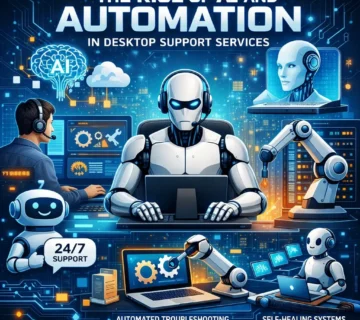
Artificial intelligence has introduced powerful new capabilities to desktop support operations. AI-powered chatbots handle routine inquiries like password resets, software access requests, and basic troubleshooting, deflecting these simple issues from human technicians who can focus on complex problems requiring expertise and judgment.
Machine learning algorithms analyze historical support data to identify patterns and predict potential issues. These predictive capabilities enable support teams to address developing problems proactively, often resolving them before users notice any impact. For example, AI systems can detect early signs of hard drive failure and trigger replacement procedures before data loss occurs.
Automated ticket routing ensures that support requests reach the most appropriate technician based on issue type, complexity, and technician expertise. This intelligent distribution reduces resolution times and improves first-contact resolution rates, eliminating the frustration of tickets being transferred between multiple support personnel.
Self-Service Portals and Knowledge Base Benefits
Empowering users with self-service capabilities reduces support ticket volume while simultaneously improving user satisfaction. Well-designed knowledge bases provide searchable documentation, video tutorials, and step-by-step guides that enable employees to resolve common issues independently without waiting for technician assistance.
Self-service portals allow users to submit support requests, track ticket status, and access resources on their own schedule. This accessibility is particularly valuable for remote workers and employees in different time zones who may need assistance outside traditional support hours.
The cost savings from successful self-service interactions are substantial. Each issue users resolve independently represents a support ticket that never consumes technician time, allowing support staff to maintain service levels with smaller teams. Organizations with effective self-service strategies often report 30-40% reductions in traditional support ticket volume.
Standardization and Image Management Strategies
Standardized desktop configurations dramatically simplify support operations and reduce troubleshooting complexity. When all workstations run identical operating system versions, applications, and settings, technicians can develop expertise with a known environment rather than struggling with countless unique configurations.
Image-based deployment enables rapid workstation provisioning and recovery. When employees receive new computers or existing systems require rebuilding, technicians can deploy pre-configured images that include all necessary applications, security settings, and configurations. This approach reduces setup time from hours to minutes while ensuring consistency across the organization.
Configuration management tools enforce standardization continuously, preventing configuration drift that occurs when individual systems accumulate changes over time. These tools automatically detect and remediate deviations from standard configurations, maintaining the known-good state that simplifies troubleshooting and reduces support complexity.
Measuring Desktop Support ROI
Quantifying the value of desktop support requires tracking multiple metrics beyond simple ticket counts. First-contact resolution rates indicate how often technicians resolve issues on the initial interaction without escalation or follow-up, directly correlating with user satisfaction and efficiency.
Mean time to resolution (MTTR) measures the average duration from when users report issues until technicians fully resolve them. Reducing MTTR decreases productivity losses and demonstrates support team effectiveness. Organizations should track MTTR trends over time to identify improvement opportunities and validate the impact of process changes.
User satisfaction scores gathered through post-interaction surveys provide qualitative feedback on support quality. While quantitative metrics reveal operational efficiency, satisfaction scores indicate whether users feel valued and properly supported, influencing their perception of IT’s business contribution.
Choosing the Right Desktop Support Model
Organizations must evaluate whether internal support teams, outsourced providers, or hybrid models best fit their needs and constraints. Internal teams offer deep organizational knowledge and cultural alignment but require ongoing training investments and may lack specialized expertise for certain technologies.
Outsourced desktop support provides access to broader technical expertise and often includes 24/7 coverage that would be cost-prohibitive to maintain internally. However, external providers may lack familiarity with unique business processes and application requirements, potentially impacting support quality for specialized scenarios.
Hybrid approaches combine internal staff for strategic initiatives and unique requirements with external support for routine tickets and after-hours coverage. This model balances control and customization with cost efficiency and extended availability, making it attractive for many mid-sized organizations.
Future Trends in Desktop Support Services
Edge computing and distributed work environments will continue reshaping desktop support requirements. As processing moves closer to users and data sources, support teams must develop expertise with edge devices, local data management, and connectivity issues that differ from traditional datacenter-centric models.
Zero-trust security frameworks are transforming endpoint management, requiring more sophisticated authentication, encryption, and access controls on every workstation. Desktop support teams must understand and support these security mechanisms while maintaining user productivity and minimizing friction.
Increased automation will continue reducing manual support tasks, enabling smaller teams to support larger user populations. However, this automation will elevate the complexity of issues reaching human technicians, requiring higher skill levels and specialized training to maintain service quality.
Frequently Asked Questions
What is the average cost of desktop support per employee?
Desktop support costs typically range from $50 to $150 per user per month, depending on service levels, support hours, and whether services are provided internally or outsourced. Organizations with proactive monitoring and automation often achieve lower per-user costs.
How quickly should desktop support respond to issues?
Industry standards recommend acknowledging critical issues within 15 minutes and resolving them within 4 hours. Medium-priority issues should receive response within 1 hour and resolution within 8 business hours. Low-priority items typically have 24-48 hour resolution targets.
Can desktop support work effectively for remote employees?
Yes, modern remote support tools enable technicians to assist remote workers as effectively as on-site employees. Remote access software, video conferencing, and cloud-based management platforms provide full support capabilities regardless of employee location.
What’s the difference between desktop support and help desk services?
Desktop support focuses specifically on end-user workstation hardware, software, and peripheral issues. Help desk services encompass broader IT support including network issues, server problems, and application support beyond desktop environments.
How does desktop support reduce cybersecurity risks?
Desktop support teams maintain security patches, enforce configuration standards, monitor for threats, and educate users on security best practices. This multilayered approach significantly reduces vulnerability to malware, phishing, and other cyber threats.
Should small businesses invest in formal desktop support?
Small businesses benefit substantially from professional desktop support, even if delivered through outsourced providers. The productivity gains and downtime prevention typically justify the investment within the first few months.
Conclusion: Strategic Investment for Business Continuity
Desktop support services represent far more than a technical necessity in 2026. Organizations that view support strategically recognize it as fundamental infrastructure protecting revenue, enabling productivity, and supporting business growth. The cost of inadequate support far exceeds the investment required for professional, proactive assistance that prevents disruptions rather than simply responding to them.
By implementing modern support strategies including proactive monitoring, remote assistance capabilities, automation, and user empowerment through self-service resources, organizations dramatically reduce both IT downtime and associated costs. These improvements translate directly to bottom-line impact through increased productivity, extended equipment lifecycles, and reduced emergency intervention expenses.
The evolution of desktop support continues accelerating as new technologies, work models, and security requirements emerge. Organizations that partner with knowledgeable support providers or invest in developing internal expertise position themselves to navigate these changes successfully, maintaining competitive advantage through reliable, efficient technology operations that enable rather than constrain business objectives.



No comment