
Desktop Support Services: The Complete Guide to Keeping Your Business Running Smoothly
Introduction
Every business depends on technology to operate effectively. From the computers employees use daily to the software that drives productivity, desktop systems form the backbone of modern business operations. When these systems fail, productivity grinds to a halt, deadlines slip, and frustration mounts across the organization.
Desktop support services have evolved from simple break-fix assistance into a strategic function that directly impacts business performance. The computer and peripherals support services market reached $41.75 billion in 2026 and continues growing as organizations recognize that reliable technology support is essential for competitive success.
The transformation in how businesses think about desktop support reflects broader changes in workplace dynamics. With hybrid work environments becoming standard and employees using diverse hardware across multiple locations, maintaining robust desktop support has never been more challenging or more important. Organizations that excel in desktop support create competitive advantages through reduced downtime, enhanced employee satisfaction, and stronger security postures.
This comprehensive guide explores what desktop support services encompass, why they matter for businesses of every size, and how to select the right support approach for your organization’s needs.
What Are Desktop Support Services?
Desktop support services encompass all technical assistance that ensures employees’ computing systems operate smoothly. This includes troubleshooting hardware and software issues, system maintenance, application management, network connectivity support, and helpdesk assistance for end users.
Modern desktop support goes far beyond fixing computers when they break. Today’s services leverage artificial intelligence, predictive analytics, and remote management tools to resolve issues before employees even notice them. This proactive approach fundamentally changes how businesses think about technology support and its impact on productivity.
Desktop support typically covers end-user devices including desktop computers, laptops, tablets, and smartphones. It extends to peripherals like printers, scanners, monitors, and keyboards. The scope also includes the software applications employees use daily, email systems, network connectivity, and security at the endpoint level.
Professional desktop support teams provide first-line assistance for common issues like password resets, software errors, and email configuration problems. They diagnose and resolve hardware malfunctions, install and update software applications, and ensure compatibility across the technology environment. Beyond reactive troubleshooting, modern desktop support includes proactive monitoring that identifies potential problems before they cause disruptions.
Key Components of Professional Desktop Support
Understanding what professional desktop support includes helps organizations evaluate their current capabilities and identify gaps that may be limiting productivity.
Helpdesk and Technical Support
The helpdesk serves as the primary contact point for employees experiencing technical difficulties. Whether someone cannot connect to the network, encounters a software error, or needs assistance with an application, the helpdesk provides immediate guidance and resolution.
Modern helpdesks operate through multiple channels including phone, email, chat, and self-service portals. This multi-channel approach ensures employees can get help through whatever method works best for their situation and urgency level. Response times matter significantly, as every minute waiting for technical assistance represents lost productivity.
Quality helpdesk support resolves many issues on first contact, eliminating the frustration of repeated calls and escalations. First-call resolution rates represent a key metric for evaluating helpdesk effectiveness, with leading providers resolving the majority of issues during the initial interaction.
Hardware Troubleshooting and Maintenance
Physical hardware eventually fails, and when it does, employees need quick resolution to continue working. Desktop support teams diagnose hardware issues ranging from malfunctioning keyboards and monitors to failing hard drives and overheating systems.
Hardware maintenance extends beyond reactive repairs to include preventive care that extends equipment lifespan and prevents unexpected failures. Regular cleaning, component testing, and performance monitoring identify potential problems before they cause data loss or extended downtime.
Most organizations benefit from three to four-year hardware refresh cycles, balancing performance needs against budget constraints while preventing failure-related downtime. Desktop support providers help plan and execute these refresh cycles efficiently, minimizing disruption during transitions to new equipment.
Software Management and Support
Software drives productivity, but only when it works correctly. Desktop support includes installing, updating, configuring, and troubleshooting the software applications employees depend on daily.
Keeping software current prevents security vulnerabilities and ensures compatibility with other systems. Automated patch management systems apply updates systematically across all devices, closing security gaps while maintaining software functionality.
Application support also involves helping employees use software effectively. Whether someone needs assistance with a specific feature or encounters an error message they do not understand, desktop support provides the guidance needed to keep work moving forward.
Security Management at the Endpoint
With increasing cyber threats, security has become a critical component of desktop support. Around 54% of organizations now prioritize service desk solutions with advanced security features due to increasing cyberattack frequency.
Desktop support teams implement and monitor security measures including antivirus protection, firewalls, encryption, and access controls. They ensure devices meet security compliance requirements before connecting to corporate networks and respond quickly when security incidents occur.
Zero trust principles at the desktop level represent one of the most critical security strategies in 2026. This approach assumes no user or device is inherently trustworthy, requiring continuous verification before granting access to resources. Desktop support teams enforce multi-factor authentication, verify device health, and quarantine non-compliant devices for immediate remediation.
Remote Support Capabilities
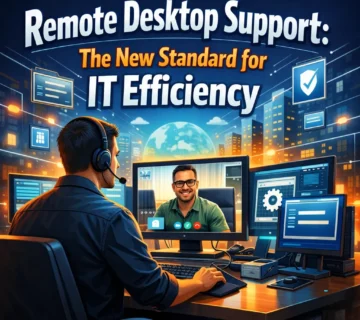
Remote desktop support has emerged as the new standard for IT efficiency. The remote desktop software market reached $4.22 billion in 2026 and continues growing at an impressive 14.4% compound annual growth rate.
Remote support allows technicians to connect to employee devices from anywhere, diagnosing and resolving issues without physical presence. This approach delivers help within minutes rather than hours or days, dramatically reducing downtime and keeping employees productive.
Modern remote support tools integrate with IT service management systems and offer streamlined workflows that allow technicians to initiate sessions directly from helpdesk tickets. The technology has evolved far beyond simple screen sharing to include file transfer, system diagnostics, and automated remediation capabilities.
Benefits of Professional Desktop Support Services
Organizations that invest in professional desktop support consistently report improvements across multiple performance dimensions. Understanding these benefits helps business leaders make informed decisions about their technology support strategies.
Reduced Downtime and Faster Issue Resolution
When technical issues arise, every minute of downtime costs money and productivity. Traditional approaches could leave employees waiting hours or days for assistance. Professional desktop support delivers help within minutes, often resolving issues remotely without requiring technicians to travel to physical locations.
Proactive monitoring takes this further by identifying and addressing potential problems before they cause disruptions. Rather than waiting for employees to report issues, support systems continuously monitor device health, performance metrics, and security status to catch problems early.
Organizations implementing professional desktop support consistently report substantial improvements in mean time to resolution. Issues that previously took hours to address get resolved in minutes, keeping employees productive and reducing frustration.
Cost Efficiency and Predictable Budgeting
Maintaining an in-house IT team requires significant investment in hiring, training, and retention. The median annual salary for an IT support technician exceeds $46,000, with upper ranges approaching $65,000. Adding benefits increases these costs substantially, putting full-time IT staff beyond reach for many smaller organizations.
Professional desktop support services provide access to expert assistance without the overhead of full-time employees. Monthly subscription pricing converts unpredictable emergency repair costs into predictable expenses, enabling smarter budgeting and financial planning.
Organizations typically spend between $100 to $250 per user per month for comprehensive managed IT services, depending on the scope of support required. This investment often delivers positive return through reduced downtime, improved productivity, and avoided emergency repair costs.
Access to Expertise and Latest Technology
Technology evolves rapidly, and keeping internal staff current on latest developments requires continuous training investment. Professional desktop support providers maintain teams of specialists who stay updated on emerging technologies, security threats, and best practices.
This expertise proves particularly valuable when implementing new systems, addressing complex technical challenges, or responding to security incidents. Rather than struggling with unfamiliar problems, organizations gain access to professionals who have solved similar issues across many clients.
Desktop support providers also invest in advanced tools and platforms that would be cost-prohibitive for individual organizations. AI-powered diagnostics, predictive analytics, and automated remediation capabilities enhance support quality while reducing resolution times.
Enhanced Security Posture
Small and medium businesses are frequent targets for cyber attacks, yet many lack the internal expertise to implement comprehensive security measures. Professional desktop support services include security monitoring, threat detection, and incident response capabilities that protect against evolving threats.
Support teams implement security best practices including endpoint protection, data encryption, and access controls. They monitor for suspicious activity, respond to security alerts, and ensure devices maintain compliance with security policies.
The global cybersecurity market is projected to reach $345.4 billion by 2026, reflecting the growing importance of security in technology management. Organizations partnering with professional desktop support providers benefit from security expertise that keeps pace with the evolving threat landscape.
Scalability for Business Growth
As businesses expand, their technology support requirements grow correspondingly. Adding new employees, opening new locations, and adopting new technologies all create additional support demands.
Professional desktop support scales effortlessly to accommodate growth without requiring organizations to hire and train additional internal staff. Whether adding a few devices or expanding across regions, support capacity adjusts to meet evolving needs.
Cloud-based support solutions enable businesses to quickly expand access, add users, or upgrade resources without significant upfront investments. This scalability proves particularly beneficial for growing companies that need to adjust resources to meet changing demands.
In-House vs. Outsourced Desktop Support
Organizations face a fundamental choice between building internal desktop support capabilities and partnering with external providers. Each approach offers distinct advantages depending on business size, complexity, and strategic priorities.
Building Internal Support Teams
In-house desktop support provides direct control over support resources and priorities. Internal technicians develop deep knowledge of the organization’s specific systems, applications, and processes.
However, internal teams require significant investment to build and maintain. Beyond salaries and benefits, organizations must fund ongoing training, tools, and infrastructure. Providing 24/7 coverage or specialized expertise may require larger teams than budgets allow.
Internal support works best for larger organizations with complex, customized environments that benefit from dedicated expertise. Companies with strict security or compliance requirements may also prefer keeping support functions in-house.
Partnering with External Providers
Outsourcing desktop support provides access to broader expertise and economies of scale that reduce costs. Computer Economics ranks help desk and desktop support among the most outsourced IT functions, with the average organization outsourcing 55% of these services.
External providers bring experience from supporting many clients across diverse industries, enabling faster problem resolution and exposure to best practices. They invest in advanced tools and training that individual organizations could not justify independently.
Help desk outsourcing is projected to continue growing, with 91% of organizations expecting to either increase or maintain the level of work they outsource. The maturity of the outsourcing market makes external partnerships increasingly attractive compared to developing in-house resources.
Hybrid Approaches
Many organizations combine internal and external resources through co-managed IT arrangements. Internal staff handle routine issues and maintain institutional knowledge while external partners provide specialized expertise, overflow capacity, and after-hours coverage.
Co-managed approaches work well for organizations with some internal IT capability that need to extend coverage, fill skill gaps, or access expertise for specific projects. This model provides flexibility to adjust the balance between internal and external resources as needs evolve.
How to Choose a Desktop Support Provider
Selecting the right desktop support partner requires evaluating several factors to ensure the provider matches your organization’s needs and expectations.
Evaluate Response Times and Availability
Support availability must match your business operations. Organizations with extended hours or global operations need providers offering round-the-clock assistance. Review service level agreements carefully, paying attention to guaranteed response times for different issue severity levels.
Ask about average resolution times and how providers measure and report on these metrics. The best providers commit to specific performance standards and have track records demonstrating consistent delivery against those commitments.
Assess Technical Expertise
Look for providers with experience supporting organizations similar to yours in size, industry, and technical environment. Check for relevant certifications, client references, and case studies that demonstrate capability with your types of systems and applications.
Evaluate whether the provider supports the specific software applications your organization uses. Some providers specialize in certain platforms while others offer broader coverage. Ensure your critical applications fall within their supported scope.
Review Security Capabilities
With cybersecurity increasingly critical, evaluate provider security practices thoroughly. Ask about endpoint protection, threat monitoring, incident response procedures, and compliance capabilities.
Providers should demonstrate understanding of current security threats and explain how their services protect against them. Security certifications and compliance attestations provide additional assurance of security commitment.
Consider Communication and Reporting
Effective communication ensures smooth support relationships. Evaluate how providers communicate about ongoing issues, planned maintenance, and service performance.
Regular reporting provides visibility into support activity, common issues, and resolution effectiveness. This information helps identify trends that may warrant additional training, system changes, or resource adjustments.
Understand Pricing and Contracts
Desktop support pricing typically follows several models including per-user, per-device, or all-inclusive monthly fees. Understand what services each pricing tier includes and what falls outside standard coverage.
Review contract terms including duration, termination provisions, and service level guarantees. Avoid long-term commitments with providers you have not worked with previously until you can evaluate actual service quality.
Desktop Support Trends Shaping 2026 and Beyond
Several emerging trends are transforming desktop support capabilities and expectations.
AI-Powered Support
Artificial intelligence has moved from experimental to essential in desktop support. Over 41% of global organizations now use AI-driven automation like virtual agents and predictive analytics in their service desks.
AI capabilities include automatic ticket routing, issue diagnosis, knowledge base suggestions, and even autonomous problem resolution for common issues. These tools handle routine requests while freeing human technicians for complex problems requiring judgment and expertise.
Agentic AI represents the next evolution, with AI systems that can autonomously reason, understand context, and take action to resolve issues without human intervention. Unlike standard chatbots, these agents handle sophisticated troubleshooting that previously required skilled technicians.
Predictive Maintenance
Modern desktop support increasingly focuses on preventing problems rather than just fixing them. Predictive analytics identify patterns that indicate impending hardware failures, software conflicts, or performance degradation.
By addressing potential issues before they cause disruptions, predictive maintenance dramatically reduces unplanned downtime. Employees experience fewer interruptions while support teams handle problems on their schedule rather than responding to emergencies.
Integration with Business Systems
Desktop support is embedding into the environments employees already use. Single sign-on, directory synchronization, and frictionless access are becoming basic requirements for support platform adoption.
Integration with collaboration tools like Microsoft Teams and Slack allows employees to request and receive support without leaving their primary work applications. This accessibility encourages early engagement with support resources before minor issues escalate into major problems.
Experience-Focused Metrics
Traditional service level agreements focused on response times and resolution rates remain important but no longer capture the full impact of desktop support. Organizations increasingly track metrics tied to employee experience and productivity.
These experience-focused measurements include employee satisfaction scores, productivity impact of technical issues, and friction points in the support process. This evolution reflects recognition that desktop support directly affects employee confidence and efficiency.
Frequently Asked Questions
What are desktop support services?
Desktop support services encompass all technical assistance that ensures employees’ computing systems operate smoothly. This includes helpdesk support, hardware and software troubleshooting, system maintenance, security management, and remote assistance for end-user devices including computers, laptops, and peripherals.
How much do desktop support services cost?
Costs vary based on organization size and service scope. Per-user pricing typically ranges from $75 to $250 per month depending on coverage level. Per-device models charge $25 to $100 per device monthly for basic support. All-inclusive packages for small businesses generally range from $1,200 to $3,500 monthly.
What is the difference between desktop support and help desk?
Help desk typically refers to the first point of contact for reporting issues and receiving initial assistance, often remotely. Desktop support encompasses broader technical services including hands-on hardware repair, software installation, system configuration, and ongoing maintenance that may require physical access to devices.
Can small businesses afford professional desktop support?
Yes. Professional desktop support often costs less than hiring full-time IT staff while providing broader expertise and coverage. The productivity gains from faster issue resolution and reduced downtime typically provide positive return on investment even for smaller organizations.
How quickly should desktop support issues be resolved?
Resolution expectations vary by issue severity. Critical issues affecting business operations should be addressed within minutes to hours. Standard issues typically target same-day or next-business-day resolution. Leading providers resolve the majority of issues on first contact through remote support capabilities.
What should I look for in a desktop support provider?
Prioritize providers offering responsive support availability that matches your business hours, demonstrated expertise with your technology environment, strong security practices, clear communication and reporting, and flexible pricing aligned with your needs. Request references and evaluate service level commitments before committing.
Conclusion
Desktop support services have evolved from reactive troubleshooting into a strategic business function that directly impacts productivity, security, and competitive positioning. As technology becomes increasingly central to business operations, the quality of desktop support determines whether technology enables success or creates frustration.
The transformation in desktop support reflects broader changes in how businesses operate. Hybrid work environments, sophisticated cyber threats, and rapidly evolving technology stacks create unprecedented complexity. Organizations that invest in professional desktop support gain advantages through reduced downtime, enhanced security, and employees who can focus on their work rather than struggling with technical problems.
Whether building internal capabilities or partnering with external providers, the key is ensuring desktop support matches your organization’s needs and expectations. Evaluate response times, technical expertise, security capabilities, and scalability when assessing support options.
The desktop support landscape continues evolving with AI-powered automation, predictive maintenance, and experience-focused metrics reshaping what excellent support looks like. Organizations that embrace these advances position themselves to maintain productive, secure, and efficient technology environments.
For businesses serious about operational excellence, professional desktop support is not an optional expense but a strategic investment. The right support approach keeps employees productive, protects against security threats, and ensures technology serves as the competitive advantage it should be rather than a source of daily frustration.



No comment