
Desktop Support Services: How to Measure Value and Choose the Right Provider in 2026
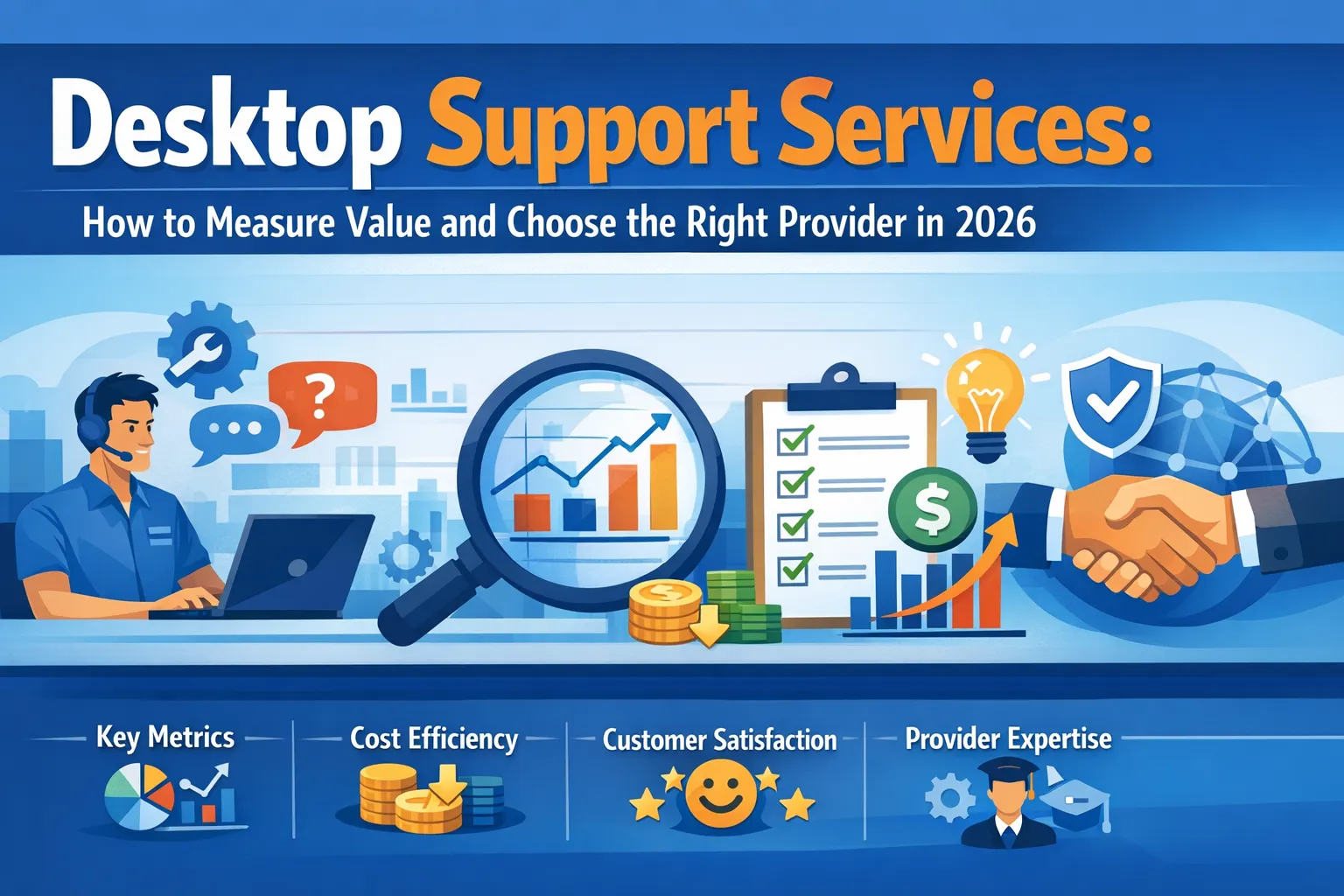
The invoice arrives every month for desktop support services. The number looks reasonable compared to alternatives. Tickets get closed. Phones get answered. But is the service actually delivering value? Most business owners cannot confidently answer this question because they lack frameworks for evaluating what good desktop support looks like.
Desktop support represents a significant ongoing investment. All-inclusive managed IT services typically cost between $125 and $220 per computer-using employee per month. For a 50-person company, annual desktop support costs can exceed $100,000. Yet many organizations evaluate this investment using nothing more than gut feeling about whether things seem to be working.
Measuring desktop support value requires understanding what these services should deliver, how performance gets measured, what service level agreements should guarantee, and how to distinguish providers who genuinely serve your interests from those merely processing tickets. Armed with this knowledge, businesses can evaluate current providers, negotiate better agreements, and make informed decisions about IT support investments.
This guide explores how to assess desktop support services objectively, what metrics matter, how service level agreements protect your interests, and what separates excellent providers from adequate ones.
Why Measuring Desktop Support Value Matters
The Desktop support operates largely invisibly when working well. Computers function. Problems get resolved. Employees continue working. This invisibility makes evaluation difficult because the absence of problems does not reveal whether support is truly excellent or merely adequate.
However, the difference between excellent and adequate desktop support has substantial business impact. Research indicates that businesses with proactive IT support experience 42 percent fewer unplanned outages and resolve technical issues 3.5 times faster than those relying on reactive approaches. These differences translate directly into productivity and revenue.
Consider the cost calculation. An employee earning $100,000 annually who loses 20 minutes daily to IT issues costs the company over $6,000 per year in lost productivity. Multiply across an entire workforce, and the productivity impact of support quality becomes substantial. Better desktop support does not just cost less in vendor fees; it generates returns through recovered productivity.
Measuring value also enables informed decisions about support investments. Should you increase spending for better service? Are current costs justified by results? Would changing providers improve outcomes? Without measurement frameworks, these questions remain unanswerable guesses rather than data-driven decisions.
Understanding What Desktop Support Should Deliver
Before measuring performance, establish clear understanding of what desktop support services should include. Comprehensive desktop support extends far beyond fixing broken computers.
Core Support Functions
Help desk response represents the most visible support element. When employees encounter technology problems, they need accessible assistance that resolves issues quickly. Quality help desk support includes multiple contact channels, reasonable response times, and resolution by knowledgeable technicians rather than script-following operators.
Proactive monitoring prevents problems before they affect users. Modern desktop support includes continuous monitoring of system health indicators including CPU utilization, memory consumption, disk space, and application performance. When metrics deviate from acceptable parameters, support teams investigate and remediate before users notice degradation.
Patch management keeps systems secure and functional. Operating system updates, application patches, and security fixes require timely installation. Quality desktop support applies patches systematically following testing to verify compatibility, ensuring systems stay current without introducing instability.
Endpoint security protection defends against malware, ransomware, and other threats. Desktop support should include antivirus management, endpoint protection monitoring, and security configuration maintenance that keeps devices protected against evolving threats.
Software deployment and updates ensure that business applications function correctly and stay current. Support teams handle installation, configuration, updates, and troubleshooting for the software employees depend on daily.
Beyond Basic Support
Device lifecycle management tracks hardware from procurement through retirement. Quality support includes procurement assistance, standardized deployment, ongoing maintenance, and secure disposition when devices reach end of life.
User onboarding and offboarding ensures new employees get productive quickly while departing employees lose access appropriately. This includes device provisioning, account configuration, and access management that aligns with HR processes.
Documentation and knowledge management captures solutions to common problems, configuration standards, and environmental details that enable consistent support quality. This institutional knowledge should not exist only in individual technicians’ heads.
Reporting and analytics provide visibility into support operations, enabling both provider accountability and informed decision-making about IT investments.
Service Level Agreements: Your Protection Framework
Service level agreements establish measurable commitments that define what support providers promise to deliver. Well-constructed SLAs create accountability while protecting both parties through clear expectations.
Essential SLA Components
Response time commitments specify how quickly providers will acknowledge and begin addressing support requests. Different issue severities typically receive different response time targets. Critical issues affecting business operations might require response within 15 minutes, while routine requests might allow several hours.
Resolution time targets define how quickly issues should be fully resolved. Like response times, resolution targets typically vary by severity. A critical system outage might require resolution within 4 hours, while routine requests might allow 24 or 48 hours.
Availability guarantees commit to when support is accessible. Some businesses require 24/7 coverage while others need only business hours support. The SLA should clearly define coverage hours and any after-hours provisions.
Escalation procedures outline how issues move to higher expertise levels when initial support cannot resolve them. Clear escalation paths prevent issues from languishing unresolved.
Remedies and penalties specify consequences when SLA terms are not met. These might include service credits, fee reductions, or other compensation. Having predefined consequences creates accountability and gives customers recourse.
Evaluating SLA Quality
Specificity matters in SLA construction. Vague promises like “timely response” provide no protection. Look for specific metrics such as “response within 2 business hours” or “99.9% uptime” that can be consistently tracked and verified.
Measurement methodology should be clearly defined. How are response times measured? What counts as resolution? Ambiguity about measurement allows providers to claim compliance while users experience something different.
Reporting requirements should specify how and when providers demonstrate SLA compliance. Regular reporting keeps both parties informed about whether agreements are being met. Request monthly or quarterly reports showing actual performance against SLA targets.
Review and adjustment provisions acknowledge that circumstances change. SLAs should include processes for periodic review and modification as business needs evolve or experience reveals needed adjustments.
Common SLA Pitfalls
Unrealistic targets create problems for everyone. SLAs that overpromise and underdeliver frustrate users while making providers appear incompetent. Realistic targets that get consistently met serve everyone better than aggressive targets that frequently fail.
Single-dimensional measurement misses important factors. Measuring only resolution speed might encourage technicians to close tickets quickly rather than correctly, harming resolution quality. Effective SLAs combine multiple metrics including satisfaction measures.
Unclear definitions create disputes. What constitutes a “critical” versus “standard” issue? Who determines severity? Clear definitions prevent disagreements about whether SLA terms apply to specific situations.
Key Performance Indicators That Matter
Beyond SLA compliance, key performance indicators reveal how well desktop support actually functions. Tracking the right KPIs provides insight into service quality, efficiency, and value delivery.
Response and Resolution Metrics
First response time measures how quickly users receive initial acknowledgment after submitting support requests. This indicates support accessibility and staffing adequacy. Targets typically range from 15 minutes for critical issues to several hours for routine requests.
Resolution time tracks how long issues take to fully resolve. This directly impacts productivity loss. Compare average resolution times against SLA targets and industry benchmarks to assess performance.
First contact resolution rate shows the percentage of issues resolved during the first interaction without escalation or callback. Higher rates indicate capable frontline support and well-documented processes. Industry benchmarks suggest targeting 70 percent or higher first contact resolution.
Escalation rate reveals how often issues require transfer to higher expertise levels. Moderate escalation indicates appropriate matching of issue complexity to support tiers. Excessive escalation suggests frontline skill gaps or inadequate documentation.
Quality and Satisfaction Metrics
Customer satisfaction scores capture user perceptions of support quality. Post-interaction surveys provide direct feedback about whether support met user needs. Track satisfaction trends over time and investigate declining scores.
Ticket reopen rate shows how often supposedly resolved issues require additional attention. High reopen rates indicate incomplete resolution or misdiagnosis. Quality support should produce low reopen rates as issues get fixed correctly the first time.
User experience metrics increasingly incorporate factors beyond immediate resolution. How much effort did users expend to get help? Did support communications treat users respectfully? Experience encompasses more than whether problems eventually got fixed.
Operational Efficiency Metrics
Ticket volume trends reveal patterns in support demand. Increasing volumes might indicate underlying problems creating issues, inadequate user training, or business growth. Decreasing volumes might reflect proactive improvements or simply fewer users.
Tickets per technician indicates staffing efficiency. Compare against industry benchmarks while considering complexity factors. Very high ratios may indicate overworked staff unable to provide quality support.
Self-service utilization shows how effectively knowledge bases and documentation enable users to solve problems independently. Higher self-service rates reduce ticket volumes while empowering users.
Proactive versus reactive ratio indicates whether support prevents problems or merely responds to them. Track the percentage of support activity initiated by monitoring and automation versus user-reported issues. Quality support should show increasing proactive activity over time.
Security and Compliance Metrics
Patch compliance rate shows the percentage of systems with current security updates. Targets should approach 100 percent with defined timelines for new patch deployment. Lagging patch compliance creates security vulnerabilities.
Endpoint protection coverage confirms that security tools are properly deployed and functioning across all devices. Gaps in protection create exposure points for malware and other threats.
Security incident frequency tracks how often security events occur. While some incidents may be unavoidable, declining frequency over time indicates improving security posture.
Evaluating Desktop Support Providers
Whether evaluating current providers or considering alternatives, systematic assessment reveals whether services meet business needs.
Technical Capabilities Assessment
Expertise breadth should span your technology environment. Providers should demonstrate competence with your operating systems, business applications, cloud services, and network infrastructure. Specialized environments require providers with relevant experience.
Tool sophistication indicates operational maturity. Modern desktop support requires remote monitoring and management platforms, automated patching systems, endpoint protection tools, and ticketing systems. Ask what tools providers use and how they enable better support.
Security capabilities deserve particular scrutiny given increasing threat levels. Providers should demonstrate comprehensive security knowledge, not just basic antivirus management. Evaluate their approach to patch management, endpoint protection, and security monitoring.
Scalability matters for growing businesses. Can the provider accommodate expansion without service degradation? Understand how support scales with your business growth.
Service Delivery Assessment
Response consistency matters more than occasional excellence. Evaluate typical performance rather than best-case scenarios. Request performance reports showing average metrics rather than highlights.
Communication quality affects user experience significantly. Technicians should communicate clearly, respectfully, and in terms users understand. Technical competence means little if support interactions frustrate users.
Documentation practices indicate operational maturity. Providers should maintain comprehensive documentation of your environment, standard procedures, and issue resolutions. Ask to see sample documentation.
Proactive orientation distinguishes excellent providers from adequate ones. Does the provider identify and address issues before users report them? Do they recommend improvements? Purely reactive support leaves value unrealized.
Business Relationship Assessment
Account management provides your interface for relationship oversight. Quality providers assign dedicated contacts who understand your business and advocate for your interests internally.
Reporting transparency demonstrates accountability. Providers should willingly share performance data and address questions about service delivery. Resistance to transparency raises concerns.
Contract flexibility indicates customer orientation. Reasonable providers accommodate legitimate business needs rather than hiding behind rigid contract terms. Excessive rigidity suggests priorities misaligned with customer success.
Cultural alignment affects relationship quality. Providers whose values and approach match your organization tend to produce better working relationships than those with conflicting styles.
Reference and Reputation Evaluation
Client references provide perspective from actual customers. Request references from organizations similar to yours in size and industry. Ask specific questions about service quality, responsiveness, and relationship management.
Online reviews offer broader perspective, though with appropriate skepticism about both excessive positivity and isolated complaints. Look for patterns rather than outliers.
Industry recognition and certifications indicate operational standards. Microsoft partnerships, industry certifications, and professional memberships suggest commitment to capability development.
Calculating Desktop Support ROI
Return on investment analysis helps justify support spending and compare alternatives objectively.
Direct Cost Comparison
Per-user costs provide the starting point for comparison. Calculate fully loaded costs including base fees, additional charges, and any internal expenses associated with managing the relationship. Managed services typically range from $125 to $220 per user monthly for comprehensive support.
Compare against alternatives including internal staff, break-fix arrangements, or different providers. Internal IT staff require salary, benefits, training, tools, and management overhead that often exceed managed services costs for small to mid-size organizations.
Total cost of ownership extends beyond direct fees to include productivity impacts, security incident costs, and business disruption. Cheaper support that produces more downtime or security incidents may cost more overall.
Productivity Impact Valuation
Downtime costs represent the most significant desktop support impact. Calculate hourly productivity value across your workforce. Even modest downtime reductions produce substantial value when multiplied across employees and hours.
Resolution speed improvements translate to recovered productivity. If faster resolution saves 10 minutes per ticket and you generate 100 tickets monthly, that represents over 16 hours of recovered productivity monthly.
Proactive issue prevention avoids problems entirely rather than just resolving them faster. Reduced ticket volumes indicate issues prevented, with each prevented ticket representing avoided productivity loss and support cost.
Risk Mitigation Value
Security protection prevents potentially catastrophic losses. Data breaches cost businesses millions on average. Desktop support that maintains strong security posture provides protection value difficult to quantify but potentially enormous.
Compliance maintenance avoids regulatory penalties and audit failures. Industries with regulatory requirements need support that maintains required security and documentation standards.
Business continuity protection ensures operations continue despite technical problems. Support that prevents outages or enables rapid recovery protects revenue that would otherwise be lost.
Signs You Need Better Desktop Support
Recognizing inadequate support enables timely improvement before problems compound.
Warning Signs in Support Operations
Chronic slow response indicates insufficient staffing or poor prioritization. If users routinely wait hours for acknowledgment of urgent issues, support is failing its basic function.
Recurring problems suggest root causes are not being addressed. The same issues appearing repeatedly indicate support that treats symptoms rather than underlying causes.
Rising ticket volumes over time may indicate deteriorating systems, insufficient proactive maintenance, or inadequate resolution quality requiring repeated contacts.
User frustration and workarounds reveal support failure even when metrics look acceptable. When users avoid contacting support because they expect poor results, problems go unreported and unresolved.
Warning Signs in Provider Relationships
Poor communication and transparency suggest providers hiding problems or disengaged from your success. Quality providers communicate proactively about issues and opportunities.
Defensive responses to concerns indicate providers more focused on protecting themselves than solving problems. Customer-oriented providers acknowledge issues and work toward resolution.
Contract rigidity beyond reasonable business protection suggests provider priorities misaligned with customer success. Reasonable flexibility characterizes healthy provider relationships.
Stagnant service without improvement suggests providers satisfied with adequacy rather than excellence. Quality providers continuously improve service delivery and recommend enhancements.
FAQs About Evaluating Desktop Support Services
What should desktop support cost per employee?
All-inclusive managed desktop support typically costs between $125 and $220 per computer-using employee monthly. Costs vary based on service scope, support hours, environment complexity, and provider type. Compare fully loaded costs including all fees rather than base rates alone. Remember that the cheapest option may cost more when productivity impacts are considered.
What SLA response times should I expect?
Reasonable SLA targets vary by issue severity. Critical issues affecting business operations should receive response within 15 to 30 minutes. High-priority issues typically warrant 1 to 2 hour response. Standard requests might allow 4 to 8 hour response. Resolution times depend on issue complexity but should be clearly defined for each priority level.
How do I know if my current provider is performing well?
Request regular performance reports showing actual metrics against SLA targets. Track user satisfaction through surveys. Monitor ticket volumes and resolution trends over time. Compare metrics against industry benchmarks. If your provider resists transparency or cannot provide data, that itself indicates problems.
What metrics matter most for desktop support quality?
Key metrics include first response time, resolution time, first contact resolution rate, customer satisfaction scores, and ticket reopen rate. Security metrics like patch compliance and endpoint protection coverage indicate risk management. No single metric tells the complete story; evaluate multiple indicators together.
How often should SLAs be reviewed?
SLAs should be formally reviewed at least annually to ensure alignment with current business needs. More frequent review may be appropriate during periods of significant business change. Include provisions for adjustment when experience reveals needed changes rather than waiting for contract renewal.
What distinguishes excellent desktop support from adequate support?
Excellent support operates proactively, preventing issues rather than just responding to them. It communicates clearly and respectfully. It continuously improves through root cause analysis and process refinement. It treats your business as a partner rather than a contract to fulfill. Adequate support resolves tickets without these additional qualities.
Conclusion
The Desktop support services represent substantial ongoing investment that deserves systematic evaluation rather than gut-feel assessment. Understanding what quality support should deliver, how service level agreements protect your interests, which metrics reveal true performance, and what distinguishes excellent providers enables informed decisions about this critical business function.
The productivity impact of support quality alone justifies careful evaluation. Employees losing 20 minutes daily to IT issues cost over $6,000 annually each in lost productivity. Quality support that reduces this loss pays for itself while poor support compounds costs beyond visible fees.
Effective evaluation combines SLA review, KPI tracking, provider assessment, and ROI calculation. SLAs establish minimum commitments while KPIs reveal actual performance. Provider assessment evaluates capabilities and relationship quality. ROI analysis justifies investment levels and enables alternative comparison.
Warning signs including chronic slow response, recurring problems, rising ticket volumes, and user frustration indicate support failing to deliver value. Recognizing these signs early enables correction before problems compound.
Your desktop support provider should be a partner invested in your success, not merely a vendor processing transactions. Quality providers demonstrate this orientation through proactive communication, continuous improvement, transparency, and genuine accountability for results. Desktop support keeps your workforce productive and your business operational. Make sure the investment delivers corresponding value. Your technology deserves support that serves your business, not just services your tickets. Measure accordingly.
Competitive service checklist
Before choosing a desktop support option, compare scope, response ownership, security duties, recovery testing, reporting, implementation effort, and exit terms. Ask what evidence the provider will return each month and which decisions remain with the customer. Measuring ticket volume without addressing the recurring device or access cause.
Measure the outcome
Set a baseline for the problem in this article, choose an owner, and review a small set of measures such as response time, repeat incidents, coverage, recovery tests, or time lost to workarounds. Review exceptions rather than assuming that a new tool fixed the operating cause.
How ECASYS can help
ECASYS can help regulated businesses and professional-services teams review desktop support. See desktop support services from ECASYS or request an ECASYS consultation.
Frequently Asked Questions
What should regulated businesses and professional-services teams review first for desktop support?
Start with the business activity affected, current evidence, dependencies, ownership, and the recovery or follow-up step. Tie the decision to the operating problem described in Desktop Support Services: How to Measure Value and Choose the Right Provider in 2026 rather than selecting a tool first.
How should a team compare desktop support providers?
Compare scope, response and escalation, security responsibilities, reporting, implementation ownership, exit terms, and the evidence each provider will supply. A lower price is not useful if important operating work remains unassigned.
How can success be checked after a desktop support change?
Record a baseline, choose a small set of measurable outcomes, review exceptions, and test the recovery path. Check user impact, security, documentation, and unresolved dependencies before calling the work complete.






No comment