
Desktop Support Services and Employee Experience: Why IT Satisfaction Drives Business Success in 2026
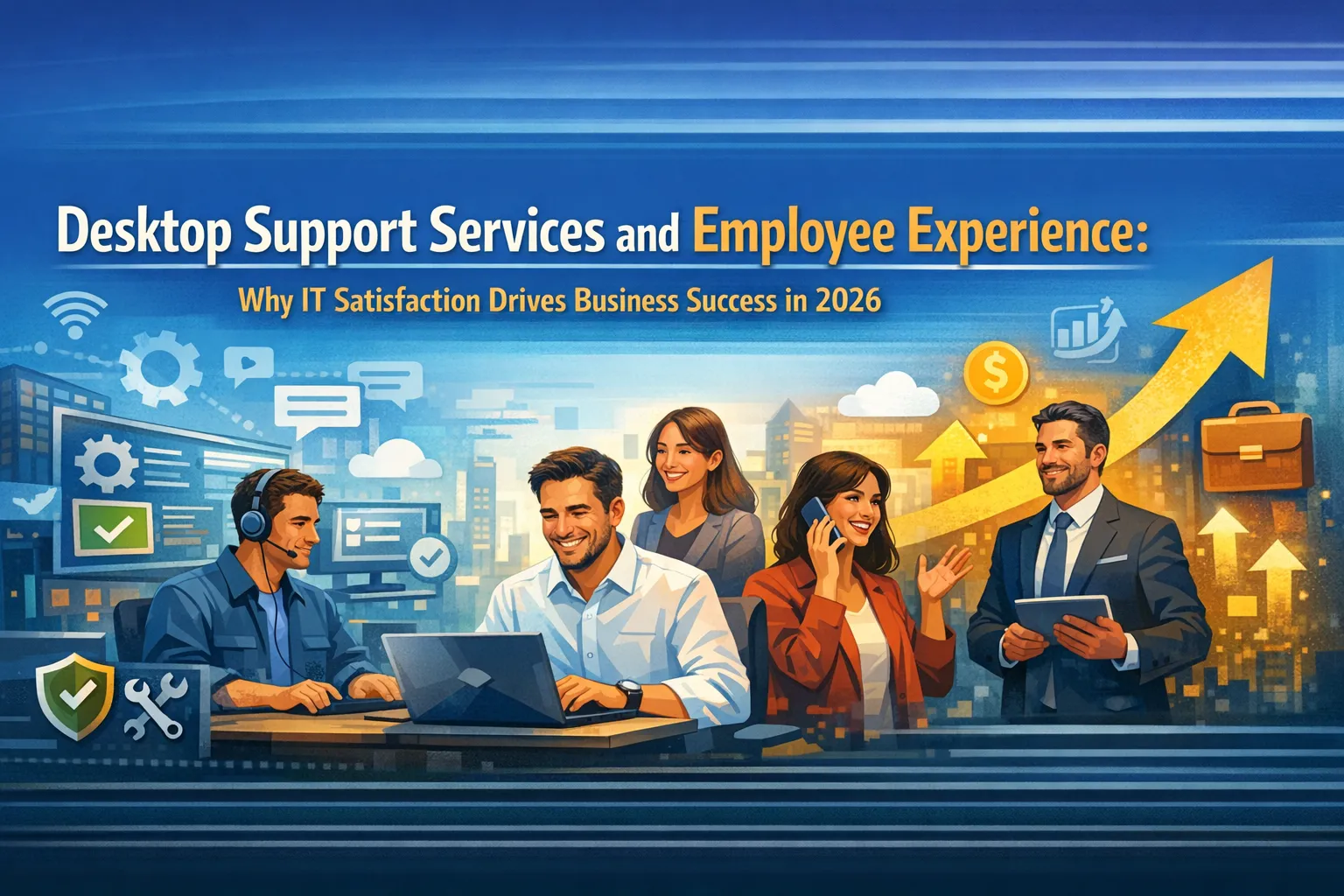
Every frustrated click, every frozen screen, every minute spent waiting for IT help shapes how employees feel about their workplace. In 2026, the quality of desktop support services has emerged as a defining factor in employee experience, directly influencing productivity, engagement, and whether talented people stay or leave.
The connection between technology support and employee satisfaction has never been clearer. Research shows that 87% of IT leaders now rank employee satisfaction as the top performance metric for gauging service quality. Organizations prioritizing digital employee experience report measurable improvements in productivity, reduced downtime, and higher retention rates. When desktop support works seamlessly, employees focus on their actual jobs. When it fails, frustration compounds into disengagement, missed deadlines, and ultimately, departures.
The computer and peripherals support services market reached $41.75 billion in 2026, reflecting how seriously organizations take this challenge. Yet many businesses still treat desktop support as a cost center rather than recognizing its strategic impact on the employee experience that drives business success.
This guide explores the relationship between desktop support services and employee experience, revealing why the quality of your IT support directly determines your competitive position in 2026.
The Hidden Cost of Poor Desktop Support
When employees struggle with technology, the impact extends far beyond the immediate frustration. Understanding these hidden costs reveals why desktop support quality matters strategically, not just operationally.
Productivity Loss Compounds Quickly
Every technology issue that interrupts work creates productivity loss that compounds throughout the day. A study found that 13% of support tickets drive 80% of lost productivity, indicating that a small number of complex, time-consuming cases account for most employee downtime. These are not merely inconveniences but significant drains on organizational capacity.
Each time a support ticket gets reassigned to a different technician, end-user happiness decreases by eight points and users lose an average of two additional hours of work time. What begins as a simple software glitch becomes a half-day ordeal as employees wait, explain their issue repeatedly, and try workarounds that may create additional problems.
The financial impact accumulates invisibly. An employee earning $75,000 annually costs roughly $36 per hour. If poor desktop support causes just one hour of lost productivity per week across 100 employees, the organization loses over $187,000 annually in productivity alone. This calculation does not include the cascading effects on deadlines, customer service, and team collaboration.
Employee Satisfaction Erodes Steadily
The frustration employees feel when technology fails does not stay contained to that moment. It colors their perception of the entire organization. When employees encounter consistent technology problems without responsive support, they begin questioning whether leadership values their time and effectiveness.
Digital employee experience has become a core component of overall employee experience. Every digital interaction shapes how employees feel about their work. When systems lag, tools feel clunky, or help takes too long to arrive, that frustration builds into broader workplace dissatisfaction. Organizations that actively manage and improve their digital workplace experience report higher employee satisfaction and engagement.
The relationship works in reverse as well. Employees who feel supported by responsive, effective desktop support bring more energy and commitment to their work. They view technology as an enabler rather than an obstacle. This positive perception extends to their feelings about the organization overall.
Retention Suffers Silently
Poor technology experience has become a silent driver of employee turnover. Workers may not cite IT frustrations in exit interviews, but accumulated technology friction contributes to the overall dissatisfaction that pushes talented people toward other opportunities.
New employees are particularly vulnerable. Research indicates that only 44% of new hires intend to stay more than three years, and their onboarding experience, including technology setup and support, significantly influences this decision. When new employees spend their first weeks fighting with equipment, software access, and unresponsive help desks, they form lasting negative impressions.
The cost of employee turnover far exceeds the investment required for quality desktop support. The average help desk agent stays less than 2.5 years and costs approximately $12,000 to replace. For knowledge workers in specialized roles, replacement costs can reach 50% to 200% of annual salary when accounting for recruiting, onboarding, and productivity ramp-up time.
What Employees Actually Want from Desktop Support
Understanding employee expectations enables organizations to design desktop support services that genuinely improve experience rather than simply checking operational boxes.
Speed Matters More Than Ever
Response time has become the primary metric employees use to judge desktop support quality. In a world of instant messaging, same-day delivery, and on-demand everything, waiting hours or days for IT help feels unacceptable. Modern remote desktop support can deliver assistance within minutes rather than hours, and employees have come to expect this level of responsiveness.
The remote desktop software market reached $4.22 billion in 2026, growing at an impressive 14.4% compound annual growth rate precisely because organizations recognize that speed of support directly impacts employee experience. When technicians can connect to employee devices remotely, diagnose issues immediately, and resolve problems while the employee watches, satisfaction scores improve dramatically.
However, speed without resolution creates its own frustration. Employees want their problems actually solved, not just acknowledged quickly. First-call resolution rates matter as much as initial response times. Organizations achieving 65% or higher first-contact resolution using AI-enhanced support tools demonstrate what employees now consider acceptable performance.
Self-Service Options Reduce Friction
Nearly 70% of employees prefer self-service options for simple IT issues like password resets and basic troubleshooting. This preference reflects both the desire for immediate resolution and the autonomy that knowledge workers expect. Nobody wants to open a ticket and wait for a callback just to reset a password.
Effective self-service portals give employees control over routine issues while freeing support staff for complex problems that genuinely require human expertise. The best implementations guide users through common solutions, provide clear instructions with screenshots or videos, and seamlessly escalate to human support when self-service cannot resolve the issue.
AI-powered self-service creates what some call “Level 0” support, resolving common issues automatically and providing 24/7 assistance without staffing costs. Organizations implementing these tools report reduced ticket volumes, faster answers for employees, and support availability that matches how people actually work, including evenings and weekends when traditional help desks are closed.
Communication Throughout the Process
Employees want to know what is happening with their support requests. Silence breeds frustration even when technicians are actively working on solutions. Proactive communication about ticket status, estimated resolution times, and any workarounds available while waiting significantly improves satisfaction even when technical resolution takes time.
The best desktop support services treat communication as a core competency, not an afterthought. Automated status updates, clear escalation paths, and follow-up after resolution all contribute to an experience that feels professional and respectful of employee time. When employees feel informed and valued throughout the support process, their overall perception of IT improves substantially.
Building Desktop Support for Employee Experience
Transforming desktop support from a reactive function into an employee experience driver requires intentional design and ongoing attention to how support feels, not just whether issues get resolved.
Proactive Problem Prevention
The most satisfying desktop support experience is one that never requires filing a ticket. Proactive monitoring and remediation prevent problems before employees notice them, creating seamless technology experiences that support productivity without interruption.
Remote monitoring and management platforms continuously track the health of every endpoint in the organization. These systems monitor CPU usage, disk space, memory consumption, and application performance in real time. When metrics deviate from normal parameters, automated alerts trigger investigation and remediation before performance degrades noticeably.
AI-powered predictive analytics take this further by identifying patterns that precede failures. Instead of waiting for a hard drive to crash, proactive support replaces components showing early warning signs. Instead of letting software conflicts accumulate until systems freeze, automated maintenance resolves potential issues during off-hours. The result is an experience where technology simply works, supporting rather than hindering employee productivity.
Human Connection When It Matters
Despite advances in automation and AI, employees still want human connection for complex issues. Research consistently shows that 71% of people prefer human interaction for complicated problems. The key is ensuring that human support is available when genuinely needed while handling routine matters through efficient self-service and automation.
Effective desktop support balances technology and humanity. Simple, common issues flow through automated channels that provide fast, consistent resolution. Complex problems receive personal attention from skilled technicians who can think creatively, empathize with frustrated users, and communicate clearly about technical matters.
The swarming support model, where issues are addressed by collaborative teams rather than individual technicians working in isolation, has emerged as a best practice for complex cases. Net Promoter Scores of providers using swarming are over 12 points higher than those using traditional escalation models. This approach brings the right expertise together quickly, reducing resolution times and improving outcomes.
Experience-Level Agreements Over Traditional SLAs
Traditional service level agreements focus on metrics like response time and ticket closure rates. While these metrics matter operationally, they do not necessarily correlate with employee experience. An issue can be “resolved” by traditional SLA definitions while leaving the employee frustrated and the underlying problem likely to recur.
Experience-level agreements shift focus to metrics that actually matter to employees: satisfaction scores, productivity impact, and whether problems stay solved. Research shows that 87% of IT leaders say experience-level agreements make it easier to understand where support needs to improve. This approach creates accountability for the experience employees actually have rather than technical metrics that may not reflect reality.
Implementing experience-focused measurement requires gathering feedback after support interactions, tracking repeat issues, and connecting support data with broader productivity metrics. Organizations committed to this approach gain insights that drive continuous improvement and demonstrate the business impact of desktop support quality.
The Technology Enabling Better Experience
Several technology categories have matured to enable desktop support experiences that would have been impossible just a few years ago. Understanding these capabilities helps organizations invest wisely in support infrastructure.
Digital Employee Experience Platforms
DEX platforms represent a fundamental shift from monitoring systems to understanding people. These tools combine technical performance data with employee sentiment indicators, providing visibility into how technology actually affects productivity and satisfaction rather than just whether systems are running.
Gartner now positions digital employee experience as a mainstream digital workplace discipline rather than an emerging category. This recognition reflects the maturation of platforms that integrate real-time endpoint monitoring, automated remediation, user feedback collection, and analytics that connect technical performance to business outcomes.
The best DEX platforms enable IT teams to spot friction early, understand conditions causing repeated problems, and resolve issues before they impact productivity. For remote and hybrid workforces, this visibility becomes critical since IT teams cannot physically observe employee technology struggles as they could in traditional office environments.
AI-Enhanced Support Tools
Artificial intelligence has transformed every aspect of desktop support, from initial contact through resolution and follow-up. Virtual agents now resolve 65% of issues at first contact without any human intervention, while driving 50% or greater productivity gains for human staff through features like automated chat summarization.
AI improves support in multiple ways: providing real-time guidance to technicians during interactions, routing tickets to the most appropriate specialists, generating content for knowledge bases, and scoring interactions to support continuous improvement. The technology handles routine matters efficiently while enhancing rather than replacing human expertise for complex issues.
Agentic AI represents the next evolution, moving beyond simple task automation to autonomous entities capable of complex work. These systems can investigate issues, attempt multiple resolution approaches, and escalate appropriately when automation cannot resolve problems. For employees, this means faster resolution with less waiting for human availability.
Remote Support Infrastructure
Enterprise-grade remote access has become mission-critical infrastructure rather than a convenience feature. With over 65% of businesses operating with some form of hybrid or remote work arrangement, the ability to support devices anywhere has become essential to employee experience.
Modern remote desktop tools offer end-to-end encryption, session recording, and granular permission controls that satisfy security requirements while enabling the fast, effective support employees expect. Technicians can access, diagnose, and repair systems from anywhere in the world within minutes, eliminating the travel time and scheduling delays that characterized traditional on-site support.
The best implementations make remote support feel seamless to employees. Sessions initiate quickly, technicians can see and control systems efficiently, and resolutions occur without requiring employees to perform complex troubleshooting steps themselves. This experience reinforces the sense that IT support exists to help rather than to add friction.
Measuring What Matters for Employee Experience
Traditional IT metrics often miss the employee experience dimension entirely. Organizations committed to using desktop support as an experience driver need measurement approaches that capture what employees actually feel and how support impacts their productivity.
User Experience Index
The User Experience Index combines device performance data with user sentiment to provide a measurable way to connect technical behavior with employee satisfaction. This single metric bridges the gap between what IT believes is working and what employees actually experience daily.
By tracking UXI across departments, locations, and time periods, organizations can identify problem areas, measure the impact of changes, and provide leadership with defensible, trackable metrics for reporting. The approach moves beyond anecdotal feedback to data-driven understanding of experience quality.
Implementation requires integrating performance monitoring with regular sentiment collection. Some organizations use brief post-interaction surveys, while others employ periodic pulse surveys about overall technology experience. The combination of objective performance data and subjective experience feedback provides comprehensive visibility.
First-Call Resolution and Mean Time to Resolution
These traditional metrics remain relevant when considered alongside experience measures. First-call resolution rates indicate how often employees get their problems solved without multiple interactions, directly impacting their perception of support effectiveness. Mean time to resolution shows how long employees wait for help, which correlates with frustration and productivity loss.
The key is contextualizing these metrics appropriately. A high first-call resolution rate means little if resolutions are superficial and problems recur. A fast mean time to resolution may reflect ticket closure rather than genuine problem solving. Combining these operational metrics with experience measures provides accurate understanding of support quality.
Net Promoter Score for IT
Applying the Net Promoter Score methodology to internal IT support reveals whether employees would recommend the support experience to colleagues. This simple metric, based on a single question about likelihood to recommend, correlates strongly with overall satisfaction and identifies both advocates and detractors.
Tracking NPS over time shows whether support improvements translate into better employee perception. Organizations can segment scores by department, location, or issue type to identify specific areas needing attention. The simplicity of NPS makes it easy to collect regularly without survey fatigue.
Building the Business Case
Connecting desktop support quality to business outcomes helps secure investment in experience-focused support capabilities. The arguments resonate differently with various stakeholders but collectively make a compelling case.
Productivity Arguments
Every hour employees spend waiting for support or fighting with technology represents lost productive capacity. Organizations can calculate this impact using average hourly costs and estimated time lost to technology issues. Even conservative estimates typically reveal significant financial impact that dwarfs the cost of support improvements.
Beyond direct productivity, consider the impact on deadlines, quality, and customer service. Employees struggling with technology produce lower-quality work, miss commitments, and provide worse customer experiences. These downstream effects multiply the direct productivity impact.
Retention Arguments
Employee turnover carries substantial costs including recruiting, hiring, onboarding, and productivity ramp-up time. Technology frustration contributes to turnover decisions even when not explicitly cited. Investing in experience-focused desktop support reduces this friction and supports retention.
The argument becomes particularly compelling for roles with high replacement costs or competitive talent markets. Losing a senior engineer or experienced sales representative due partly to technology frustration costs far more than the support improvements that might have prevented their departure.
Competitive Advantage Arguments
Organizations with superior technology experience can attract talent that competitors cannot. Job seekers increasingly research technology environments before accepting offers. Reputation for smooth, effective IT support becomes a recruiting advantage in competitive talent markets.
Beyond recruiting, superior desktop support enables the agility and productivity that create competitive advantage in operations. Organizations where employees can focus on customers, innovation, and execution rather than fighting with technology simply outperform those where technology friction consumes attention and energy.
FAQs About Desktop Support and Employee Experience
How does desktop support impact employee retention?
Technology frustration contributes to overall workplace dissatisfaction that influences retention decisions. Research shows that only 44% of new hires intend to stay more than three years, and their technology onboarding experience significantly influences this decision. While employees rarely cite IT issues as primary departure reasons, accumulated technology friction adds to the dissatisfaction that pushes talented people toward other opportunities.
What metrics best measure desktop support impact on employee experience?
Experience-level metrics including user satisfaction scores, productivity impact measurements, and Net Promoter Scores provide more meaningful insight than traditional operational metrics alone. Combining these experience measures with operational data like first-call resolution rates and mean time to resolution gives comprehensive visibility into support quality and its business impact.
How can small businesses afford experience-focused desktop support?
Leveraging automation tools, implementing self-service portals, and partnering with managed service providers allows smaller organizations to achieve enterprise-level support capabilities affordably. The investment typically provides positive return within the first year through reduced productivity loss and improved retention. Many managed service providers offer scalable pricing that matches small business budgets.
What role does AI play in improving desktop support experience?
AI transforms desktop support by enabling instant resolution of common issues through virtual agents, providing 24/7 support availability, predicting problems before they affect users, and enhancing human technicians with real-time guidance and automated documentation. Organizations using AI-powered support tools report 50% or greater productivity gains for support staff and faster resolution times for employees.
Should desktop support prioritize speed or thoroughness?
Both matter to employee experience, but the balance depends on issue complexity. Simple, common issues should be resolved as quickly as possible, ideally through self-service or AI automation. Complex issues require thorough investigation and genuine resolution even if this takes longer. The key is matching the approach to the issue type while communicating clearly with employees throughout the process.
How do hybrid work models change desktop support requirements?
Hybrid and remote work eliminates the ability for IT staff to physically observe and address technology issues. Organizations must invest in robust remote support infrastructure, proactive monitoring that identifies problems regardless of employee location, and self-service capabilities that provide assistance whenever employees need it. Support must be location-independent while maintaining the responsiveness and effectiveness that employees expect.
Conclusion
Desktop support services have evolved from a necessary operational function into a strategic driver of employee experience and business success. In 2026, the quality of IT support directly influences employee satisfaction, productivity, retention, and organizational competitive advantage.
The organizations thriving in today’s environment recognize this connection and invest accordingly. They implement proactive support that prevents problems before employees notice them. They provide self-service options that give employees control over routine issues. They deliver human expertise for complex problems that require creative thinking and empathy. They measure experience, not just operational metrics, and they continuously improve based on what employees actually feel.
The technology enabling this transformation has matured significantly. Digital employee experience platforms provide visibility that was impossible just a few years ago. AI-powered tools handle routine issues instantly while enhancing human capabilities for complex challenges. Remote support infrastructure delivers effective assistance regardless of where employees work.
For business leaders evaluating their desktop support services, the message is clear. Every frustrated employee clicking a help desk link, every minute spent waiting for assistance, and every unresolved technology issue shapes how people feel about working for your organization. Getting this right is not just an IT priority; it is a business imperative that directly impacts your ability to attract, retain, and enable the talented people your organization depends upon.
The investment in experience-focused desktop support delivers returns through productivity gains, improved retention, and competitive advantage in talent markets. The only question is whether your organization will make this investment strategically or continue treating desktop support as a cost to minimize rather than an experience to optimize.



No comment