
Desktop Support in 2026: How AI Is Redefining End-User IT Services
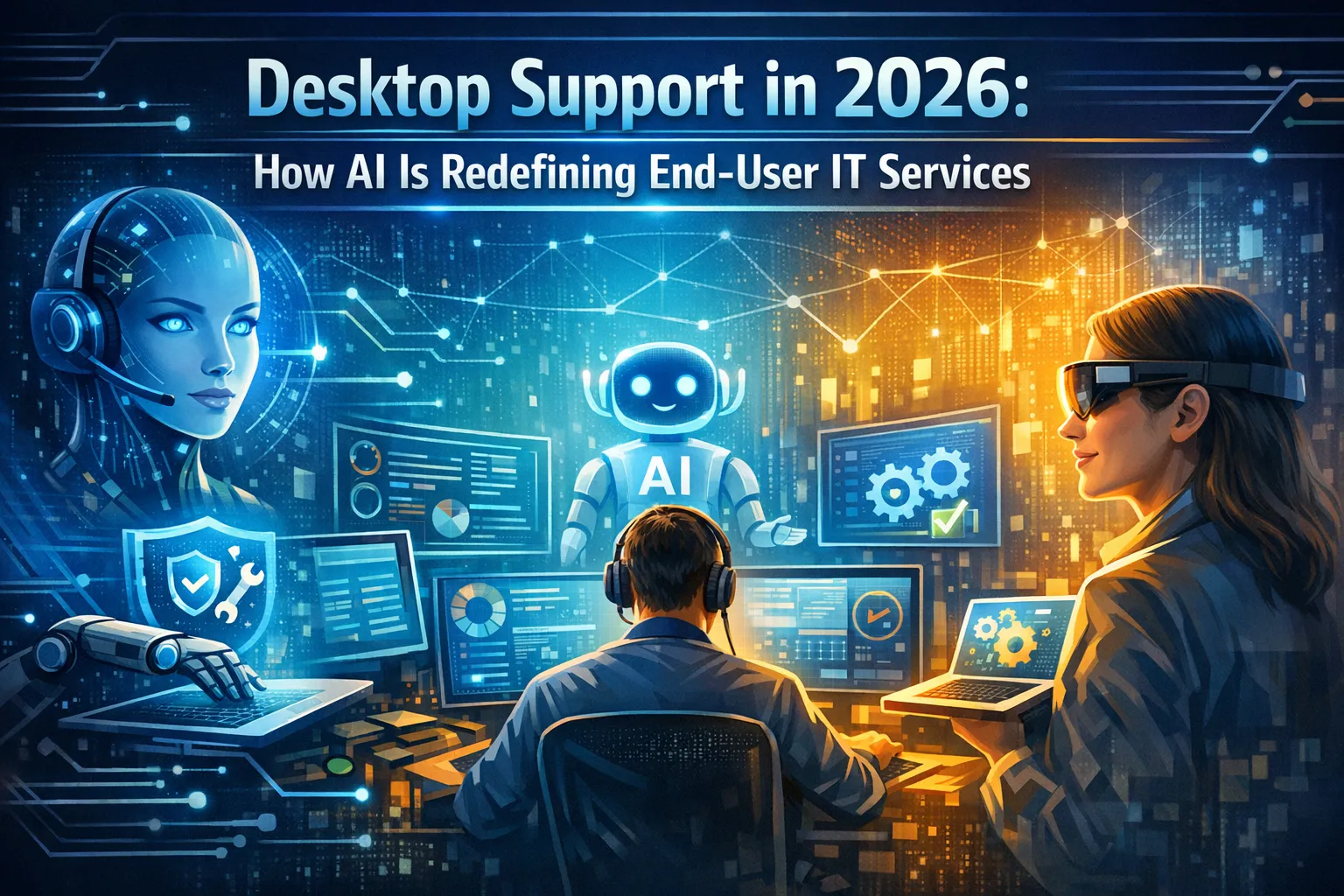
The landscape of desktop support has undergone a seismic shift as we move through 2026. What was once a reactive, ticket-based service model has transformed into an intelligent, proactive ecosystem powered by artificial intelligence. For businesses across Orange County and Southern California, this evolution represents both an opportunity and a challenge as they navigate the integration of AI-driven solutions into their IT infrastructure.
The Traditional Desktop Support Challenge
Desktop support has always been the frontline of IT services, the critical touchpoint where technology meets the end user. However, traditional support models struggled with inefficiencies such as lengthy resolution times, repetitive manual tasks, and the inability to anticipate problems before they disrupted productivity. In 2026, AI has fundamentally changed this dynamic, ushering in an era where desktop support is predictive, personalized, and remarkably efficient.
A New Era of IT Service Delivery
This transformation affects every aspect of how businesses manage their technology environments. From automated troubleshooting that resolves issues before users even notice them to intelligent chatbots that understand context and provide nuanced solutions, AI has redefined what desktop support means. Organizations that embrace these innovations are discovering unprecedented levels of productivity, user satisfaction, and operational efficiency.
The Evolution of Desktop Support: From Reactive to Predictive
Machine Learning Transforms Traditional IT Response Models
Desktop support in 2026 bears little resemblance to its predecessor models. Traditional support operated on a simple premise: users encountered problems, submitted tickets, and waited for IT technicians to diagnose and resolve issues. This reactive approach created bottlenecks, frustrated users, and consumed valuable IT resources on repetitive tasks.
How AI Monitoring Changes Everything
The introduction of AI has flipped this model entirely. Modern desktop support systems now leverage machine learning algorithms that continuously monitor endpoint devices, analyzing performance metrics, system behaviors, and usage patterns. These intelligent systems can identify anomalies that signal impending hardware failures, software conflicts, or security vulnerabilities long before they impact end users.
Proactive Maintenance Becomes Standard Practice
Predictive maintenance represents one of the most significant advantages of AI-powered desktop support. Rather than waiting for a hard drive to fail or memory to become insufficient, AI systems can forecast these events based on historical data and current trends. This capability allows IT teams to schedule maintenance during off-hours, replace components proactively, and ensure users experience minimal disruption.
The Transformation of IT Professional Roles
The shift from reactive to predictive support also transforms the role of IT professionals. Instead of spending their days triaging tickets and performing repetitive troubleshooting tasks, technicians can focus on strategic initiatives, complex problems, and improving overall IT infrastructure. AI handles the routine, freeing human experts to apply their skills where they matter most.
For businesses in Orange County, this evolution means reduced downtime, lower total cost of ownership for IT assets, and improved employee productivity. When desktop issues are resolved before they become problems, organizations can maintain the seamless technology experience that modern work demands.
AI-Powered Automated Troubleshooting: Instant Resolution at Scale
Intelligent Systems Diagnose and Fix Common Issues Without Human Intervention
One of the most transformative applications of AI in desktop support is automated troubleshooting. In 2026, sophisticated AI agents can diagnose and resolve a wide range of common desktop issues without human intervention, dramatically reducing resolution times and improving user satisfaction.
How Automated Diagnostics Work
These intelligent systems operate by analyzing error messages, system logs, and performance data to identify root causes. Once diagnosed, they can automatically implement solutions such as restarting services, clearing caches, updating drivers, or adjusting configurations. What once required a help desk ticket and a 24-hour wait can now be resolved in seconds or minutes.
Expanding Scope of AI Problem Resolution
The scope of issues that AI can handle autonomously continues to expand. Printer connectivity problems, application crashes, network authentication failures, and software installation errors are routinely resolved without human involvement. The AI systems learn from each interaction, building increasingly comprehensive knowledge bases that improve their diagnostic accuracy over time.
Context-Aware Support Delivery
Context awareness represents another critical advancement in automated troubleshooting. Modern AI understands not just the technical symptoms of a problem but also the user’s role, typical workflows, and business priorities. This contextual intelligence allows the system to prioritize solutions that minimize disruption to specific job functions and tailor resolutions to individual user needs.
Self-Healing Desktop Environments
Self-healing capabilities have become standard in AI-powered desktop environments. When systems detect anomalies or errors, they can automatically apply corrective actions, roll back problematic updates, or switch to backup configurations. This autonomous remediation ensures that minor issues never escalate into major productivity killers.
For businesses managing large fleets of endpoints, automated troubleshooting delivers exponential benefits. IT teams can support hundreds or thousands of users without proportionally expanding headcount, making enterprise-grade support accessible to organizations of all sizes throughout Southern California.
Intelligent Virtual Assistants: The New Face of IT Help Desk
Natural Language Processing Enables Conversational 24/7 Support
The traditional IT help desk is being revolutionized by intelligent virtual assistants that provide instant, conversational support to end users. Unlike the rigid chatbots of previous years, today’s AI-powered assistants understand natural language, maintain context across conversations, and deliver remarkably human-like interactions.
Always-Available First-Line Support
These virtual assistants serve as the first line of support for desktop issues, available around the clock without breaks or downtime. Users can describe problems in their own words, and the AI interprets intent, asks clarifying questions, and guides them through resolution steps. The experience feels natural and supportive rather than frustrating and mechanical.
Understanding User Intent and Context
Advanced natural language processing allows these assistants to understand technical jargon, colloquial descriptions, and even emotional context. When a user reports that their computer is “acting weird” or “running slow,” the AI can parse these vague descriptions and narrow down potential causes through intelligent questioning.
Powerful Backend Integration Capabilities
Integration with backend systems gives virtual assistants unprecedented power. They can check ticket histories, access knowledge bases, verify system configurations, and even execute remote commands when necessary. This integration means that a single conversation with a virtual assistant can accomplish what previously required multiple touchpoints with different support tiers.
Multilingual Support for Diverse Workforces
Multilingual support has become standard in 2026, reflecting the diverse workforce of Orange County and Southern California. Virtual assistants can seamlessly switch languages, ensuring that all employees receive support in their preferred language without delays or miscommunication.
Continuous Learning and Improvement
The learning capabilities of these AI assistants continually improve their effectiveness. Every interaction feeds into machine learning models that refine response accuracy, expand knowledge bases, and identify emerging issues. Organizations benefit from a support system that becomes more capable and efficient over time.
Predictive Analytics: Anticipating Problems Before They Occur
Data-Driven Insights Enable Proactive IT Management
Predictive analytics represents perhaps the most profound shift in desktop support philosophy. Rather than waiting for problems to manifest, AI systems in 2026 analyze vast datasets to forecast issues and enable preemptive action.
Multi-Source Data Processing
These analytics engines process information from multiple sources including system telemetry, performance logs, user behavior patterns, and environmental factors. By identifying correlations and trends that humans would miss, they can predict hardware failures, software conflicts, and performance degradation with remarkable accuracy.
Optimizing Hardware Lifecycle Management
Hardware lifecycle management has been transformed by predictive analytics. AI systems track device age, usage intensity, component wear patterns, and failure rates to recommend optimal replacement schedules. This data-driven approach prevents unexpected failures while maximizing the useful life of IT assets, delivering significant cost savings.
Pre-Deployment Compatibility Testing
Software compatibility issues can be identified before deployments occur. When organizations plan to roll out updates or new applications, predictive analytics can simulate the impact across their desktop environment, flagging potential conflicts with existing software, driver incompatibilities, or resource constraints.
Behavioral Analytics for Enhanced Security
User behavior analytics provide insights into how employees interact with their technology. By understanding typical usage patterns, AI can detect anomalies that may indicate security threats, training needs, or inefficient workflows. This intelligence enables IT teams to address issues proactively rather than waiting for problems to escalate.
Strategic Capacity Planning
Capacity planning becomes more accurate with predictive analytics. Organizations can forecast when storage will be exhausted, when processing power will become insufficient, or when network bandwidth will reach capacity. This foresight allows for strategic infrastructure investments rather than emergency upgrades.
For businesses in Orange County’s competitive landscape, the ability to anticipate and prevent IT problems provides a significant operational advantage. Employees experience fewer disruptions, IT teams work more strategically, and technology investments are optimized for maximum return.
Personalized User Experiences Through AI Learning
Adaptive Systems Tailor Support to Individual Preferences and Work Styles
AI has enabled a level of personalization in desktop support that was previously impossible. In 2026, support systems adapt to individual users, learning their preferences, common issues, and unique workflows to deliver tailored assistance.
Building Comprehensive User Profiles
User profiles maintained by AI systems track everything from preferred troubleshooting methods to typical software usage patterns. When issues arise, the AI can reference this historical data to provide solutions that align with how each user works, reducing friction and improving resolution success rates.
Proactive Performance Recommendations
Proactive recommendations have become a hallmark of personalized desktop support. Based on usage patterns, AI systems suggest software optimizations, workflow improvements, or training resources that enhance individual productivity. These contextual suggestions feel helpful rather than intrusive because they’re grounded in actual user behavior.
Expertise-Based Interface Adaptation
Adaptive interfaces adjust based on user expertise levels. Novice users receive step-by-step guidance with detailed explanations, while experienced users get concise, technical instructions. This intelligence ensures that everyone receives support appropriate to their comfort level with technology.
Pattern Recognition and Anticipatory Support
Learning from interaction history allows AI to anticipate needs. If a user regularly encounters the same type of issue, the system can automatically apply known solutions or proactively address underlying causes. This pattern recognition transforms support from reactive to anticipatory.
Customized Communication Preferences
Personalization extends to communication preferences as well. Some users prefer detailed email explanations while others want quick chat resolutions. AI systems adapt their communication style and channel to match individual preferences, improving satisfaction and engagement.
For organizations with diverse workforces, from healthcare professionals to financial analysts to creative teams, personalized desktop support ensures that technology adapts to people rather than forcing people to adapt to rigid systems.
Enhanced Security and Compliance Through AI Monitoring
Behavioral Analytics and Continuous Auditing Strengthen Endpoint Protection
Security has become inseparable from desktop support in 2026, with AI playing a central role in detecting threats, enforcing policies, and maintaining compliance. The convergence of these functions creates a more resilient and secure IT environment.
Advanced Threat Detection Capabilities
AI-powered endpoint detection and response systems continuously monitor desktop activity for signs of compromise. Unlike traditional antivirus solutions that rely on signature matching, modern AI identifies suspicious behaviors, anomalous network traffic, and subtle indicators of attack that would escape rule-based systems.
Real-Time Vulnerability Response
Real-time threat intelligence integration allows desktop support systems to respond instantly to emerging vulnerabilities. When new exploits are discovered, AI can automatically assess which endpoints are vulnerable, prioritize patching based on risk, and implement compensating controls until updates are deployed.
Insider Threat Detection
User behavior analytics detect insider threats and compromised accounts by identifying deviations from normal patterns. When an employee suddenly accesses unusual files, works at odd hours, or exhibits other anomalous behaviors, the system can trigger alerts or automatically enforce additional authentication requirements.
Automated Compliance Monitoring
Compliance monitoring has been automated through AI systems that continuously audit desktop configurations against regulatory standards. Whether dealing with HIPAA requirements for healthcare data, PCI DSS for payment processing, or GDPR for privacy protection, AI ensures that endpoints remain compliant and flags violations for immediate remediation.
Proactive Policy Enforcement
Automated policy enforcement eliminates the gap between security requirements and actual implementation. AI systems can prevent non-compliant software installations, enforce encryption standards, manage access controls, and ensure that security patches are applied according to defined schedules.
For businesses in regulated industries throughout Orange County, from medical practices to financial services firms, AI-enhanced security provides both protection and peace of mind. The technology handles the constant vigilance that security demands while allowing human experts to focus on strategic risk management.
Integration with IT Service Management Platforms
Seamless Connectivity Creates Unified IT Operations Ecosystems
The power of AI in desktop support is amplified through seamless integration with broader IT service management platforms. In 2026, these integrations create unified ecosystems where information flows freely and processes operate cohesively.
Intelligent Ticket Routing and Management
Modern ITSM platforms serve as central nervous systems for IT operations, and AI enhances every aspect of their functionality. Ticket routing becomes intelligent, with AI analyzing request content, urgency, required expertise, and technician availability to ensure optimal assignment. This smart routing reduces resolution times and balances workload across support teams.
Self-Expanding Knowledge Bases
Knowledge management systems powered by AI automatically capture solutions from resolved tickets, creating self-expanding repositories of institutional knowledge. When technicians solve unique problems, the AI distills their approaches into reusable articles, continuously enriching the knowledge base without manual documentation efforts.
Enhanced Asset Management Intelligence
Asset management gains new capabilities through AI integration. Systems can correlate desktop support incidents with specific hardware models, software versions, or configurations to identify systemic issues. This intelligence informs purchasing decisions, vendor evaluations, and standardization strategies.
Proactive SLA Management
Service level agreement monitoring becomes proactive rather than reactive. AI predicts when SLA breaches are likely based on current ticket volumes, complexity, and available resources. This foresight allows managers to reallocate resources or adjust priorities to maintain service commitments.
Risk-Aware Change Management
Change management benefits from AI’s ability to assess risk and predict impact. When organizations plan to deploy new software, update systems, or modify configurations, AI can analyze potential consequences across the desktop environment and recommend optimal implementation strategies.
For businesses throughout Southern California, these integrations deliver enterprise-class IT management capabilities regardless of organization size. Small and medium businesses gain access to sophisticated tools that were once exclusively available to large enterprises with dedicated IT departments.
Remote Support Capabilities Enhanced by AI
Geographic Distance Becomes Irrelevant to Support Quality
The remote work revolution has made distance support capabilities essential, and AI has dramatically improved the effectiveness of remote desktop assistance. In 2026, geographic location has become irrelevant to the quality of support users receive.
Pre-Analysis Before Connection
AI-augmented remote access tools provide technicians with unprecedented visibility into endpoint environments. Before connecting to a user’s device, AI pre-analyzes the system, identifying likely causes and suggesting solutions. This preparation dramatically reduces troubleshooting time and often allows issues to be resolved without ever requiring remote access.
Real-Time Diagnostic Support
Automated diagnostics run in the background during remote sessions, providing technicians with real-time insights as they work. The AI can highlight relevant system information, suggest next steps, and even predict the outcome of proposed solutions based on historical data.
Interactive Visual Guidance
Intelligent screen sharing has evolved beyond simple visual transmission. AI can annotate displays to highlight relevant interface elements, provide contextual tooltips, and even simulate actions to show users what to do. This guided assistance makes remote support more effective, especially for less technical users.
Performance Analytics and Improvement
Session analytics provide valuable feedback on support effectiveness. AI tracks metrics such as time to resolution, customer satisfaction, and common problem patterns, enabling continuous improvement in support processes and technician training.
Adaptive Bandwidth Management
Bandwidth optimization ensures that remote support functions effectively even over limited connections. AI-powered compression and selective screen updates allow technicians to work efficiently regardless of network conditions, critical for supporting remote workers in diverse locations.
For businesses with distributed teams across Orange County and beyond, AI-enhanced remote support ensures that every employee receives consistent, high-quality assistance regardless of where they work.
Cost Efficiency and Resource Optimization
Intelligent Automation Delivers Measurable ROI Across Multiple Dimensions
The financial impact of AI-powered desktop support extends far beyond simple headcount reduction. In 2026, organizations are discovering that intelligent automation creates value through multiple channels, fundamentally improving IT economics.
Productivity Gains Through Faster Resolution
Reduced mean time to resolution translates directly to productivity gains. When desktop issues are resolved in minutes rather than hours or days, employees lose less time to technical problems. Across an organization, these small time savings compound into significant productivity improvements that impact the bottom line.
Preventing Tickets Before They’re Created
Lower ticket volumes result from predictive maintenance and self-healing capabilities. When problems are prevented or automatically resolved, they never generate support requests. This reduction allows IT teams to support larger user populations without proportional staff increases, improving support ratios that have traditionally constrained IT budgets.
Maximizing Technology Investment Returns
Optimized hardware lifecycles driven by predictive analytics prevent both premature replacements and catastrophic failures. Organizations invest in new equipment at the optimal time, maximizing return on technology investments while avoiding the costs associated with unexpected breakdowns.
Accelerated Staff Development
Training costs decrease as AI systems reduce the complexity of support roles. New team members can become productive more quickly when augmented by AI that provides real-time guidance, suggests solutions, and handles routine tasks. This efficiency accelerates onboarding and reduces the expertise gap between junior and senior staff.
Sustainable Energy Management
Energy efficiency improvements emerge from AI-managed power policies that adapt to usage patterns. Systems automatically adjust performance settings, enter appropriate sleep states, and optimize resource utilization based on workload requirements, reducing electricity consumption across desktop fleets.
For cost-conscious businesses throughout Southern California, these efficiencies make enterprise-grade desktop support accessible at sustainable price points. Organizations can deliver exceptional user experiences without the traditional budget constraints that limited support quality.
The Human Element: How AI Augments Rather Than Replaces IT Teams
Technology and Expertise Combine for Optimal Support Outcomes
A common concern about AI in desktop support centers on job displacement, but the reality in 2026 tells a different story. Rather than replacing IT professionals, AI has elevated their roles, allowing them to focus on work that requires uniquely human capabilities.
Liberation From Repetitive Tasks
Routine tasks such as password resets, printer troubleshooting, and software installations are now handled automatically, freeing technicians from repetitive work that never fully utilized their skills. This shift has improved job satisfaction across IT departments as professionals spend more time solving interesting problems and less time on mundane tasks.
Strategic Focus for IT Professionals
Strategic thinking has become central to modern IT roles. With AI handling operational details, IT professionals focus on architecture, security strategy, business alignment, and long-term planning. These higher-level responsibilities provide greater career satisfaction and create more value for organizations.
Expertise Applied to Complex Challenges
Complex problem-solving remains firmly in human hands. When AI encounters issues beyond its training or situations requiring nuanced judgment, human experts step in. These challenging problems provide opportunities for learning and professional growth that routine support never offered.
The Irreplaceable Value of Empathy
User relationships and emotional intelligence continue to be irreplaceable human strengths. When users are frustrated, confused, or anxious about technology, they benefit from empathetic human interaction. AI can resolve technical issues, but building trust and understanding requires the emotional connection that only people can provide.
Innovation Through Human-AI Collaboration
Innovation and creativity in IT services emerge from human imagination augmented by AI capabilities. IT professionals can experiment with new solutions, design improved workflows, and envision future-state architectures while AI handles the implementation details and routine maintenance.
For organizations investing in AI-powered desktop support, the most successful approach combines technological capabilities with human expertise. This partnership model leverages the strengths of both, creating support ecosystems that are efficient, effective, and empathetic.
Challenges and Considerations in AI Desktop Support Implementation
Strategic Planning Addresses Technical, Cultural, and Organizational Hurdles
While the benefits of AI in desktop support are substantial, successful implementation requires careful attention to several key challenges. Organizations that navigate these considerations effectively position themselves for maximum value from their investments.
Balancing Monitoring With Privacy
Data privacy concerns must be addressed thoughtfully. AI systems that monitor endpoints and analyze user behavior collect substantial amounts of information, raising questions about employee privacy and data protection. Organizations need clear policies that balance security and support effectiveness with respect for individual privacy rights.
Overcoming Integration Complexity
Integration complexity can pose significant hurdles, particularly for organizations with legacy systems or heterogeneous environments. Ensuring that AI tools work seamlessly with existing infrastructure, applications, and processes requires careful planning, testing, and often custom integration work.
Managing Organizational Change
Change management represents a critical success factor. Employees accustomed to traditional support models may resist AI-powered alternatives, especially if they perceive them as impersonal or intrusive. Effective communication, training, and demonstrated value are essential to driving adoption.
Ensuring AI Accuracy and Reliability
AI accuracy and reliability concerns are legitimate, particularly in the early stages of implementation. Systems must be trained on relevant data, continuously refined based on performance, and monitored for errors or biases that could lead to incorrect diagnoses or inappropriate solutions.
Understanding Total Cost of Ownership
Cost considerations extend beyond initial technology investments to include training, integration, ongoing management, and continuous improvement. Organizations need realistic budgets that account for the full lifecycle costs of AI implementation.
Selecting the Right Technology Partners
Vendor selection requires careful evaluation. The desktop support AI market includes solutions ranging from comprehensive platforms to specialized point tools. Organizations must assess their specific needs, existing infrastructure, and long-term strategy to select appropriate vendors and solutions.
For businesses in Orange County considering AI desktop support adoption, partnering with experienced managed service providers can help navigate these challenges effectively, ensuring successful implementations that deliver promised benefits.
Future Trends: What’s Next for AI-Powered Desktop Support
Emerging Technologies Promise Even Greater Transformation Ahead
The evolution of AI in desktop support shows no signs of slowing. Looking beyond 2026, several emerging trends promise to further transform how organizations manage end-user technology.
Generative AI Creates Custom Solutions
Generative AI integration will enable even more sophisticated virtual assistants capable of creating custom solutions, generating detailed explanations, and producing documentation tailored to specific situations. These capabilities will make support interactions increasingly conversational and context-aware.
Intelligence Moves to the Edge
Edge AI processing will move more intelligence directly to endpoint devices, reducing latency, improving privacy, and enabling support capabilities that function even without constant cloud connectivity. This distributed intelligence will be particularly valuable for remote workers and organizations with limited bandwidth.
Visual Guidance Through AR
Augmented reality support will allow technicians to see exactly what users see and provide visual guidance overlaid on their screens or physical workspace. This immersive assistance will make complex troubleshooting more intuitive and effective, especially for hardware issues.
Unified Cross-Platform Support
Cross-platform unification will extend AI support capabilities across the full range of devices employees use, from traditional desktops to mobile phones, tablets, wearables, and emerging form factors. Consistent support experiences across all platforms will improve user satisfaction and simplify IT management.
Empathetic AI Assistants
Emotional AI will enhance virtual assistants’ ability to detect user frustration, stress, or confusion and adapt their communication style accordingly. This empathetic technology will bridge the gap between automated support and human interaction.
Blockchain for Auditable Records
Blockchain integration may provide secure, auditable records of support activities, configuration changes, and compliance actions. This transparency will be particularly valuable in regulated industries where documentation and accountability are critical.
Quantum Computing Optimization
Quantum computing applications, though still emerging, could eventually enable AI systems to solve complex optimization problems in IT management, such as resource allocation across vast desktop fleets or predictive modeling at unprecedented scales.
For forward-thinking organizations, staying abreast of these trends and planning for their adoption will provide competitive advantages as desktop support continues its AI-driven evolution.
Conclusion: Embracing the AI-Powered Desktop Support Revolution
Desktop support in 2026 represents a fundamental departure from traditional IT service models. AI has transformed reactive troubleshooting into proactive problem prevention, manual processes into intelligent automation, and generic support into personalized assistance. Organizations that embrace these changes position themselves for competitive advantages in productivity, efficiency, and user satisfaction.
The Strategic Imperative for AI Adoption
The journey toward AI-powered desktop support requires strategic planning, thoughtful implementation, and ongoing optimization. However, the benefits are undeniable: reduced downtime, lower costs, enhanced security, improved employee experiences, and IT teams focused on strategic value rather than routine tasks.
Preparing for Continuous Innovation
As we look toward the future, the convergence of AI with emerging technologies like edge computing, augmented reality, and generative AI promises even more transformative capabilities. Organizations that begin their AI desktop support journey today will be well-positioned to leverage these innovations as they mature.
Taking Action in a Competitive Landscape
The question for businesses in Orange County and Southern California is no longer whether to adopt AI-powered desktop support, but how quickly they can implement these capabilities to remain competitive in an increasingly technology-dependent business environment. Those who act decisively will reap the rewards of more efficient operations, happier employees, and IT infrastructures that truly enable business success.
Frequently Asked Questions
What is AI-powered desktop support?
AI-powered desktop support uses artificial intelligence to monitor, diagnose, and resolve end-user technology issues proactively rather than reactively waiting for problems to occur.
How does predictive maintenance work in desktop support?
Predictive maintenance analyzes system performance data and hardware metrics to forecast potential failures before they happen, allowing IT teams to perform maintenance proactively during scheduled downtime.
Will AI replace IT support staff?
No, AI augments IT staff by handling routine tasks, freeing technicians to focus on complex problems, strategic initiatives, and building user relationships that require human expertise.
What types of desktop issues can AI resolve automatically?
AI can automatically resolve application crashes, printer connectivity problems, network authentication failures, slow performance issues, software conflicts, outdated drivers, and routine security patches.
How secure is AI-powered desktop support?
AI-powered desktop support enhances security through continuous behavioral monitoring, automated threat detection, compliance enforcement, and rapid vulnerability response while maintaining data encryption and privacy protections.
What is the cost difference between traditional and AI-powered desktop support?
While requiring initial investment, AI desktop support typically reduces total costs by 30-50% through improved efficiency, lower ticket volumes, optimized hardware lifecycles, and reduced downtime.
How long does it take to implement AI desktop support?
Implementation timelines range from weeks for basic tools to several months for comprehensive deployments, depending on organization size, environment complexity, and integration requirements.
Can AI desktop support work with our existing IT systems?
Yes, modern AI desktop support solutions integrate seamlessly with existing ITSM platforms, monitoring tools, security systems, and infrastructure to enhance rather than replace current systems.
What happens when AI can’t solve a problem?
When AI encounters issues beyond its capabilities, it escalates to human support staff with all diagnostic information already collected, ensuring complex problems receive appropriate expert attention.
How do we ensure employees adopt AI support tools?
Successful adoption requires clear communication about benefits, comprehensive training, and demonstrated value through faster problem resolution and fewer disruptions to daily work.
Is AI desktop support suitable for small businesses?
Yes, AI desktop support is accessible to businesses of all sizes through managed service providers who deliver enterprise-class capabilities without requiring in-house expertise or significant capital investment.
How does AI handle unique or industry-specific software issues?
AI systems can be trained on industry-specific applications and workflows, with custom knowledge bases and specialized diagnostics that address unique challenges while routing highly specialized problems to domain experts.





No comment