
Desktop Support Services: Supporting Your Distributed Workforce Anywhere in 2026
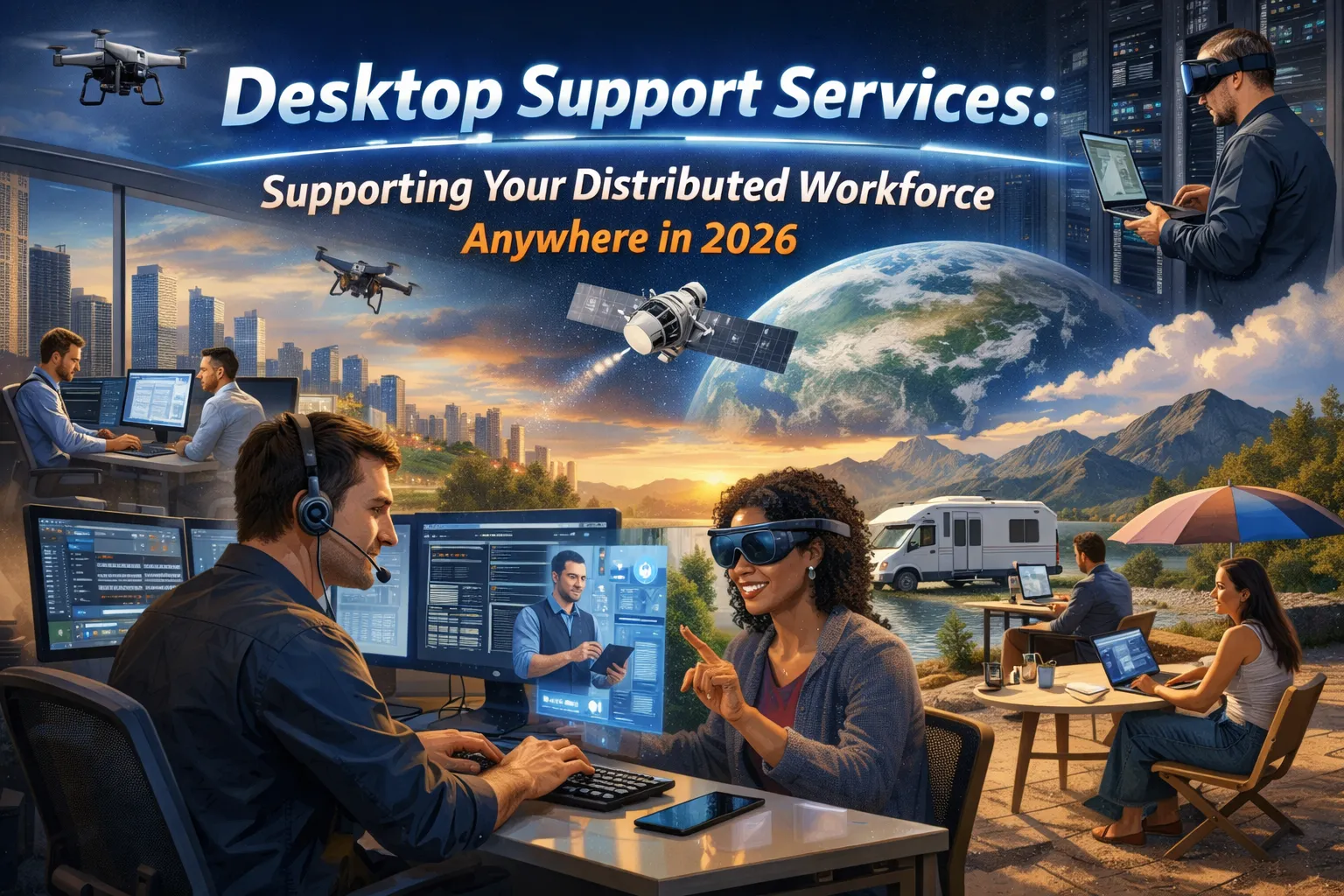
Your workforce has scattered across home offices, coffee shops, coworking spaces, and traditional offices. They work across time zones, connect through various networks, and expect technology to function seamlessly regardless of location. When something breaks, they cannot walk down the hall to find a technician. They need support that reaches them wherever work happens.
The distributed workforce has become permanent. Current data shows that 65% of companies operate with hybrid arrangements, with 75% of organizations following models combining remote and office days. Over 32 million Americans work remotely, and 83% of workers prefer hybrid arrangements over fully on-site or fully remote options. This transformation demands desktop support services designed for a reality where employees rarely gather in a single location.
Traditional desktop support assumed proximity. Technicians walked to desks, physically accessed machines, and resolved issues face-to-face. That model cannot serve a workforce connecting from apartments, suburban homes, and temporary locations around the world. Modern desktop support services must deliver equivalent quality regardless of where employees work, maintaining security across diverse environments while enabling the productivity that distributed teams require.
This guide explores how desktop support services have adapted to serve the distributed workforce, what capabilities matter most for organizations with remote and hybrid employees, and how to evaluate whether your current support matches the reality of how your people actually work.
The Support Challenge of Distributed Work
Understanding why distributed work demands different support approaches reveals the strategic importance of modern desktop support services.
Location Independence Changes Everything
When employees worked primarily from offices, desktop support operated within controlled environments. Networks were managed, physical security was established, and technicians could reach any workstation within minutes. Issues could be observed directly, hardware could be swapped immediately, and training could happen in person.
Distributed work eliminates these conveniences. Remote employees connect through home networks of wildly varying quality and security. They work in environments without physical IT presence. Their hardware travels with them, exposed to risks that office equipment never faces. Time zones mean that problems occurring at 9 PM in one location happen during business hours elsewhere.
The support model must adapt accordingly. Response cannot depend on physical presence. Diagnosis must happen remotely. Resolution requires tools and processes designed for distance. Training and communication must work asynchronously when synchronous interaction proves impractical.
Security Complexity Multiplies
Office environments offer security advantages that distributed work cannot match. Corporate networks include firewalls, intrusion detection, and monitored traffic. Physical access controls prevent unauthorized equipment connections. Central management ensures consistent configuration across devices.
Home networks present fundamentally different security profiles. Consumer routers lack enterprise security features. Family members share networks with work devices. Public WiFi at coffee shops and airports exposes devices to additional risks. The same device that accesses corporate systems may connect to unsecured networks hours later.
Desktop support services must address this expanded attack surface. Endpoint security becomes critical when network-level protection cannot be guaranteed. Device management must enforce policies regardless of network environment. Support teams must understand threats specific to remote work and help employees navigate them.
User Expectations Have Elevated
Remote workers expect technology to function seamlessly without IT physically present. They need problems resolved quickly because waiting for support directly impacts their ability to work. They cannot simply use a colleague’s computer while waiting for repairs.
These expectations create pressure that traditional support models struggle to meet. Response times that seemed acceptable when technicians could reach desks within hours become unacceptable when workers sit idle at home unable to complete tasks. The psychological experience of waiting alone with a non-functional computer differs significantly from waiting in an office surrounded by colleagues.
Modern desktop support services must meet these elevated expectations. Resolution speed matters more than ever. Communication quality becomes essential when face-to-face interaction is impossible. Self-service options provide employees control over routine issues without waiting for support availability.
Essential Capabilities for Distributed Desktop Support
Effective desktop support for distributed workforces requires specific capabilities that traditional models may lack.
Remote Access and Control
The foundation of distributed desktop support is the ability to access, diagnose, and repair systems remotely. When technicians cannot physically reach devices, remote access tools become essential infrastructure rather than occasional convenience.
Modern remote desktop support tools allow technicians to view and control employee computers regardless of location. Screen sharing enables visual diagnosis of problems that employees struggle to describe. Remote control allows direct intervention without requiring employees to execute complex instructions. File transfer capabilities move diagnostic tools and patches without physical media.
Security considerations around remote access demand careful attention. Sessions must be encrypted to protect sensitive information visible on screen. Authentication must verify technician identity before granting access. Audit trails must document all remote sessions for security and compliance purposes. Employee consent mechanisms must ensure workers understand and approve remote access.
The quality of remote access tools directly impacts support effectiveness. Latency that makes interaction sluggish frustrates both technicians and employees. Connection reliability determines whether support sessions complete successfully. Cross-platform compatibility matters when workforces include various operating systems and device types.
Remote Monitoring and Management
Proactive support for distributed devices requires visibility into endpoint health without physical access. Remote monitoring and management platforms provide the continuous oversight that prevents problems from disrupting work.
These platforms track device health indicators continuously. CPU usage, memory consumption, disk space, and application performance reveal problems developing before they cause failures. Automated alerts notify support teams when metrics deviate from normal parameters, enabling intervention before employees notice issues.
Patch management becomes particularly important for distributed devices that cannot rely on network-level protection. Automated deployment of operating system updates, application patches, and security fixes maintains protection across devices regardless of location. Compliance reporting confirms that all endpoints meet security requirements.
Software deployment through remote management enables consistent application environments across distributed teams. New applications reach remote devices as easily as office equipment. License management tracks software usage across the distributed fleet. Configuration management ensures consistent settings that support both productivity and security.
Endpoint Security Integration
Desktop support for distributed workers must integrate security into every support interaction. The expanded attack surface of remote work makes endpoint security a core support function rather than a separate specialty.
Endpoint protection platforms defend devices against malware, ransomware, and other threats regardless of network environment. Unlike network-level security that requires corporate network connection, endpoint protection travels with the device. Modern platforms use behavioral analysis and machine learning to detect threats that signature-based approaches miss.
Support teams must understand endpoint security tools well enough to diagnose issues, interpret alerts, and guide employees through security-related situations. When security tools flag suspicious activity, support provides the first response. When employees report potential phishing or compromise, support coordinates the response.
Device posture assessment verifies that endpoints meet security requirements before granting access to corporate resources. Support teams manage the enrollment and configuration that enables these assessments. When devices fall out of compliance, support guides remediation to restore access.
Multi-Channel Communication
Distributed support requires communication channels suited to remote interaction. Traditional walk-up support desks cannot serve employees working from home. Multiple channels ensure that employees can reach support however suits their situation.
Phone support remains important for complex issues requiring real-time conversation. Voice communication conveys nuance that text cannot capture. Employees experiencing frustrating problems often benefit from human interaction that provides reassurance alongside technical assistance.
Chat and messaging provide quick access for simple questions that do not require phone calls. Asynchronous messaging allows employees to submit requests without interrupting their work flow, receiving responses when available. Integration with collaboration platforms like Microsoft Teams or Slack embeds support into tools employees already use.
Self-service portals empower employees to resolve routine issues independently. Knowledge bases answer common questions without requiring support interaction. Password resets, software requests, and status checks happen through automated systems available around the clock.
Video support adds visual communication for situations where screen sharing alone proves insufficient. Hardware issues that require physical inspection benefit from video where employees show technicians the actual device. Training sessions gain effectiveness through face-to-face video interaction.
Supporting Diverse Work Environments
Distributed workforces operate across diverse environments that require adaptable support approaches.
Home Office Support
Home offices present unique support challenges distinct from both traditional offices and mobile work. Employees invest in permanent home setups but lack IT expertise to configure them properly. Networks, peripherals, and workspaces vary dramatically across the workforce.
Network connectivity problems rank among the most common home office issues. Consumer internet service varies in reliability. Home network configuration affects performance for cloud applications and video conferencing. Support teams must diagnose problems that may originate with internet service providers, home networking equipment, or endpoint configuration.
Peripheral management becomes a support concern when employees purchase their own monitors, keyboards, and other equipment. Compatibility issues arise with non-standard hardware. Driver problems affect functionality. Support teams help employees optimize setups they have chosen independently.
Ergonomic guidance helps employees create healthy workspaces without on-site assessment. Remote support can evaluate visible workspace elements through video. Documentation helps employees understand proper monitor positioning, chair adjustment, and workspace organization.
Mobile and Traveling Workers
Employees who work while traveling face different challenges than those with stable home offices. Connectivity varies by location. Devices face physical risks during transport. Time zone differences complicate support availability.
Connectivity resilience matters for traveling workers who cannot count on reliable networks. Offline capabilities for critical applications maintain productivity during connectivity gaps. VPN and secure access solutions must handle varying network conditions gracefully.
Device durability and protection become relevant when equipment travels constantly. Support policies may include protective cases and handling guidance. Replacement processes must account for shipping to varying locations when devices fail on the road.
Support availability across time zones ensures that traveling workers can reach help during their working hours regardless of location. Follow-the-sun support models maintain coverage around the clock. Self-service options provide immediate assistance when live support is unavailable.
Hybrid Office-Remote Support
Hybrid arrangements where employees split time between offices and remote locations create support scenarios requiring flexibility. The same employee needs in-person support some days and remote support others.
Consistent experience across locations matters when employees move between environments. Support quality should not differ dramatically based on whether an employee works from the office or home on a particular day. Processes and tools must accommodate both scenarios.
Hot-desking and shared workspace support addresses offices where employees do not have assigned desks. Equipment in shared spaces requires different management than personal devices. Support must handle both employee-assigned devices and workplace infrastructure.
Equipment synchronization ensures that work started in one location continues seamlessly in another. Cloud storage and application access enable this portability. Support helps employees configure and troubleshoot the tools that make location-independent work possible.
Technology Enabling Distributed Support
Modern desktop support for distributed workforces depends on technology that makes remote support effective.
Unified Endpoint Management
Unified endpoint management platforms consolidate control over all device types from a single interface. Desktops, laptops, tablets, and smartphones all come under consistent management regardless of operating system or location.
These platforms apply security policies consistently across device fleets. Compliance requirements enforce password complexity, encryption, and other security measures. Application management controls which software runs on managed devices. Configuration deployment ensures consistent settings across distributed endpoints.
The visibility provided by unified management enables support teams to understand device state without physical access. Asset inventories track what devices exist and their configurations. Health dashboards reveal problems across the distributed fleet. Support tickets link to device records containing relevant diagnostic information.
Integration between endpoint management and support ticketing streamlines workflows. Technicians access device information directly from support tickets. Actions taken through management platforms document automatically. Reporting connects support activities to device populations.
Cloud-Based Infrastructure
Cloud infrastructure enables support capabilities that would be impractical with on-premises systems. Management platforms hosted in the cloud reach devices regardless of network location. Storage in the cloud provides access from anywhere. Applications delivered through the cloud eliminate installation and update challenges.
For desktop support, cloud infrastructure means that management tools work wherever devices connect to the internet. Technicians can manage endpoints from anywhere rather than requiring connection to corporate networks. Employees can access support resources without VPN complexity.
Cloud-delivered applications reduce desktop support workload by eliminating many installation and compatibility issues. Software updates happen centrally rather than requiring endpoint visits. Configuration consistency comes automatically when applications run in the cloud rather than on individual devices.
Artificial Intelligence and Automation
AI-powered capabilities increasingly augment human support for distributed workforces. Chatbots provide immediate response to common questions around the clock. Automated diagnosis identifies probable causes before technicians engage. Predictive analytics flag problems likely to occur based on observed patterns.
Virtual agents handle routine requests that previously required human attention. Password resets, status inquiries, and standard how-to questions resolve through automated interaction. This availability around the clock serves distributed workforces across time zones.
Intelligent ticket routing directs support requests to appropriate resources based on issue characteristics. Complex problems reach senior technicians while routine issues route to efficient resolution paths. Skills-based routing matches technical specialties to issue types.
Automated remediation executes standard fixes without human intervention. Disk cleanup, cache clearing, service restarts, and other routine actions happen automatically when monitoring detects appropriate conditions. This proactive intervention prevents issues from reaching employees.
Building Effective Distributed Support
Creating desktop support that serves distributed workforces well requires intentional design across multiple dimensions.
Staffing for Distributed Support
Support teams serving distributed workforces need skills beyond traditional desktop support. Remote troubleshooting demands stronger diagnostic abilities when physical observation is impossible. Communication skills matter more when all interaction happens through technology rather than in person.
Geographic distribution of support staff can align coverage with workforce distribution. Teams spread across time zones provide extended availability without overnight shifts. Local expertise in particular regions addresses location-specific challenges.
Specialization in remote work technologies distinguishes effective distributed support teams. Expertise in video conferencing platforms, VPN technologies, cloud collaboration tools, and remote access solutions addresses the specific technologies distributed workers depend upon.
Process Design for Remote Scenarios
Support processes must account for remote scenarios that traditional models ignored. Escalation paths must work when physical technician visits are impossible. Hardware replacement must handle shipping logistics. Training delivery must function without in-person sessions.
Documentation becomes more critical when face-to-face knowledge transfer cannot happen casually. Procedures must be clear enough for remote execution. Knowledge bases must be comprehensive enough to support self-service resolution.
Quality assurance must evaluate remote interactions rather than just outcomes. Recording and reviewing support sessions enables coaching. Employee satisfaction surveys capture experience quality. Performance metrics must reflect the realities of remote support.
Security Throughout Support
Security considerations must inform every aspect of distributed support. Access to support systems requires authentication appropriate to the risks involved. Remote access sessions must protect data visible on screen. Support credentials must be managed carefully to prevent misuse.
Employee verification matters when support happens without face-to-face identification. Social engineering attempts may target support channels to gain unauthorized access. Verification procedures must confirm identity without creating excessive friction.
Support teams often have elevated access that creates security responsibilities. Privilege management limits access to what specific roles require. Activity logging creates accountability for actions taken. Regular review ensures that access remains appropriate as roles change.
Measuring Distributed Support Effectiveness
Evaluating desktop support for distributed workforces requires metrics suited to remote scenarios.
Response and Resolution Metrics
Traditional metrics like average response time remain relevant but require interpretation appropriate to distributed support. Response time should reflect actual support initiation rather than ticket acknowledgment. Resolution time should measure return to productive work rather than ticket closure.
First-contact resolution rates indicate whether support successfully addresses issues without requiring escalation or callbacks. Higher rates suggest effective remote diagnosis and resolution capabilities. Lower rates may indicate gaps in remote support tools or skills.
Remote resolution rates measure what percentage of issues resolve without physical intervention. For distributed workforces where physical visits are impractical, high remote resolution rates indicate support model effectiveness. Issues requiring physical hardware service should be minimized through proactive maintenance and quality equipment selection.
Employee Experience Metrics
Employee satisfaction with support matters particularly for distributed workers who lack alternative assistance options. Surveys following support interactions capture immediate experience. Broader surveys assess overall perception of IT support quality.
Productivity impact measures how effectively support maintains employee productivity. Time waiting for support, time in support interactions, and time before returning to normal work all affect productivity. Support effectiveness should minimize total impact on employee work output.
Self-service adoption indicates whether employees can resolve routine issues independently. Higher self-service usage suggests effective knowledge bases and automated solutions. Low adoption may indicate gaps in self-service capabilities or awareness.
Operational Efficiency Metrics
Cost per supported device or employee enables comparison across support models. Distributed support may have different cost structures than traditional approaches, with savings in facility costs potentially offset by increased tool costs.
Support volume trends reveal whether proactive measures reduce reactive support needs. Effective monitoring and maintenance should reduce incident volume over time. Rising volumes may indicate emerging problems requiring attention.
Tool utilization measures whether technology investments deliver expected value. Remote access tool usage, management platform adoption, and automation execution rates indicate whether capabilities translate into operational benefit.
FAQs About Desktop Support for Distributed Workforces
How do desktop support services reach employees working from home?
Modern desktop support reaches home workers through remote access tools that allow technicians to connect to devices over the internet, screen sharing for visual diagnosis, phone and video communication for interactive troubleshooting, chat and messaging for quick questions, and self-service portals for independent issue resolution. These channels provide equivalent support quality regardless of employee location.
What security considerations apply to supporting remote workers?
Distributed workforce support must address endpoint security that protects devices outside corporate networks, secure remote access for support sessions, employee verification to prevent social engineering, device compliance enforcement across varying environments, and data protection during remote troubleshooting. Support teams integrate security into every interaction rather than treating it as a separate concern.
Can desktop support handle hardware problems for remote employees?
Hardware issues for remote workers require adapted approaches. Diagnosis happens remotely through employee descriptions, photos, or video showing physical equipment. Minor issues may receive guidance for employee self-service. Failed hardware typically ships to employees with return shipping for defective equipment. Some organizations maintain depot repair capabilities or local service partnerships for geographic coverage.
How does desktop support accommodate different time zones?
Distributed support serves multiple time zones through various strategies including extended support hours covering the workforce span, follow-the-sun models with support teams in different regions, self-service options available around the clock, automated resolution for routine issues anytime, and asynchronous communication channels that do not require simultaneous availability.
What tools do support teams need for distributed workforce support?
Essential tools include remote monitoring and management platforms for device visibility, remote access tools for screen sharing and control, unified endpoint management for policy enforcement and deployment, ticketing systems integrated with device management, knowledge bases for self-service support, and multi-channel communication platforms for phone, chat, and video interaction.
Should distributed desktop support be handled internally or outsourced?
The answer depends on organizational factors including workforce size, technical complexity, security requirements, and available expertise. Managed service providers offer specialized distributed support capabilities that may exceed what internal teams can develop. Hybrid models combining internal staff with external expertise provide flexibility. Organizations should evaluate whether their internal capabilities match the specific demands of distributed workforce support.
Conclusion
The distributed workforce has permanently transformed what desktop support services must deliver. Employees working from home offices, traveling for business, and splitting time between locations all need technology support that reaches them wherever they work. Traditional models designed for centralized offices cannot serve this dispersed reality.
Effective distributed desktop support requires capabilities purpose-built for remote scenarios. Remote access tools enable diagnosis and repair without physical presence. Monitoring platforms provide visibility into device health across geographic distribution. Endpoint security protects devices operating outside corporate network protection. Multi-channel communication reaches employees through whatever medium suits their situation.
The investment in distributed support capabilities delivers returns through maintained productivity, enhanced security, and improved employee experience. Workers who can resolve technology issues quickly regardless of location remain productive. Devices protected by endpoint security and consistent management resist threats that target remote work vulnerabilities. Employees who receive quality support wherever they work feel valued and supported.
Organizations evaluating their desktop support should honestly assess whether current capabilities match how their workforce actually operates. Support designed for office environments will struggle to serve employees working from home. Gaps between support model and work reality create productivity loss, security risk, and employee frustration.
The question is not whether to adapt desktop support for distributed work but how quickly and completely to make that adaptation. Workforces have already distributed. Technology exists to support them effectively. Organizations that invest in distributed support capabilities position themselves for success with the workforce reality of 2026 and beyond.
Your employees work from everywhere. Your support should reach them there.




No comment