
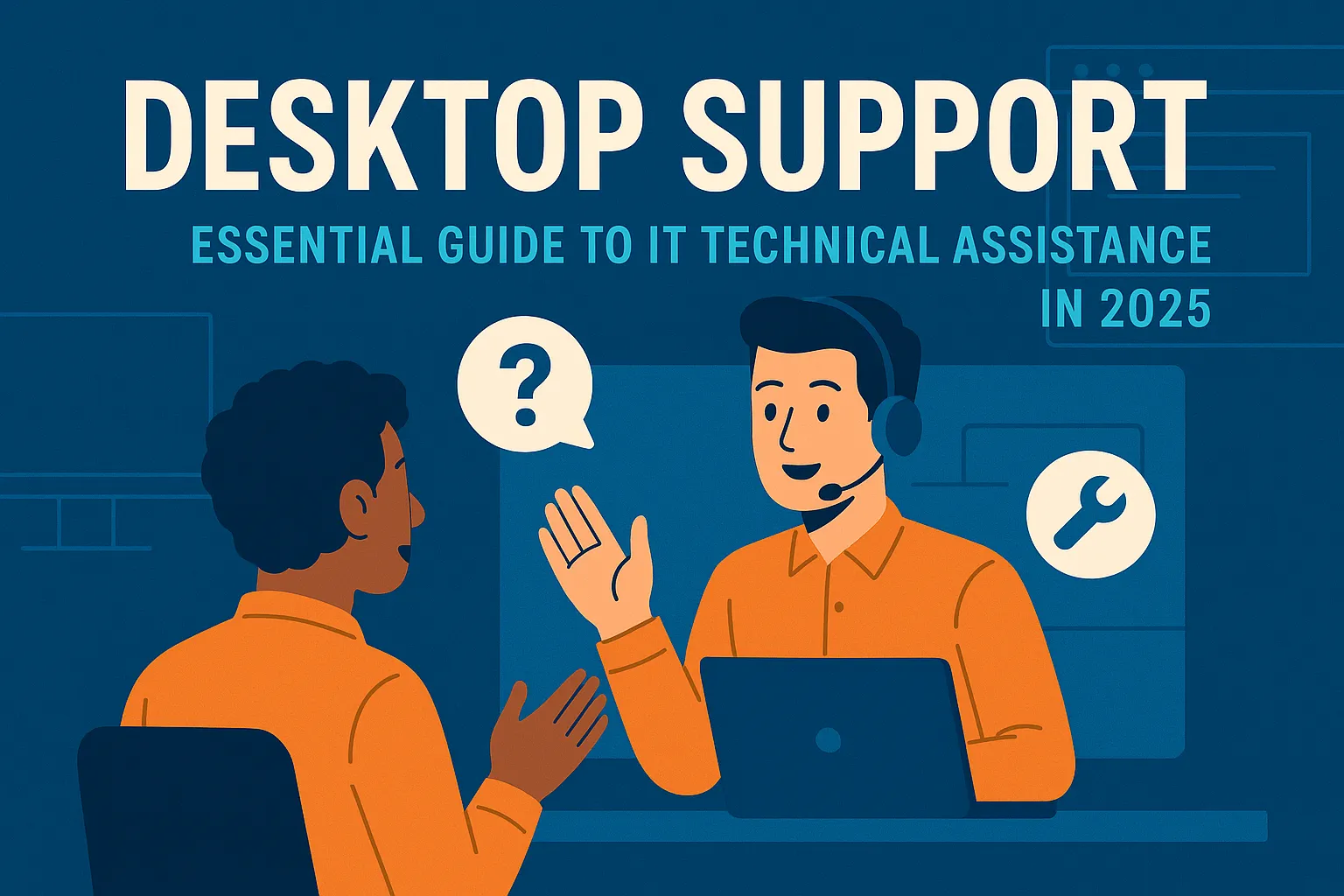
Desktop Support: Essential Guide to IT Technical Assistance in 2025
What Desktop Support Means for Your Business
Desktop support represents the lifeline between your workforce and the technology they depend on daily. This specialized form of IT assistance ensures computers, software applications, and related systems function smoothly, allowing employees to concentrate on their primary job responsibilities rather than wrestling with technical difficulties.
Today’s support specialists do far more than answer basic questions. They manage complex hardware configurations, resolve intricate software conflicts, implement security measures, and maintain the digital infrastructure that keeps businesses operational around the clock.
Primary Functions of Desktop Support Teams
Technical support professionals handle a diverse array of responsibilities that keep organizational technology running efficiently. Their workload includes responding to urgent technical requests, diagnosing computer malfunctions, and implementing effective solutions that restore functionality quickly.
Setting up new equipment forms another significant component of their duties. This encompasses installing operating systems, configuring business applications, establishing secure email connections, and verifying that all security measures are properly activated before devices reach end users.
Creating and maintaining documentation proves equally important. Skilled technicians record every issue they encounter, document successful solutions, and build comprehensive resource libraries. These knowledge repositories become invaluable tools that accelerate problem resolution and enable users to handle simple challenges independently.
Technical Competencies Every Support Professional Needs
Mastering desktop support requires proficiency across multiple technology domains. Operating system knowledge stands as the cornerstone, with Microsoft Windows dominating corporate environments, though understanding macOS and Linux distributions adds considerable value to any technician’s skill set.
Hardware diagnostic capabilities allow professionals to identify and resolve issues affecting computers, laptops, display monitors, printing devices, and connected peripherals. Recognizing how system components interact and pinpointing hardware failures prevents costly downtime and unnecessary equipment replacement.
Understanding network fundamentals is equally critical. Support specialists must grasp concepts like TCP/IP addressing, domain name systems, dynamic host configuration, and basic network diagnosis techniques. They configure virtual private network access, troubleshoot wireless connectivity problems, and resolve internet connection failures.
Application expertise extends beyond standard office software to include directory services, group policy management, remote access tools, malware protection platforms, and data backup systems. The capacity to rapidly learn emerging technologies matters just as much, given the constantly shifting technology landscape.
Why Interpersonal Abilities Matter in Technical Support
Technical knowledge provides the foundation, but interpersonal abilities often determine whether a support professional excels or simply gets by. Communication skills top this list. Technicians must translate complex technical concepts into language that non-technical staff can grasp, listen attentively to problem descriptions, and deliver clear instructions for resolving issues.
Maintaining composure proves essential when assisting frustrated colleagues whose work has been disrupted by technology failures. The capacity to stay calm and demonstrate empathy, even when answering identical questions repeatedly, separates exceptional support professionals from mediocre ones.
Analytical thinking abilities reach beyond pure technical troubleshooting. Support specialists must approach problems creatively, apply logical reasoning to unfamiliar scenarios, and recognize when situations require escalation to advanced support teams. They must juggle competing priorities effectively while ensuring critical situations receive immediate attention.
Proven Strategies for Superior Support Delivery
Implementing systematic approaches transforms desktop support from reactive crisis management to proactive service excellence. A properly structured ticketing platform ensures no request gets overlooked. Appropriate categorization and priority assignment help teams address urgent matters promptly while managing less critical requests efficiently.
Thorough documentation practices create organizational knowledge that benefits everyone. Maintaining detailed knowledge bases with solutions to frequent problems enables staff to resolve simple issues without assistance. Comprehensive incident records help identify recurring problems that might indicate deeper systemic issues requiring permanent solutions.
Preventive maintenance significantly reduces emergency support demands. Regular system updates, storage optimization, security screenings, and hardware health assessments prevent numerous problems before they affect productivity. Planned maintenance periods allow technicians to perform necessary updates with minimal workflow disruption.
Investing in user education yields substantial long-term returns. Training programs covering security awareness, proper application usage, and basic troubleshooting techniques decrease support ticket volume while empowering employees to work more independently and effectively.
Remote Support Technology and Modern Workflows
The transition toward distributed and hybrid work models has revolutionized how support services are delivered. Remote assistance platforms such as TeamViewer, AnyDesk, and Microsoft Remote Desktop allow technicians to diagnose and fix issues without physical device access. These technologies have become indispensable for maintaining service quality regardless of user location.
Remote support introduces distinct challenges that require adaptation. Technicians must develop enhanced communication techniques when they cannot physically demonstrate solutions or directly indicate screen elements. They require secure methods for accessing systems while safeguarding sensitive information. Precise verbal guidance becomes even more crucial when walking users through troubleshooting procedures remotely.
Supporting geographically dispersed teams also demands consideration of varied home network configurations, personal devices accessing company resources, and inconsistent internet connection speeds. Support professionals must modify their methodologies to accommodate these variables while upholding security standards and service expectations.
Security Responsibilities in Desktop Support
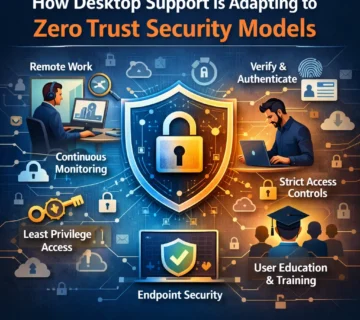
Support teams serve as frontline defenders in organizational cybersecurity efforts. They implement critical security updates, configure protective firewalls and antivirus solutions, and educate users about phishing schemes and social engineering attacks that threaten company data.
Technicians must strike the right balance between security requirements and usability, implementing safeguards that protect assets without unnecessarily hampering productivity. They need current knowledge about emerging threat vectors and must understand appropriate responses to potential security breaches. When users report suspicious messages or unusual system activity, support professionals often conduct initial investigations.
Multi-factor authentication deployment, encryption oversight, and secure remote access setup all fall under desktop support purview. These protective measures require both technical implementation expertise and the ability to help users understand the importance of security protocols.
Building Your IT Support Career
Desktop support offers an excellent entry pathway into information technology careers, providing broad exposure to various technologies and business operations. Many IT directors, systems administrators, and network engineers launched their careers through support positions.
Abundant professional development opportunities exist for those pursuing advancement. Industry certifications including CompTIA A+, Microsoft Certified Desktop Support Technician, and ITIL Foundation validate competency and demonstrate professional commitment. These credentials unlock opportunities for advanced positions and improved compensation.
Seasoned desktop support professionals can specialize in areas such as cybersecurity, network infrastructure, or systems administration. Others transition into management roles, leading support teams and developing service strategies. The abilities cultivated in desktop support, particularly analytical thinking and customer service capabilities, transfer effectively to numerous IT specializations.
Key Performance Indicators for Support Teams
High-performing support teams monitor essential metrics to guarantee quality service delivery. First-contact resolution percentages reveal how frequently issues are solved during initial interaction, while average resolution duration measures operational efficiency. User satisfaction ratings provide direct insight into service quality.
Ticket volume patterns help identify systemic problems requiring attention. When particular issues generate numerous requests, addressing root causes becomes more effective than repeatedly treating symptoms. These measurements guide continuous improvement initiatives and help justify resource investments.
Professional Desktop Support Solutions
Many organizations face significant challenges maintaining internal support teams regarding cost, expertise availability, and scalability requirements. Professional IT support services address these challenges effectively. Specializes in delivering comprehensive desktop support solutions that help businesses maintain optimal technology operations without the overhead of extensive internal teams.
Professional support services provide numerous advantages, including access to seasoned technicians with broad skill sets, flexible support capacity that adapts to business requirements, and continuous availability for critical situations. Organizations deliver enterprise-grade expertise to companies of all sizes, ensuring desktop support infrastructure meets industry standards and security requirements.
Partnering with specialized providers allows businesses to concentrate on core competencies while ensuring employees receive prompt, professional technical assistance. This strategy often proves more economical than recruiting, training, and retaining full-time support personnel, particularly for small and medium-sized organizations.
When evaluating desktop support providers, consider response time commitments, technician credentials and experience, coverage hours, remote and on-site support capabilities, security procedures, transparent pricing, and client testimonials. Reputable firms typically provide service level agreements that clearly outline expectations and commitments.
Final Thoughts
Desktop support continues serving as an essential function in contemporary organizations, enabling staff to utilize technology effectively in daily operations. The position demands a distinctive combination of technical proficiency, analytical abilities, and interpersonal skills. As technology advances and work environments become increasingly distributed, support professionals must evolve while maintaining their fundamental mission: keeping users productive and systems operational.
For individuals considering desktop support careers or organizations seeking to enhance support operations, remember that excellence emerges from balancing technical competence with genuine concern for users. Outstanding support technicians do more than fix computers; they cultivate relationships, solve problems inventively, and contribute meaningfully to organizational achievement. In today’s environment where technology underpins virtually every business function, desktop support professionals serve as essential contributors who maintain smooth digital workplace operations, one resolved issue at a time.
Frequently Asked Questions About Desktop Support
What distinguishes desktop support from help desk services?
While these terms are frequently used synonymously, desktop support typically concentrates on hands-on technical problems involving hardware, software, and operating systems. Help desk encompasses broader functions including account management, password assistance, and initial assessment before routing to specialized desktop support staff.
What credentials are required to become a desktop support technician?
Most positions require secondary education completion, foundational IT knowledge, and excellent customer service abilities. Professional certifications such as CompTIA A+, Microsoft credentials, or ITIL Foundation substantially improve employment prospects. Many professionals begin in entry-level positions and earn certifications while gaining practical experience.
How quickly are typical desktop support requests resolved?
Resolution timeframes vary considerably based on problem complexity. Straightforward issues like password resets may take mere minutes, while hardware replacements or complicated software conflicts could require hours or multiple days. Industry benchmarks target 80% of requests resolved within one to two business days.
Can all desktop support functions be performed remotely?
Numerous support tasks can be handled remotely using specialized software tools, but certain situations demand physical presence, including hardware repairs, initial workstation configuration, or problems preventing remote connectivity. Contemporary support models employ hybrid approaches combining remote and on-site assistance.
What are the most frequent desktop support requests?
Common issues include password resets, software installations and updates, printer difficulties, network connectivity problems, email setup, sluggish computer performance, and fundamental hardware troubleshooting. These categories typically represent 70-80% of incoming support requests.
What investment does business desktop support require?
Expenses vary significantly depending on organization size, required support level, and whether you maintain internal staff or outsource services. Internal technicians typically cost between $40,000-$65,000 annually plus benefits and overhead. Outsourced providers offer adaptable pricing structures based on user count, support hours required, and service level agreements.
What career advancement opportunities exist for desktop support professionals?
Desktop support commonly leads to positions such as systems administrator, network administrator, IT manager, or specialized roles in security or cloud technologies. With accumulated experience and professional certifications, individuals can progress to senior technical positions or management responsibilities.
How do businesses determine if they need dedicated desktop support?
If technology problems regularly interrupt employee productivity, if internal IT expertise is lacking, or if staff spend considerable time troubleshooting rather than focusing on core business activities, dedicated desktop support becomes necessary. Even smaller businesses with ten or more employees frequently benefit from professional support services.
What factors should businesses consider when selecting desktop support providers?
Essential considerations include guaranteed response times, technician qualifications and background, service availability hours, remote and physical support options, security protocols, pricing transparency, and customer feedback. Established providers typically offer service level agreements clearly defining expectations and obligations.
How does desktop support strengthen cybersecurity?
Support teams deploy security updates, configure firewalls and antivirus protection, enforce password requirements, manage user permissions, educate employees about security threats, and respond to potential security incidents. They function as the initial defense layer against numerous cyber threats facing modern businesses.



No comment