
Next-Gen Desktop Support Services: What Businesses Should Expect
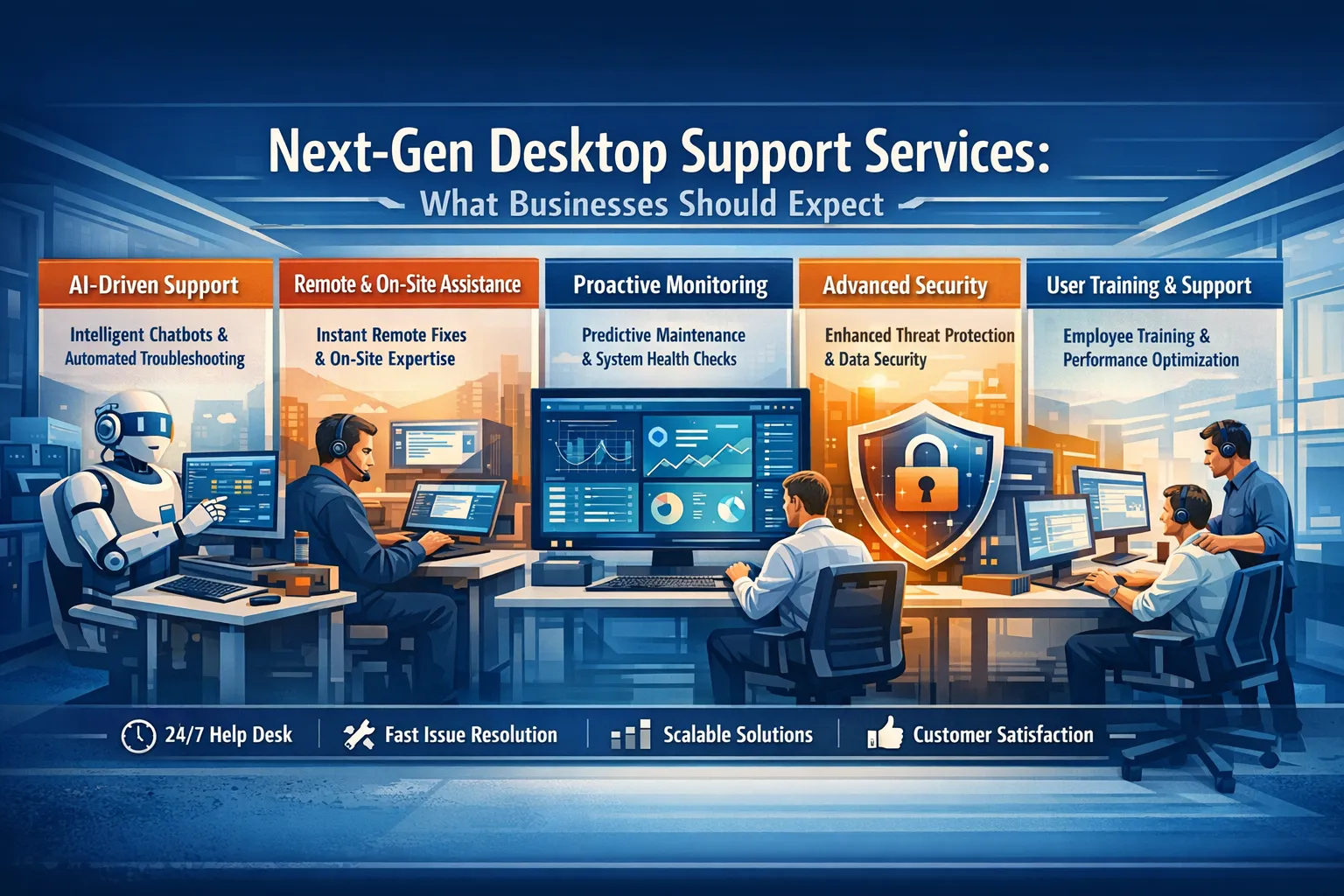
The landscape of desktop support services is undergoing a revolutionary transformation. Gone are the days when IT support meant waiting hours for a technician to arrive at your desk or navigating endless phone menus to reset a password. Today’s businesses operate in a hybrid environment where employees work from coffee shops, home offices, and traditional workspaces, all while expecting seamless technology experiences. This shift has catalyzed the evolution of desktop support services into something far more sophisticated, proactive, and intelligent than ever before.
The Evolution of Desktop Support
Traditional desktop support operated on a reactive model: something breaks, someone reports it, and IT responds. This approach created bottlenecks, frustrated employees, and often resulted in productivity losses that businesses could ill afford. The modern workplace demands something different entirely.
Next-generation desktop support represents a fundamental reimagining of how organizations approach end-user technology management. Modern desktop support services combine artificial intelligence, predictive analytics, automation, and human expertise to create support experiences that anticipate problems before they occur and resolve issues faster than users might even notice them.
Key Features of Next-Gen Desktop Support Services
Proactive Monitoring and Predictive Maintenance
The cornerstone of modern desktop support services is their proactive nature. Advanced monitoring tools continuously assess the health of endpoints across an organization, detecting anomalies that might indicate impending failures. These systems analyze patterns in hardware performance, software behavior, and network connectivity to predict issues before they impact users.
Imagine a scenario where your IT team receives an alert that a particular hard drive is showing early signs of failure. Instead of waiting for catastrophic data loss, the support team can proactively back up critical files and schedule a replacement during non-business hours. This predictive approach transforms IT from a cost center responding to emergencies into a strategic partner preventing disruptions.
AI-Powered Self-Service Portals
Modern employees expect consumer-grade experiences in their workplace technology. Next-gen desktop support delivers this through intelligent self-service portals powered by artificial intelligence and natural language processing. These systems understand user queries in plain language and provide instant solutions to common problems.
Rather than submitting a ticket and waiting for a response, employees can interact with AI chatbots that walk them through troubleshooting steps, automatically reset credentials, or provision new software access. For more complex issues, these systems seamlessly escalate to human technicians while providing them with complete context about what the user has already attempted.
Remote-First Support Infrastructure
The pandemic permanently altered workplace dynamics, making remote and hybrid work arrangements standard rather than exceptional. Next-generation desktop support has adapted to this reality with robust remote management capabilities that match or exceed what was once only possible with in-person assistance.
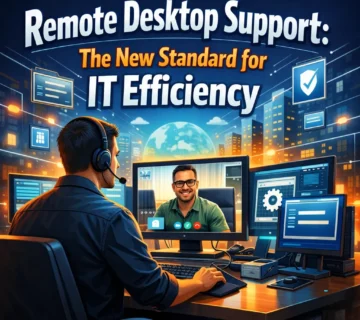
Technicians can now remotely access devices, diagnose problems, install updates, and resolve issues regardless of where employees are located. Advanced remote tools provide visibility into endpoint configurations, application performance, and security posture without requiring physical access. This capability not only improves response times but also reduces costs associated with on-site support visits.
Automation at Scale
Automation has become the secret weapon of efficient desktop support operations. Routine tasks that once consumed significant technician time—password resets, software installations, patch deployment, and system optimizations now happen automatically based on predefined rules and triggers. This automation extends to ticket management as well. Intelligent routing systems analyze incoming support requests and direct them to the most appropriate resource based on issue type, urgency, and technician expertise. This ensures that complex problems reach experienced specialists quickly while routine requests are handled efficiently by junior staff or automated solutions.
Enhanced Security Integration
Security has evolved from an afterthought to a central component of desktop support services. Next-gen support platforms integrate deeply with security tools to provide real-time threat detection, automated response to security incidents, and continuous compliance monitoring.
When a device shows signs of compromise or policy violations, support systems can automatically isolate it from the network, alert security teams, and begin remediation procedures. This integration between support and security operations creates a unified defense against the increasingly sophisticated threat landscape facing modern organizations.
Business Benefits of Modern Desktop Support
Maximized Productivity
The most immediate benefit of next-generation desktop support is the dramatic reduction in downtime. When technology works seamlessly and issues are resolved quickly, employees remain focused on their core responsibilities rather than wrestling with technical problems. Studies consistently show that improved IT support correlates directly with enhanced employee productivity and satisfaction.
Cost Optimization
While advanced support services represent an investment, they typically deliver significant cost savings over time. Automation reduces the need for large support teams to handle routine requests. Predictive maintenance prevents expensive emergency repairs and data recovery operations. Remote support capabilities eliminate travel costs and allow technicians to assist more users per day.
Improved Employee Experience
In today’s competitive talent market, employee experience matters tremendously. Workers increasingly evaluate potential employers based on the quality of their workplace technology. Organizations that provide responsive, modern IT support demonstrate their commitment to employee success and create competitive advantages in recruitment and retention.
Scalability and Flexibility
Next-gen desktop support services are built for scale. Cloud-based platforms and automation enable organizations to support growing workforces without proportionally increasing support staff. This scalability is particularly valuable for businesses experiencing rapid growth or seasonal fluctuations in workforce size.
What to Look for in a Desktop Support Provider
When evaluating next-generation desktop support services, businesses should consider several critical factors. First, assess the provider’s technology stack and ensure it includes modern tools for monitoring, automation, and remote management. Second, evaluate their service level agreements and understand how they measure and report on performance metrics.
The provider’s approach to security should be thoroughly examined. They should demonstrate clear processes for handling sensitive data, responding to security incidents, and maintaining compliance with relevant regulations. Additionally, consider their expertise in your specific industry and their track record with organizations of similar size and complexity.
Cultural fit matters as well. The best support providers act as extensions of your team, understanding your business context and communicating in ways that align with your organizational culture. They should demonstrate flexibility in adapting their services to your unique requirements rather than forcing you into rigid service models.
Preparing Your Organization for Next-Gen Support
Transitioning to next-generation desktop support requires preparation. Start by documenting your current IT environment, including all endpoints, applications, and existing support processes. This baseline assessment helps providers design solutions tailored to your needs.
Engage stakeholders across the organization early in the process. End users, managers, and executives all have perspectives on current pain points and desired improvements. Their input ensures that new support services address real business needs rather than just implementing flashy technology.
Create a change management plan that prepares employees for new support channels and processes. Even improvements require adjustment, and clear communication about what’s changing and why helps ensure smooth adoption.
The Future of Desktop Support
Looking ahead, desktop support will continue evolving toward greater intelligence and automation. Artificial intelligence will become more sophisticated in diagnosing problems and predicting issues. Augmented reality tools may enable remote technicians to guide users through complex repairs with visual overlays. Integration with Internet of Things devices will expand the scope of what support teams monitor and manage.
The fundamental shift, however, is already underway. Desktop support is transforming from a reactive cost center into a proactive enabler of business success. Organizations that embrace this transformation position themselves to attract talent, maintain productivity, and compete effectively in increasingly digital markets.
Conclusion
Next-generation desktop support services represent more than incremental improvements over traditional IT help desks. They embody a fundamental reimagining of how businesses support their most important asset: their people. By combining artificial intelligence, automation, remote capabilities, and human expertise, modern support services create technology experiences that employees appreciate and businesses depend upon.
For organizations still relying on legacy support models, the time to evolve is now. The competitive advantages of superior desktop support—enhanced productivity, reduced costs, improved employee satisfaction, and greater security—are too significant to ignore. By understanding what next-gen desktop support offers and selecting the right partners to implement it, businesses can transform their IT operations from sources of frustration into strategic differentiators. The future of work demands technology that works effortlessly. Next-generation desktop support makes that possible.
Frequently Asked Questions
Q: How much does next-generation desktop support typically cost?
A: Pricing varies significantly based on organization size, service scope, and complexity. Most providers offer per-user monthly pricing that ranges from $30 to $150 per user, with enterprise customers often negotiating custom arrangements. While this may seem higher than traditional support, the total cost of ownership is typically lower when factoring in reduced downtime, fewer emergency incidents, and improved productivity.
Q: Can small businesses benefit from next-gen desktop support, or is it only for large enterprises?
A: Small and medium-sized businesses often benefit most from modern desktop support services. These organizations typically lack the resources to build sophisticated internal IT teams but need enterprise-grade technology experiences to compete. Many providers offer scaled solutions specifically designed for smaller organizations, making advanced support accessible regardless of company size.
Q: How long does it take to implement next-generation desktop support services?
A: Implementation timelines depend on organization complexity and existing infrastructure. Simple deployments for small businesses might be operational within a few weeks, while large enterprises with complex environments may require several months for full implementation. Most providers offer phased rollouts that deliver immediate benefits while gradually expanding capabilities.
Q: Will automation replace human IT support technicians?
A: Automation handles routine tasks but doesn’t replace human expertise. Instead, it frees technicians to focus on complex problems that require critical thinking, creativity, and interpersonal skills. The most effective next-gen support combines automated efficiency for common issues with human intelligence for challenging situations. Organizations typically maintain or even grow their support teams while dramatically improving what those teams can accomplish.
Q: What happens if the remote support tools fail or if there’s a connectivity issue?
A: Reputable providers maintain redundant systems and backup procedures precisely for such scenarios. Most next-gen support platforms operate across multiple cloud regions with automatic failover. For situations where remote access truly isn’t possible, providers maintain on-site support capabilities as a fallback. Additionally, many support functions continue operating even during partial outages through offline capabilities and alternative communication channels.
Q: How do next-gen desktop support services handle security and data privacy?
A: Security is foundational to modern desktop support. Leading providers implement zero-trust architectures, encrypt all data in transit and at rest, and maintain strict access controls. They undergo regular security audits and maintain compliance certifications for standards like SOC 2, ISO 27001, and industry-specific regulations. Remote access tools include session recording, multi-factor authentication, and principle of least privilege access. Before engaging any provider, businesses should thoroughly review their security practices and ensure they align with organizational requirements.



No comment