
Desktop Support Teams Adapt to AI and Automation
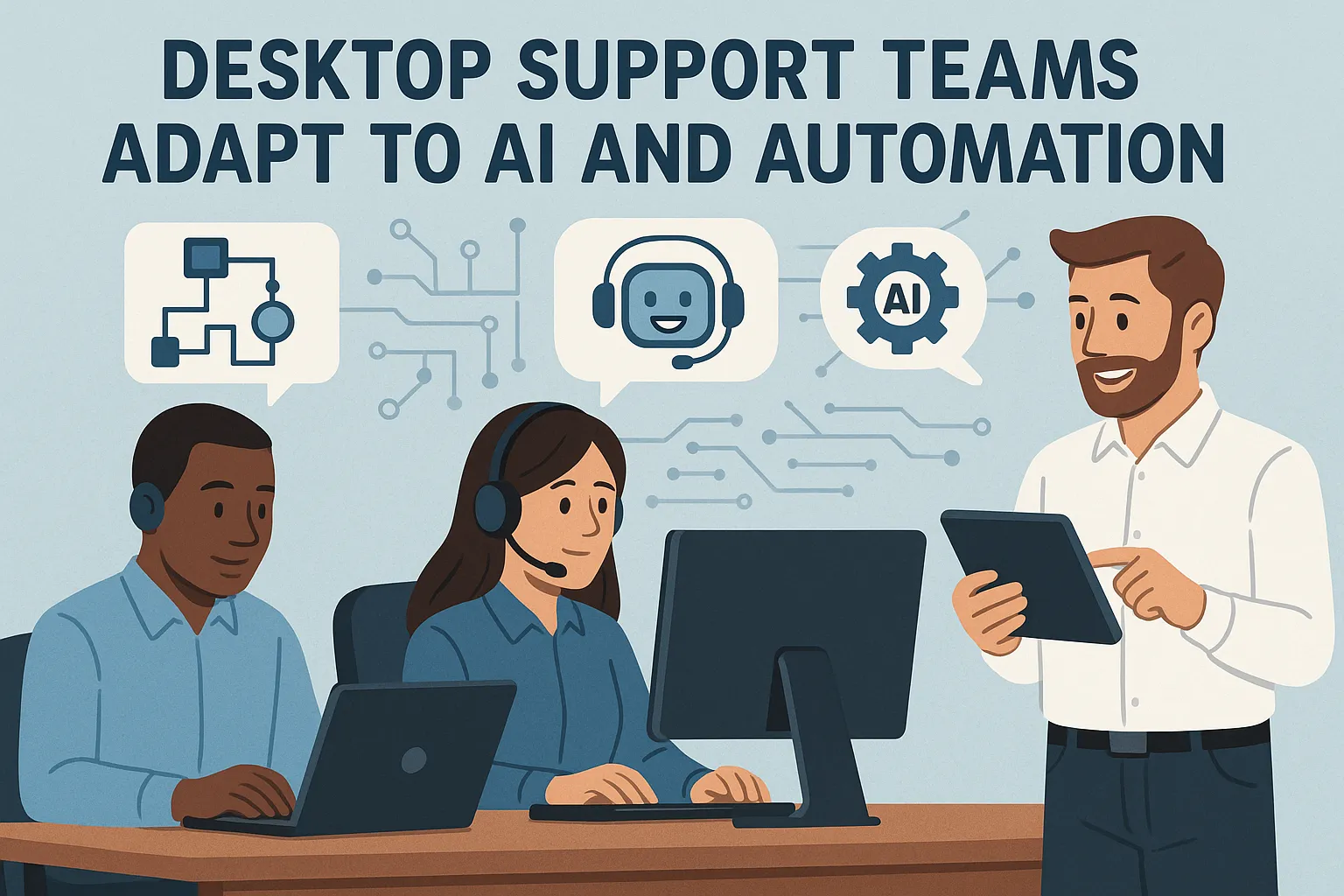
The landscape of IT support is experiencing a fundamental transformation. Desktop support teams, once primarily focused on password resets and hardware troubleshooting, now find themselves at the intersection of traditional technical support and cutting-edge artificial intelligence. This shift represents not just a change in tools, but a complete reimagining of how technical support professionals approach their work, develop their skills, and deliver value to organizations.
The Evolution of Desktop Support
Traditional desktop support has always been the frontline of IT operations. When employees encounter technical difficulties, desktop support teams are their first point of contact. For decades, this role has remained relatively consistent: technicians diagnose problems, apply fixes, escalate complex issues, and maintain documentation. The job required technical knowledge, problem-solving abilities, and interpersonal skills to manage frustrated users during stressful situations.
However, the digital transformation accelerating across industries has fundamentally altered user expectations and technical requirements. Organizations now operate with hybrid workforces, cloud-based infrastructure, and increasingly complex technology stacks. Users expect instant resolutions and seamless experiences similar to consumer technology. These pressures have created an environment where traditional support models struggle to keep pace with demand while controlling costs.
How AI is Reshaping Support Operations
Artificial intelligence has emerged as a powerful force multiplying the capabilities of desktop support teams. Rather than replacing human technicians, AI tools are augmenting their abilities and handling repetitive tasks that previously consumed significant time and resources.
Intelligent chatbots and virtual assistants now serve as the first line of support for many organizations. These systems can handle common queries around the clock, providing instant responses to frequently asked questions about password policies, software access, or basic troubleshooting steps. When users report issues, AI systems can automatically categorize tickets, assign priority levels, and route problems to the appropriate team members based on historical patterns and technician expertise.
Machine learning algorithms analyze vast quantities of support tickets to identify recurring problems and predict potential issues before they impact users. If multiple employees in a specific department begin experiencing similar problems, AI systems can alert support teams to investigate potential systemic issues rather than treating each case individually. This predictive capability transforms support from reactive firefighting to proactive problem prevention.
Natural language processing enables support systems to understand user descriptions of problems in conversational language rather than requiring technical terminology. Users can describe issues as they would to a colleague, and AI translates these descriptions into technical diagnoses that guide resolution processes. This reduces the barrier to requesting support and helps technicians quickly understand the core issues.
Automation Tools Transforming Daily Workflows
Beyond AI-driven decision support, automation technologies are streamlining the actual execution of support tasks. Remote management platforms now allow technicians to diagnose and resolve many issues without physically visiting user workstations. Automated scripts can perform routine maintenance, apply security patches, and configure software settings across entire fleets of devices simultaneously.
Self-service portals empowered by automation give users the ability to resolve simple problems independently. Employees can reset passwords, request software installations, or troubleshoot connectivity issues through guided workflows that walk them through diagnostic steps. When automation successfully resolves problems, it creates capacity for support teams to focus on more complex challenges requiring human expertise and creativity.
Automation also enhances the quality and consistency of support delivery. Standardized workflows ensure that every technician follows best practices when addressing common issues. Knowledge bases automatically update based on successful resolutions, creating living documentation that improves over time. Integration between support platforms and other business systems enables automatic provisioning of access rights, software licenses, and hardware resources when new employees join or change roles.
The Changing Skill Requirements
As AI and automation handle routine tasks, the skill profile for successful desktop support professionals is evolving dramatically. Technical knowledge remains important, but the emphasis has shifted toward different competencies that complement automated systems.
Critical thinking and analytical skills have become paramount. When AI systems escalate complex or unusual problems, support technicians must investigate root causes, consider multiple potential solutions, and make informed decisions about the best resolution path. This requires deeper understanding of how systems interact and the ability to troubleshoot issues that fall outside standard patterns.
Communication abilities take on greater importance as support professionals increasingly serve as bridges between users and technology. Explaining technical concepts to non-technical audiences, managing expectations during complex resolutions, and collaborating with other IT teams requires emotional intelligence and interpersonal finesse that no AI system can replicate.
Data literacy has emerged as an essential skill. Support teams now work with dashboards showing ticket trends, resolution times, user satisfaction scores, and system performance metrics. Interpreting these analytics to identify improvement opportunities and make data-driven decisions about resource allocation requires comfort working with quantitative information.
Continuous learning has become non-negotiable. The pace of technological change means that support professionals must constantly update their knowledge about new platforms, security threats, and support methodologies. Those who thrive in modern support environments embrace learning as an ongoing practice rather than a one-time credential.
Organizational Changes and Team Restructuring
The introduction of AI and automation is prompting organizations to rethink how they structure desktop support operations. Traditional tiered support models are giving way to more fluid structures where AI handles tier one interactions while human technicians focus on higher-value activities.
Some organizations are creating specialized roles for support professionals who manage and optimize AI systems. These “AI trainers” or “automation specialists” work to improve chatbot responses, refine ticket routing algorithms, and identify new opportunities for automation. This career path allows technically skilled support staff to evolve beyond frontline troubleshooting into strategic technology roles.
The geographic distribution of support teams is also changing. With remote support tools and AI-powered systems available constantly, organizations can maintain leaner onsite support presences while building centralized teams that serve multiple locations. This shift creates both opportunities for talented support professionals to work remotely and challenges around maintaining connection with the user communities they serve.
Overcoming Implementation Challenges
Despite the clear benefits, integrating AI and automation into desktop support operations presents significant challenges. Many organizations struggle with selecting appropriate tools from an overwhelming array of vendors and platforms. Support leaders must balance capability, cost, integration complexity, and vendor reliability when making technology investments.
Change management represents another substantial hurdle. Support technicians who have built careers around traditional troubleshooting methods may view AI and automation as threats rather than enablers. Successful implementations require transparent communication about how these technologies will enhance rather than eliminate jobs, along with comprehensive training programs that build confidence and competence with new tools.
Data quality issues can undermine AI effectiveness. Machine learning systems require large volumes of well-organized historical data to generate accurate insights. Organizations with inconsistent ticket documentation, multiple disconnected support systems, or incomplete records may need to invest significant effort improving data infrastructure before AI tools can deliver their full value.
Security and privacy concerns also demand careful attention. AI systems that access support tickets may encounter sensitive business information or personal user data. Organizations must implement appropriate access controls, data handling policies, and compliance measures to protect confidential information while still enabling AI systems to function effectively.
The Future of Desktop Support
Looking ahead, the relationship between desktop support teams and AI will continue deepening. Augmented reality tools may soon enable remote technicians to guide users through complex hardware repairs by overlaying visual instructions on their mobile device cameras. Advanced AI systems might predict individual user needs based on behavioral patterns and proactively suggest solutions before problems arise.
The most successful organizations will be those that view AI and automation as partners to human expertise rather than replacements. Desktop support teams that embrace these technologies while cultivating uniquely human skills like empathy, creativity, and strategic thinking will find themselves more valuable than ever.
Practical Steps for Adaptation
For desktop support teams beginning their AI and automation journey, several practical steps can facilitate successful adaptation. Starting small with pilot projects allows teams to learn and adjust approaches before large-scale deployments. Implementing a chatbot for a limited set of common issues or automating a single routine task builds experience and demonstrates value without overwhelming the team.
Investing in training and professional development ensures that team members can leverage new tools effectively. This includes both technical training on specific platforms and broader education about AI concepts, data analytics, and change management. Creating learning communities where team members share discoveries and troubleshoot challenges together accelerates skill development across the entire group.
Measuring outcomes through clearly defined metrics helps organizations understand the impact of AI and automation investments. Tracking ticket resolution times, user satisfaction scores, first-contact resolution rates, and technician capacity freed up for strategic projects provides concrete evidence of value while identifying areas needing improvement.
Maintaining human connection remains critical even as automation expands. Regular check-ins with users, proactive communication about system changes, and preserving options for human interaction when automated solutions fall short ensures that efficiency gains don’t come at the expense of user experience and organizational relationships.
Conclusion
Desktop support teams stand at a pivotal moment. The integration of AI and automation represents both a challenge and an unprecedented opportunity to elevate the profession. By handling routine tasks, these technologies free support professionals to focus on complex problem-solving, strategic initiatives, and meaningful user relationships that truly differentiate organizational IT capabilities.
The transition requires courage, adaptability, and commitment to continuous learning. Support professionals who embrace change, develop complementary skills, and view technology as an enabler rather than a competitor will discover that AI and automation don’t diminish their value but rather amplify their impact. Organizations that invest thoughtfully in both technology and people will build support operations that deliver exceptional service while preparing for an increasingly digital future.
The desktop support role is not disappearing but transforming into something more strategic, analytical, and impactful. Those who navigate this transformation successfully will find themselves at the forefront of IT service delivery, equipped with powerful tools and positioned to drive genuine business value. The future of desktop support is not about choosing between human expertise and artificial intelligence, but about combining both to create support experiences that exceed what either could achieve alone.
Frequently Asked Questions
Will AI replace desktop support technicians?
No, AI is not replacing desktop support technicians but rather augmenting their capabilities. While AI handles routine tasks like password resets and basic troubleshooting, human technicians remain essential for complex problem-solving, strategic thinking, and providing empathetic user support. The role is evolving to focus on higher-value activities that require human judgment and creativity.
What new skills do desktop support professionals need to learn?
Modern desktop support professionals should develop critical thinking and analytical skills, advanced communication abilities, data literacy to interpret support metrics, and a commitment to continuous learning. Understanding how to work alongside AI tools and manage automated systems is also becoming increasingly important.
How much does it cost to implement AI in desktop support?
Implementation costs vary widely depending on organization size, existing infrastructure, and chosen solutions. Small businesses might start with affordable chatbot platforms costing a few hundred dollars monthly, while enterprise implementations can require significant investments in software, integration, and training. Many vendors offer scalable pricing models that grow with organizational needs.
What are the biggest challenges in adopting AI for desktop support?
The main challenges include selecting appropriate tools from numerous options, managing change resistance among team members, ensuring adequate data quality for AI training, addressing security and privacy concerns, and integrating new systems with existing IT infrastructure. Successful adoption requires careful planning, stakeholder buy-in, and comprehensive training programs.
How do users respond to AI-powered support systems?
User responses vary based on implementation quality and expectations management. Well-designed AI systems that provide quick, accurate answers to common questions typically receive positive feedback. However, users appreciate having easy access to human support for complex issues. The key is balancing automation efficiency with maintaining human touchpoints when needed.
Can small businesses benefit from AI in desktop support?
Absolutely. Cloud-based AI tools have made automation accessible to organizations of all sizes. Small businesses can implement chatbots, automated ticket routing, and self-service portals without massive infrastructure investments. These tools help smaller support teams handle larger workloads and provide consistent service quality.
How long does it take to see ROI from desktop support automation?
Most organizations begin seeing measurable returns within three to six months of implementation. Initial benefits include reduced ticket resolution times, increased first-contact resolution rates, and freed capacity for strategic projects. Long-term ROI continues growing as AI systems learn from more data and automation workflows expand to cover additional processes.
What metrics should organizations track when implementing AI in support?
Key metrics include ticket resolution time, first-contact resolution rate, user satisfaction scores, ticket volume trends, automation success rate, escalation frequency, technician productivity, and cost per ticket. Tracking these metrics before and after implementation helps quantify the impact and identify areas for optimization.





No comment